Cart-level discount codes
With Palo Alto 8.0, customers can now add a discount code to the cart drawer or cart page:
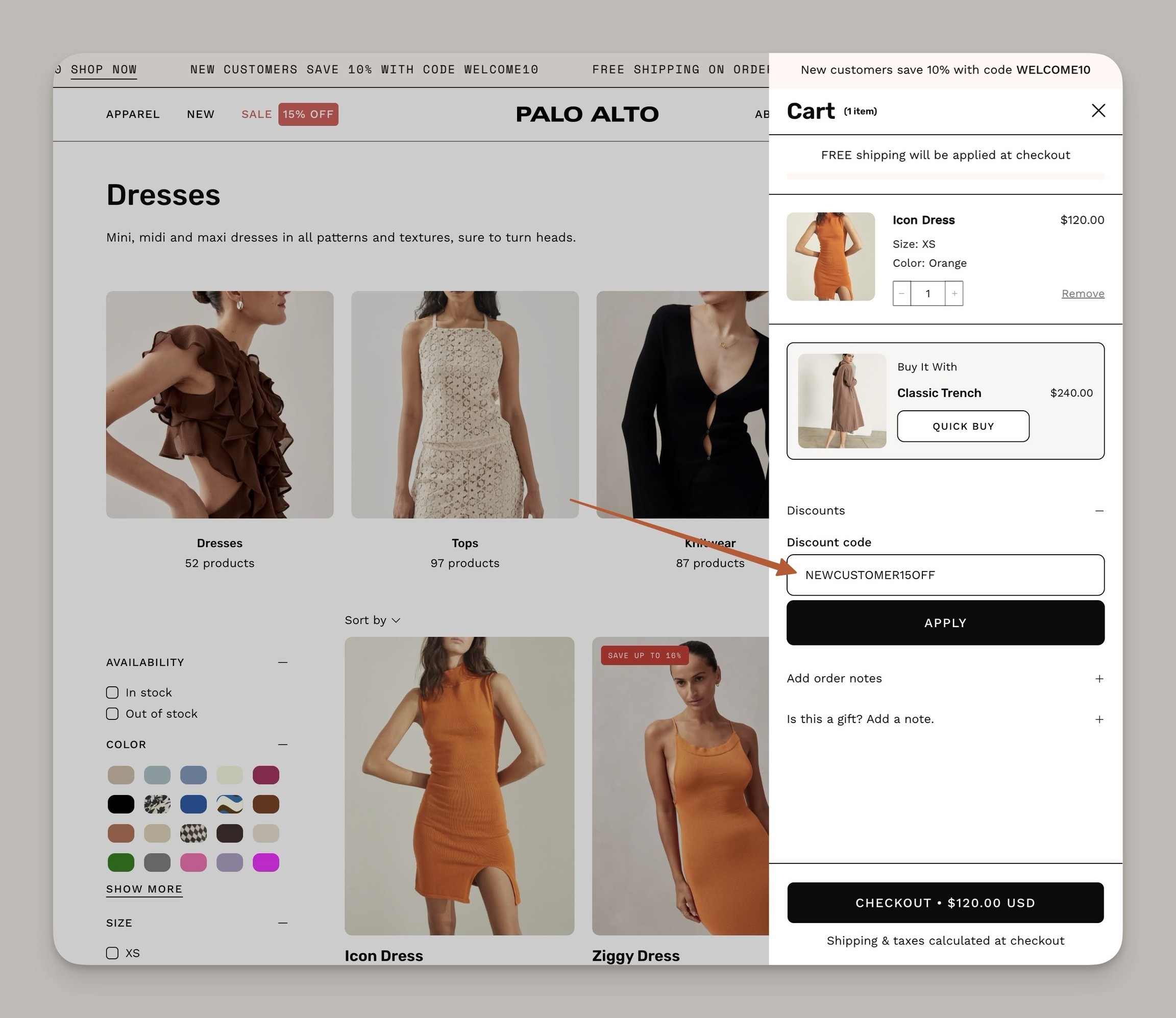
Previously, customers were required to navigate to the final Shopify Checkout page to apply a discount. With Palo Alto 8.0, this streamlines the process by bringing the discount field forward, encouraging customers to continue browsing and making it easier for them to add complementary products or meet thresholds for free shipping and tiered discounts.
How to Enable
Find the setting in the Theme settings → Cart
To activate:
In the Theme Customizer, navigate to Theme Settings.
Select the Cart settings section.
Toggle the option: Enable discounts.
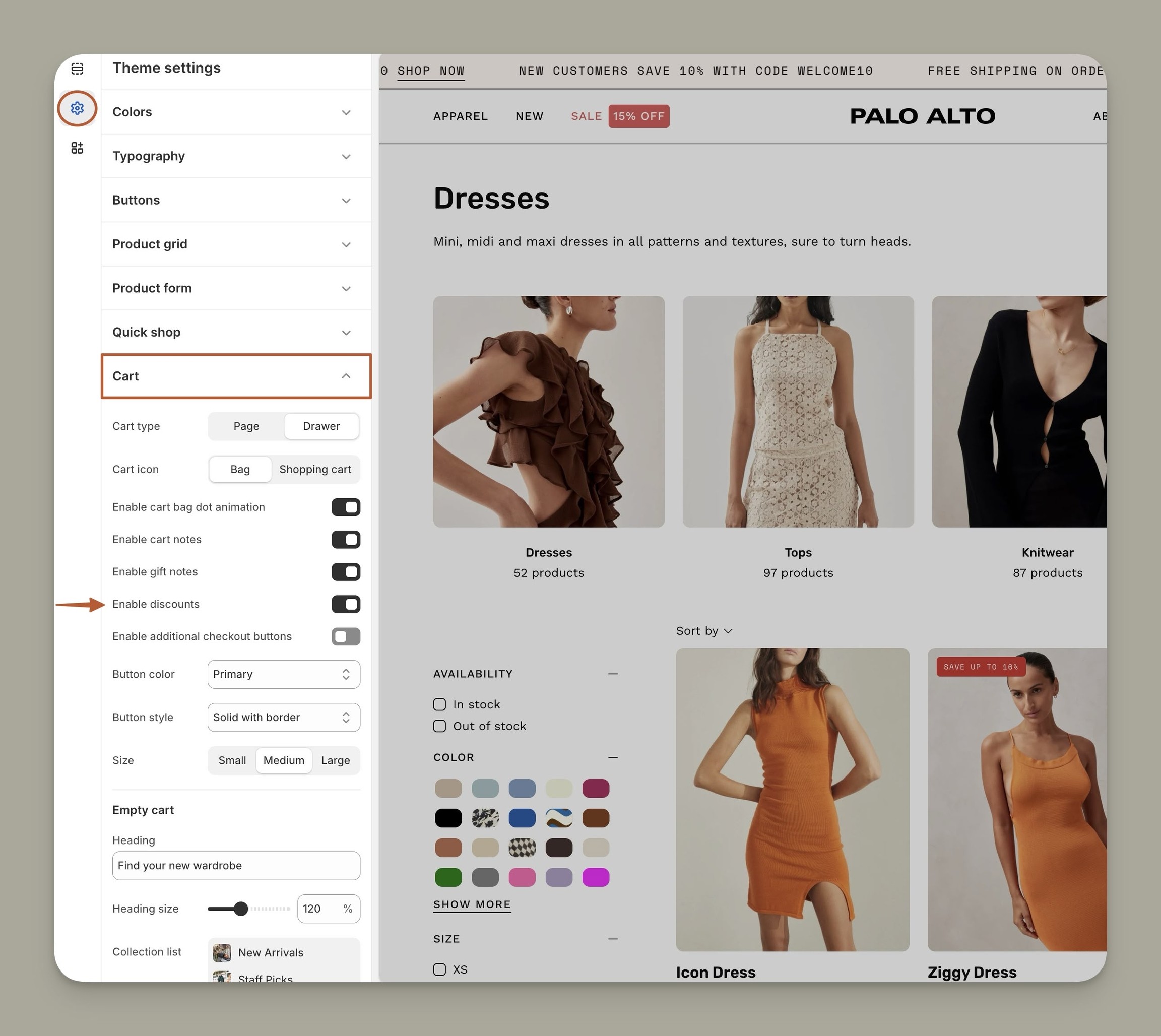
Save the changes. Now, the cart drawer or page will display an option for discounts.
Slideshow video block
Bring your slideshows to life with video content. Slides can now display video media alongside static images:
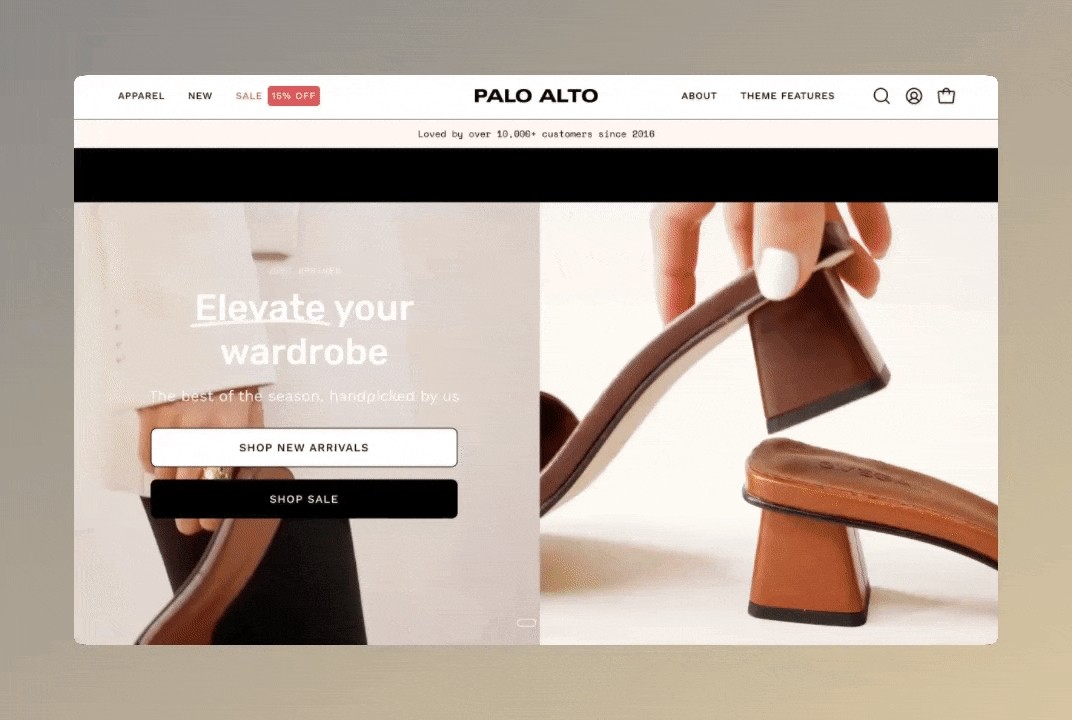
How to configure
Palo Alto uses Shopify-supported MOV and MP4 video formats directly to this section.
Highlight the slide block in the Theme Customizer for the Slideshow section.
Click on the "files" link under the Video background link field:
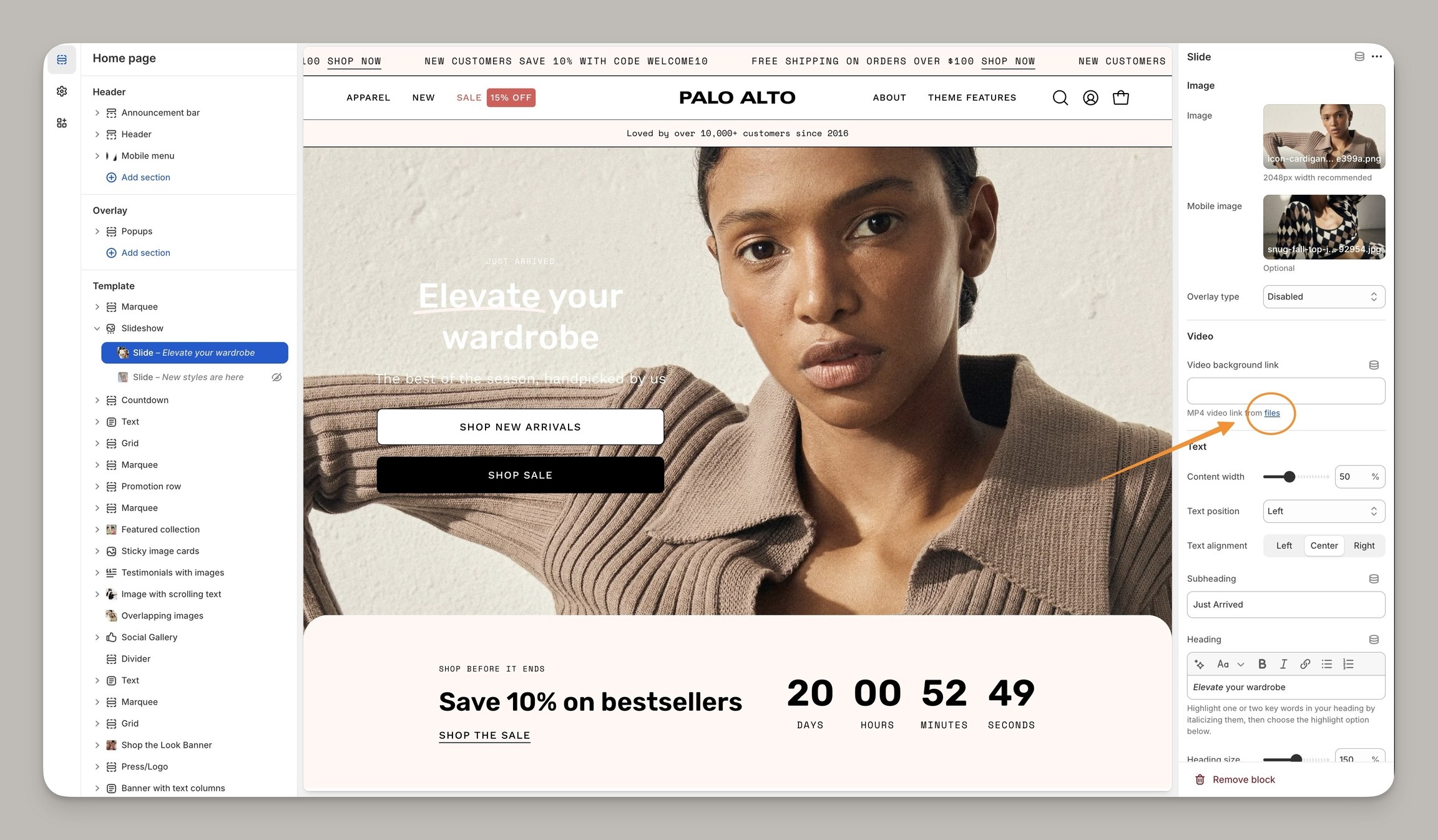
Click on the files link to open the Files library
This will open your Shopify Files library in the main Shopify Admin
Copy the link URL, and use the link icon on the far right:
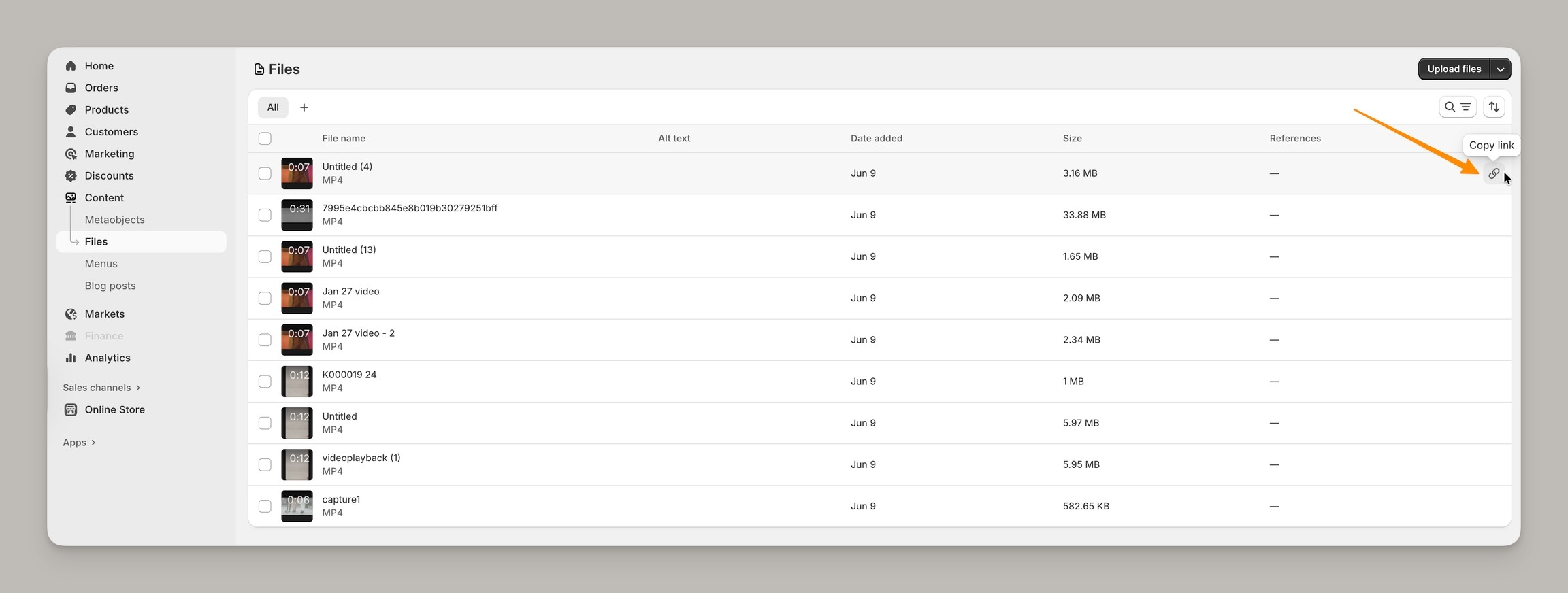
Use the Copy link icon
Paste the link URL in the slide block:
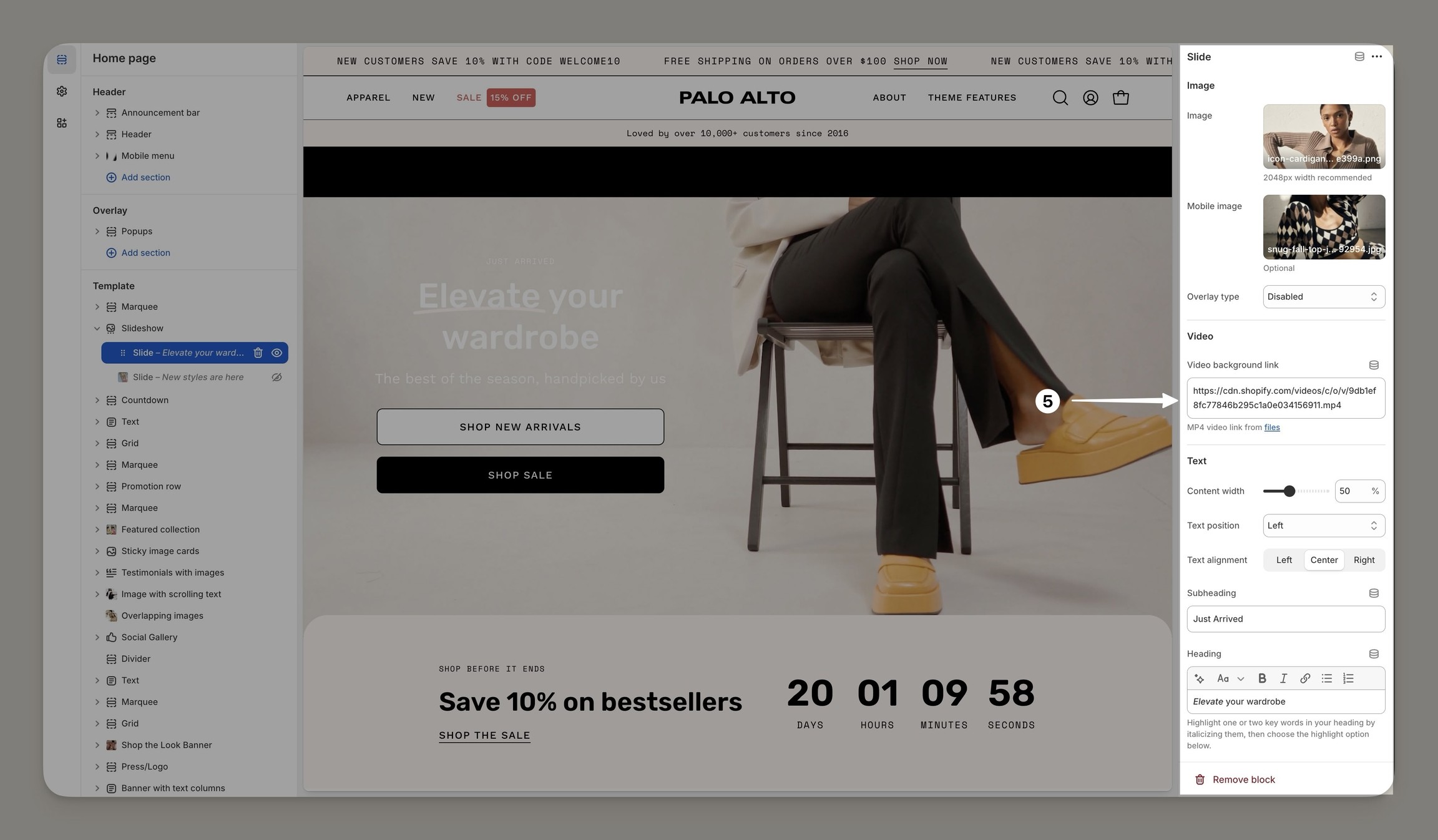
Paste the URL link under Video background link
Save the changes.
Color schemes
Palo Alto now includes Shopify's Color Schemes for managing colors throughout your theme:
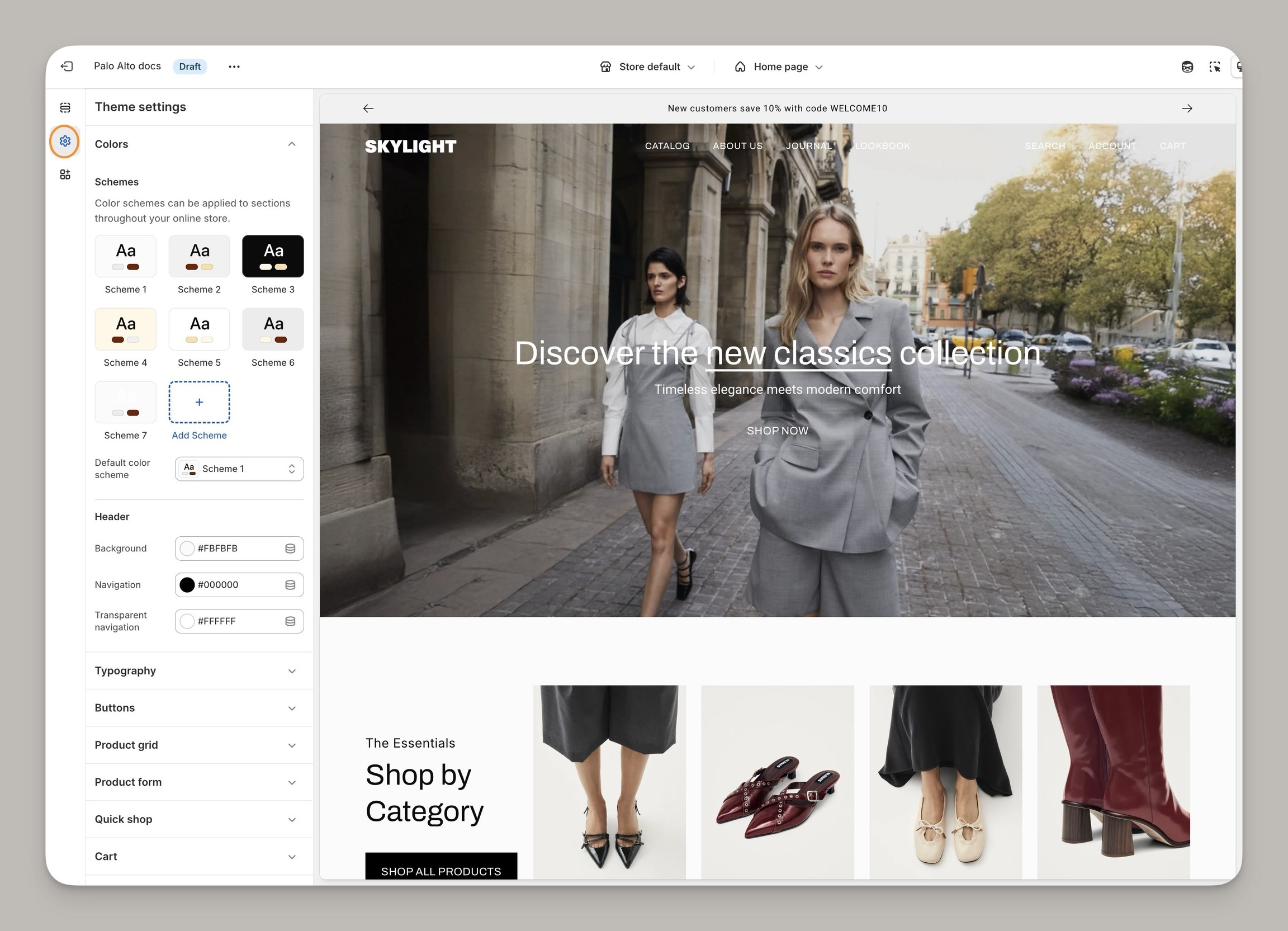
Color schemes help ensure the consistency of your brand colors across all sections and allow for easy changes. Customize the palettes in the Theme Settings under Colors, then apply a palette or scheme to existing sections.
Experiment with gradients and other colors to create visually interesting backgrounds and elements that will enhance your store's aesthetic appeal.
If you're updating from an earlier version of Palo Alto, you can view your site's color choices from the live theme. This will be helpful when you're building the newer version from the drafts folder. The Shopify update tool cannot copy your original color choices. However, you can view them from the live theme and create new color schemes with the latest version.
Find scheme options in the section and block settings throughout the theme:
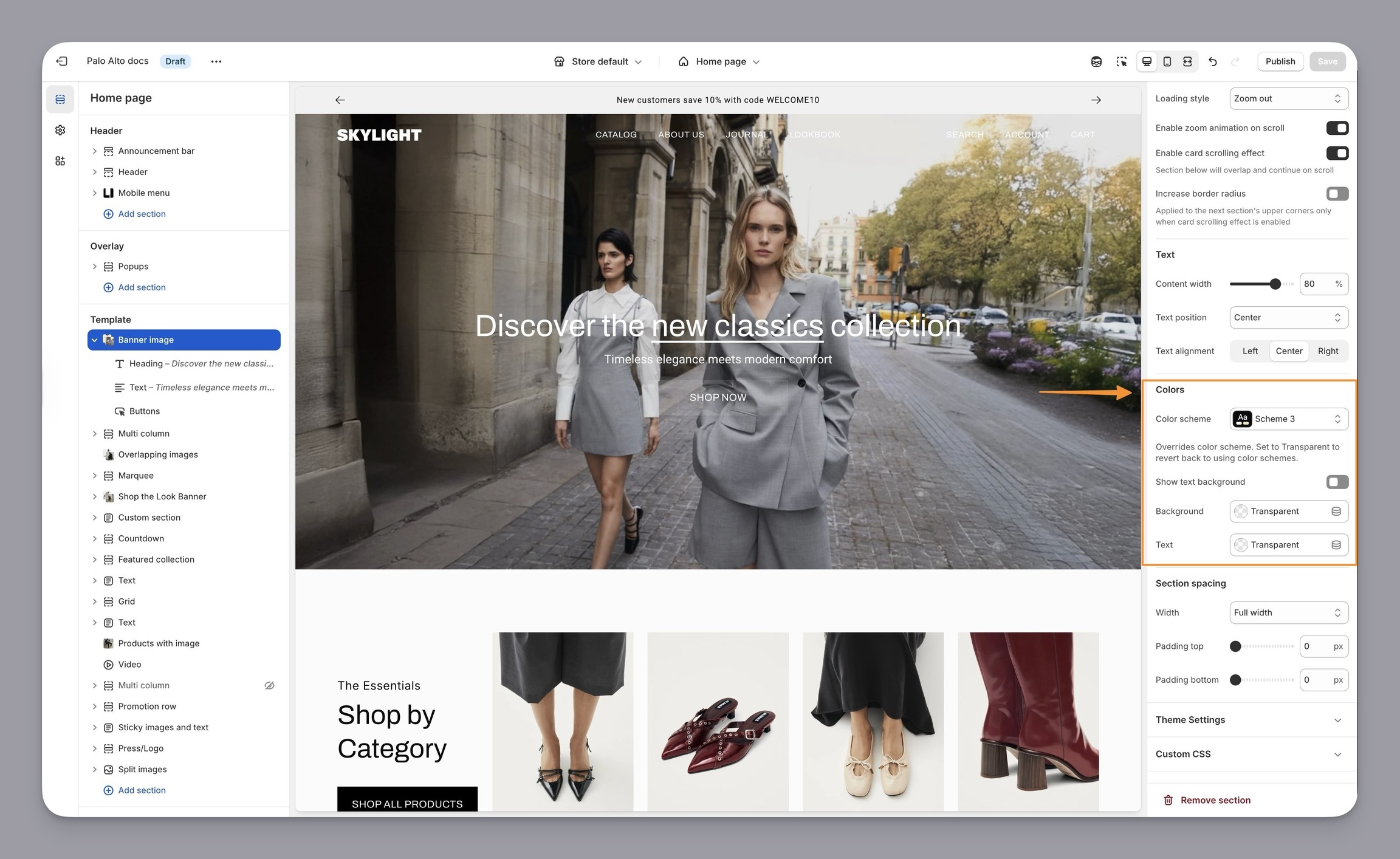
Swatches
Palo Alto now has all swatch controls in the Theme settings → Swatches
You can now manage custom HEX colors in the theme settings and also choose the swatch mode and shape:
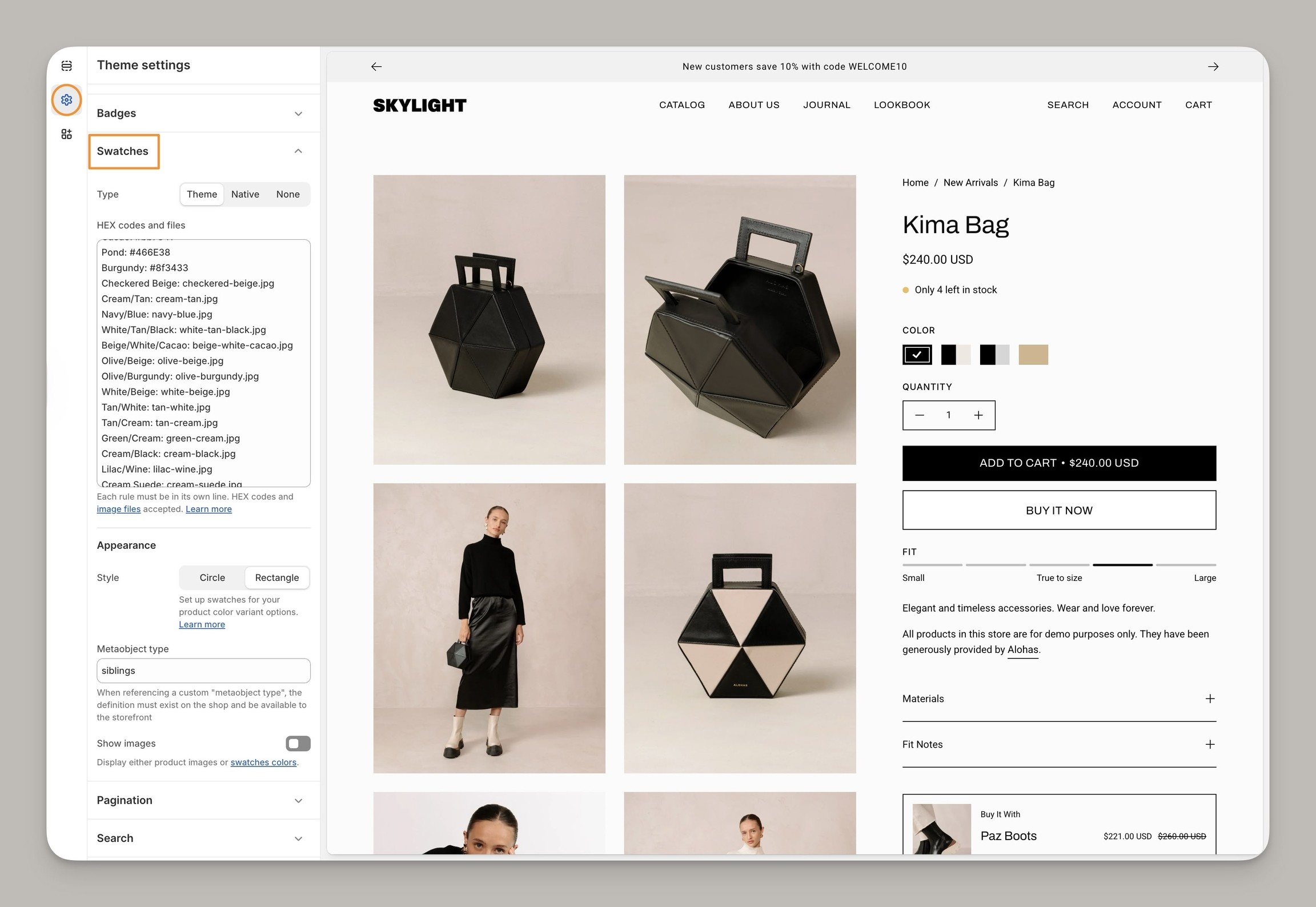
Theme settings, Swatches
Siblings
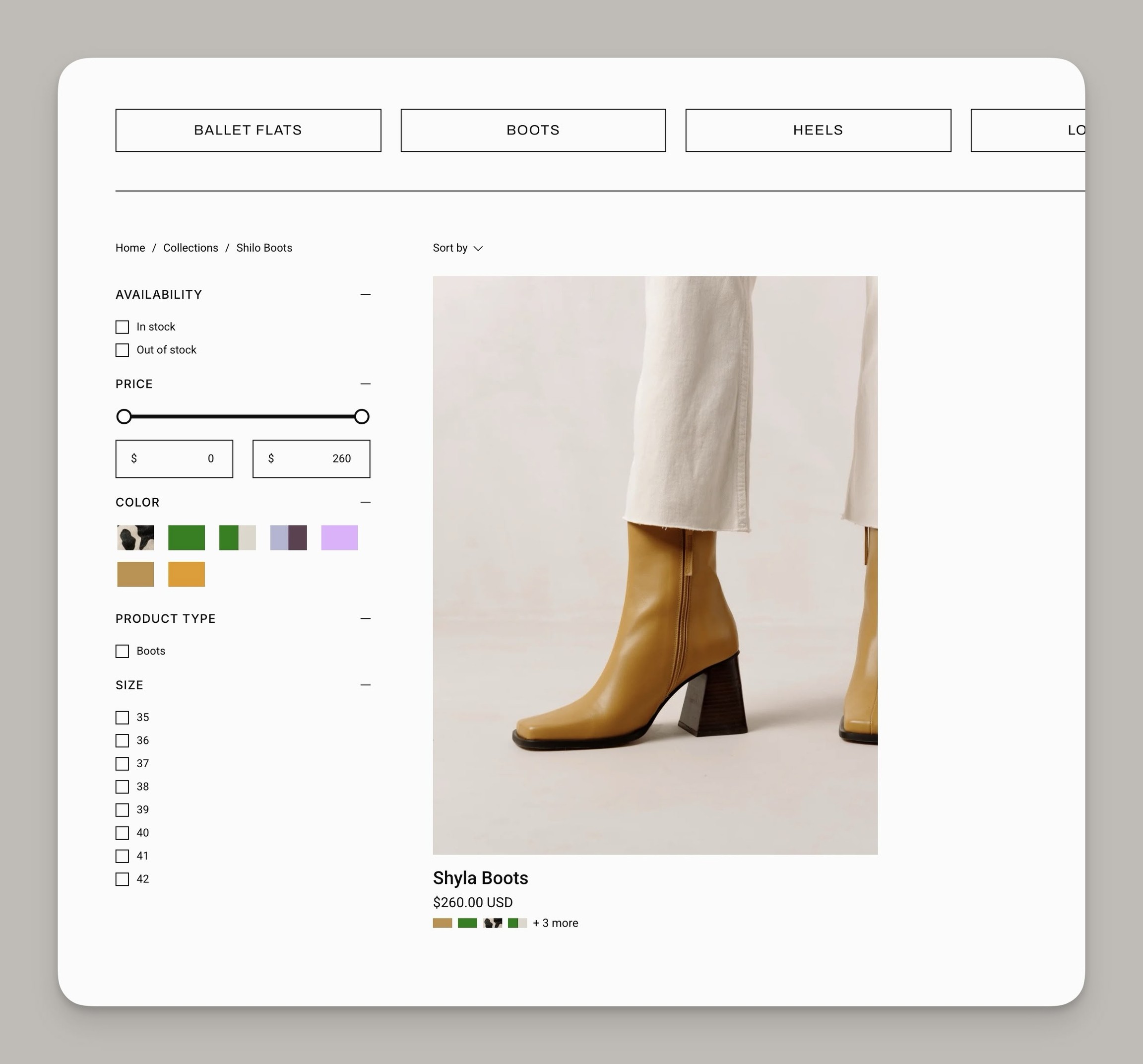
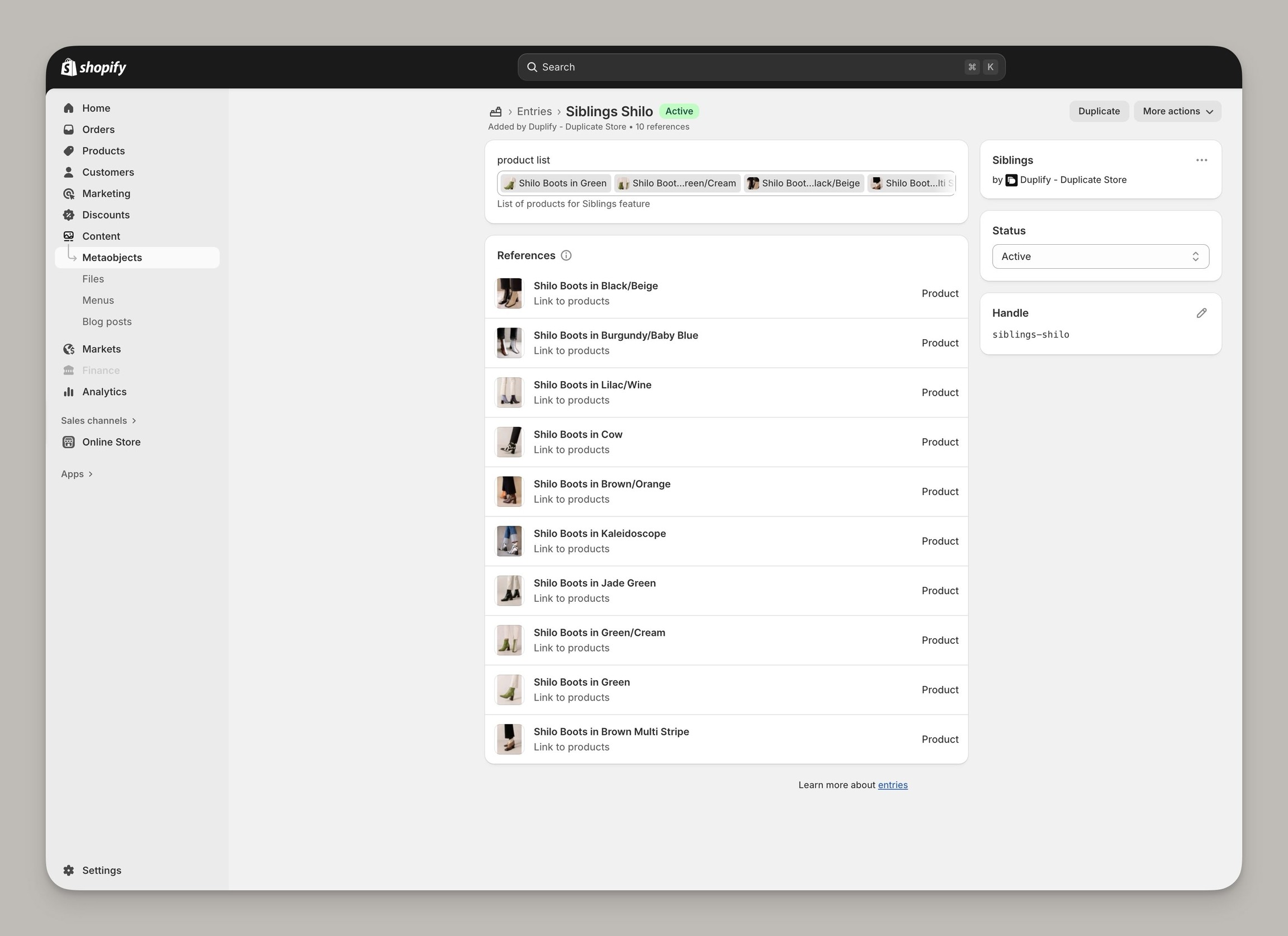
Palo Alto supports metaobjects for the Siblings feature. Along with the Product form, introduced in version 8.0, sibling swatches are also supported in the Product Card:
When using Metaobjects with Palo Alto, Siblings can be easily managed from the Content library in your Shopify Admin:
Also in this version
Additional improvements were made to the theme for performance optimizations. We've also improved the mobile design for the Press/Logo section.

Jamie, Presidio’s Designer, leads the practice alongside Johnnie. With over 10 years of e-commerce experience, Jay is a Shopify expert, known for crafting innovative solutions that prevent tech debt.