Presidio News
Presidio
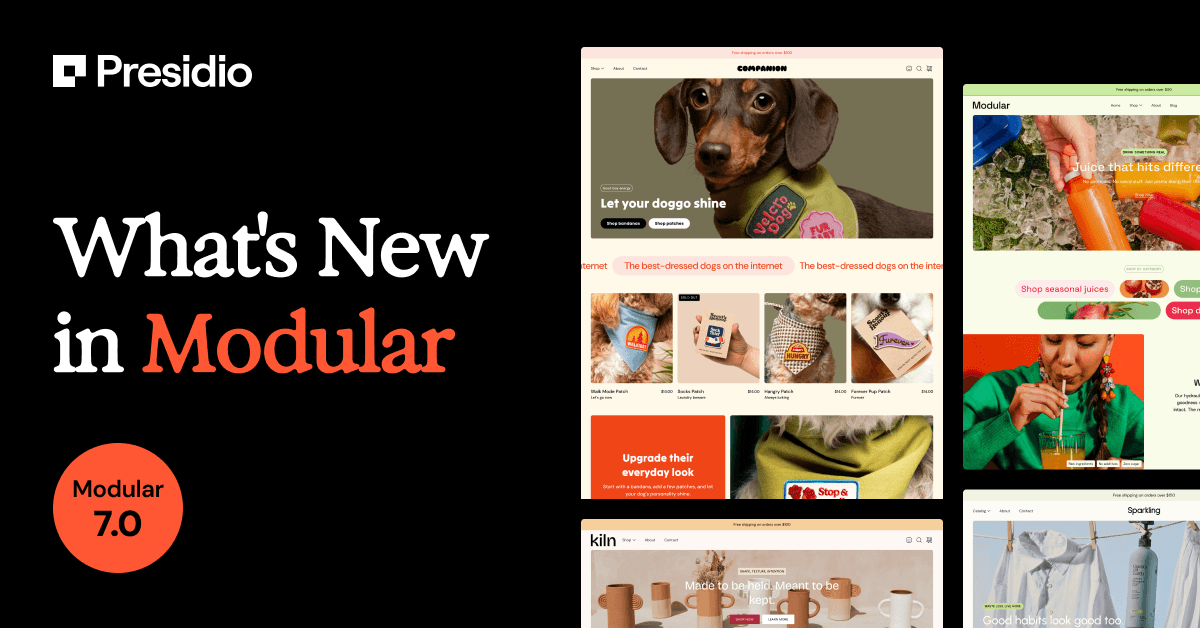
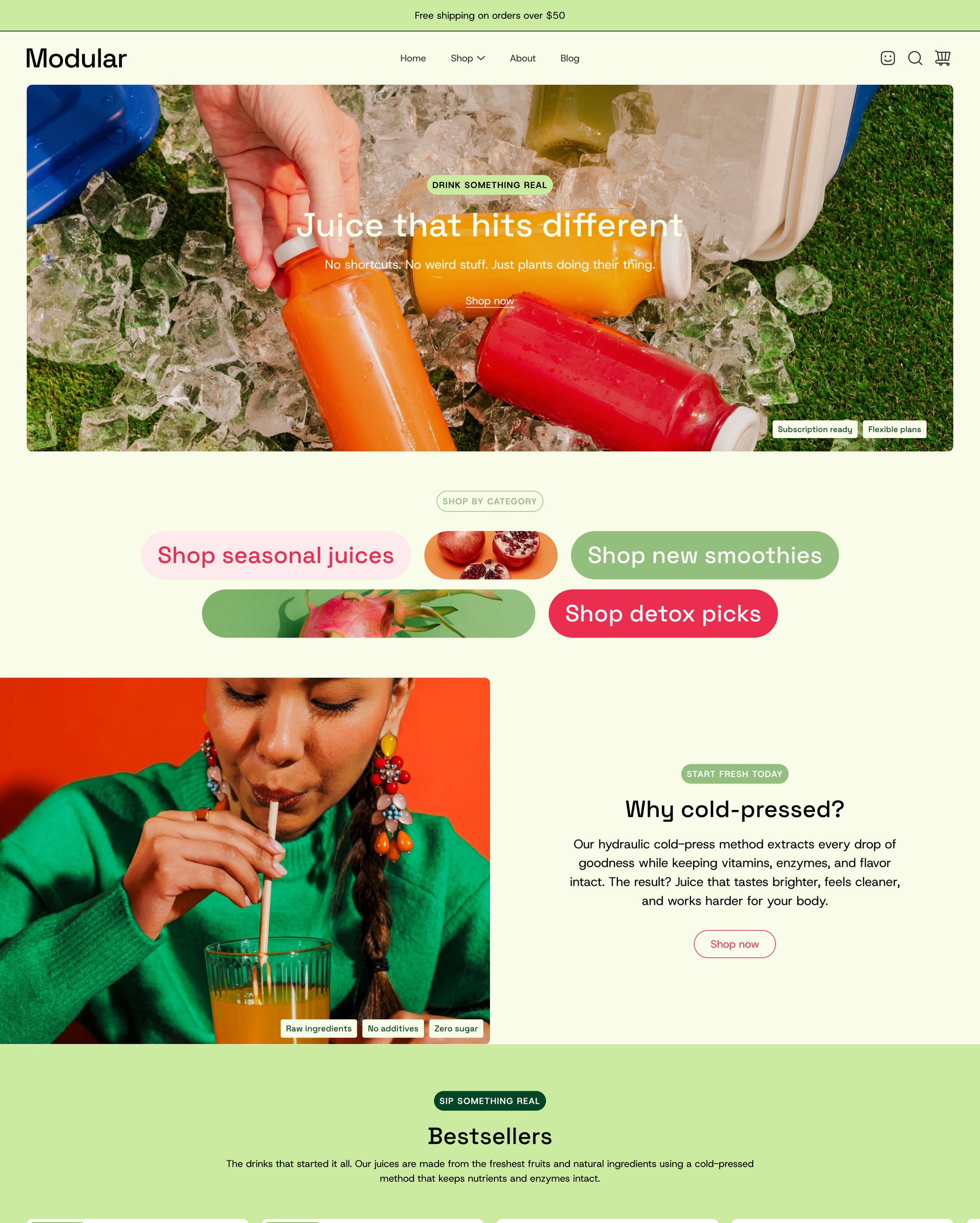
Modular hasn't had a serious overhaul in years. That changes with 7.0 - a complete redesign of the theme from the ground up, with new presets, new sections, new design foundations, and a long list of improvements that bring it fully up to date.
Here's everything that's new.
Five Brand New Presets
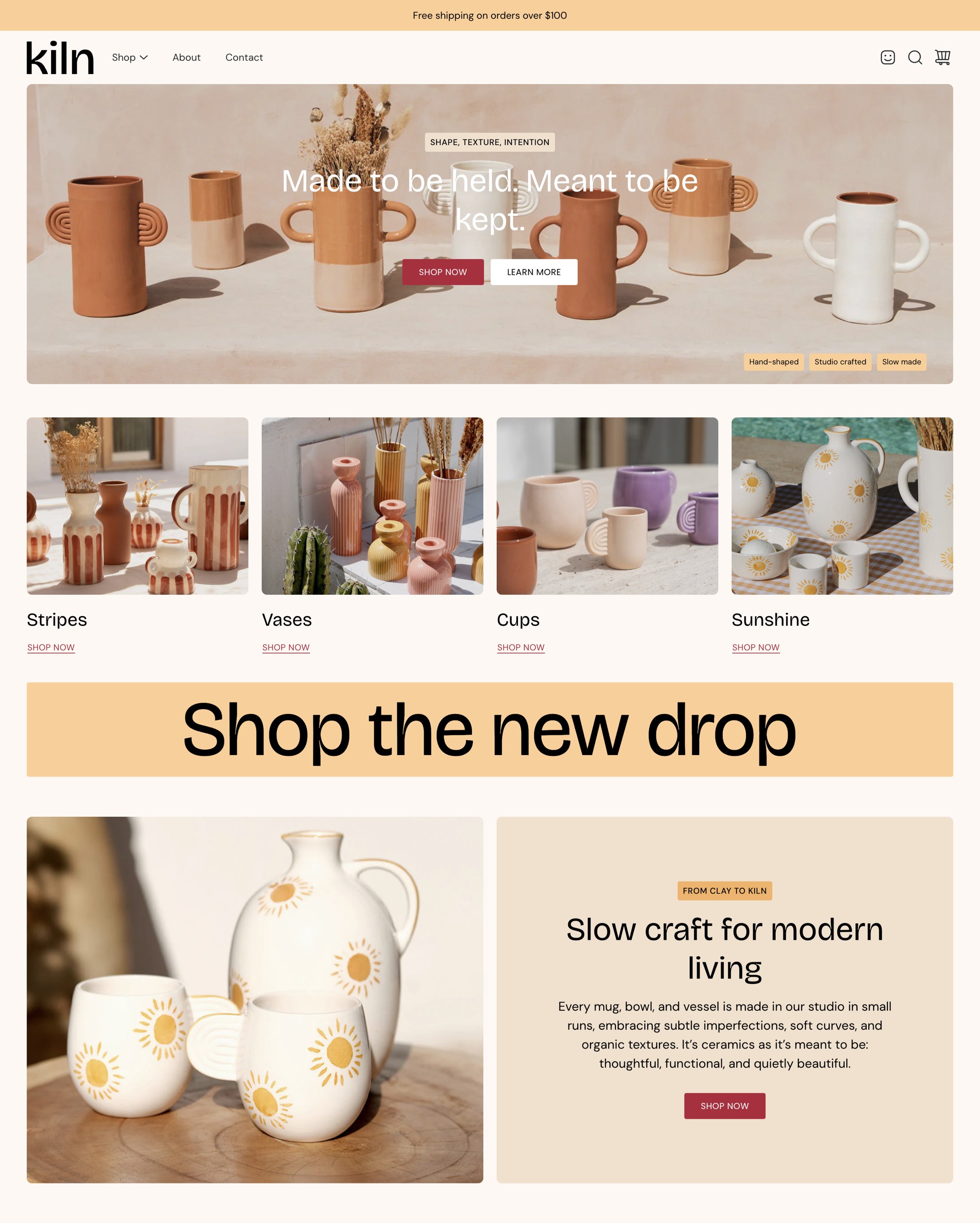
7.0 ships with five new presets: Sparkling, Companion, Kiln, Pattern, and a fully rebuilt version of the main Modular preset. Each one has its own color palette, typography, and visual feel - making it easier to find a starting point that fits your brand without heavy customization.
A Redesigned Theme Foundation
The overall design of Modular has been modernized across the board.
New color palettes and typography
Global color palettes and typography settings have been refreshed to match current design standards. New typography styles and settings are included, and a new header layout option has been added. Two older header styles have been removed: "Menu center, logo center" and "Menu right, logo left."
Important: If you're upgrading from a previous version of Modular, you will need to reset your color and typography settings.
Global rounded corners
A single setting now controls corner radius across images and boxed elements sitewide - one toggle for a more cohesive look across your store.
Updated product cards and icons
Product card design has been refreshed, icons have been updated to modern designs, and the slider has been redesigned with a fixed scroll setting included. Quick view has also been updated for both desktop and mobile.
New Sections
Highlights section
A new Highlights section for featuring products, collections, or brand moments in a bold, structured layout.
Text columns with images
A flexible content layout section that pairs text columns with image support.
Jumbo button
A full-width CTA section designed to stop scrollers.
Shop the look
Let customers shop directly from styled product shots.
Social gallery
Pull in curated social content or UGC directly on your storefront.
Marquee section
The Announcement bar section has been renamed to Marquee, with additional text and color settings. It now supports Image and Icon blocks.
New Features Across Existing Sections
Badges
Badges are now available as an option in the Hero, Slideshow, Image with text, and Text columns with images sections - a clean way to highlight product features, promotions, or brand identity without cluttering your layout.
Product form: Icon block and Accordion block
Two new blocks are available in the product form. Use the Icon block for trust signals or spec callouts, and the Accordion block for FAQs or detailed product information - without custom code.
Add to cart button with price display
The add-to-cart button now supports displaying the product price directly on the button itself.
Cutline for product grid
Set the metafield theme.cutline to show a short description beneath product titles in grid views.
Subheadings badge style
A new badge style option is available for subheadings across the theme.
Logo section in footer
The footer now includes a dedicated logo section.
Heading SEO tag setting
A "Heading SEO tag" setting has been added to all Heading blocks, giving you more control over your page structure and on-page SEO.
Section-Level Improvements
Grid and Width settings have been updated and added across all sections. Top and bottom padding settings are now included in every section. Image with text and Slideshow sections are now built with theme blocks. The Image with text overlay section has been renamed to Hero and rebuilt with theme blocks. Rich text and Split content sections now support background colors, vertical padding, and border radius on content areas. The Testimonials section has been redesigned and modernized. Animations have been sped up.
Accessibility and Bug Fixes
This release includes A11Y improvements across the theme, updated language and currency selectors, an improved add-to-cart bar on the product page, a fix for Complimentary products block display, and improvements to the Text block in the Mosaic section.
Upgrading From an Older Version of Modular?
Upgrading to 7.0 requires you to reset your color and typography settings. We recommend previewing the new theme before publishing to your live store. For a step-by-step walkthrough of the update process, see our guide on how to update your Presidio theme.
Presidio News