Presidio

Most advice about shopify templates premium starts in the wrong place. It treats the theme as a visual purchase, then acts surprised when the store gets harder to maintain, slower to evolve, and more expensive to keep clean over time.
A premium theme is closer to storefront infrastructure than to a design asset. If you choose well, it can reduce app clutter, simplify merchandising, and give your team a stable base for growth. If you choose badly, you buy a prettier problem.
Table of Contents
Why Premium Does Not Always Mean Better
Premium pricing creates a simple trap. Merchants assume the higher ticket means better code, better support, and better long-term results. In practice, premium Shopify themes vary a lot in architecture, support quality, and how gracefully they survive real-world edits.
Shopify's own store structure shows how broad the category is. The official Theme Store includes a mix of free and paid options, and third-party pricing often sits in the same general range merchants see across theme marketplaces, according to Uptek's Theme Store pricing overview. That spread tells you the market is mature, but it does not tell you which codebase will age well after months of edits, app installs, and merchandising changes.
The core question is architectural, not cosmetic
A theme with glossy demos can still turn into a maintenance burden once the merchandising team starts layering in custom sections, app blocks, and content variations. Shopify's theme architecture is built around reusable templates and sections, which helps, but it also means the team has to keep that structure organized as the store changes. The better choice is usually the one with cleaner defaults, fewer dependencies, and a clearer path for future edits.
A theme's billing model does not tell you how hard it will be to maintain. Theme Store pricing gives you a rough entry point, not a guarantee of code quality or implementation discipline. A merchant can buy a polished front end and still inherit brittle templates, duplicated logic, or settings that become painful to revisit later.
Practical rule: if two themes look equally good in a demo, choose the one that will be easier to explain to the next developer who inherits it.
That mindset matters because theme selection compounds. A theme that is simple to update, easy to extend, and less dependent on scattered scripts can save the team from repeated cleanup work later. A theme that only looks premium on launch day often becomes the one everyone avoids touching.
A premium theme also has to fit the rest of the stack. If the build depends on extra app layers for product media, content modules, or merchandising controls, the ongoing work may cost more than the license itself. For teams comparing theme spend against other tools, the trade-off can look similar to product video software pricing, where the visible fee is only part of the long-term cost.
Free vs Premium Shopify Themes Explained
Free and premium themes can both sell well. The difference is the amount of structure you get before the store starts depending on apps and custom code. Free themes are often the right call for focused catalogs, simple merchandising, and brands that need to launch without a lot of variation.
Premium themes make sense when the store needs built-in commerce features that would otherwise be assembled from multiple apps. Shopify's Theme Store pricing gives a rough entry point, not a guarantee of code quality or implementation discipline. Premium licenses commonly sit in the $180 to $400 one-time range in the store, while third-party premium themes often land around $300 to $450 with a year of support and updates, according to Qualimero's Shopify templates pricing overview. The price matters less than whether the theme replaces paid app layers you would otherwise maintain separately.
What premium usually bundles
Premium themes often include advanced filtering, mega menus, quick-buy drawers, sticky add-to-cart, size charts, and promo blocks directly in the theme. Many buying guides skip that detail. Those features do more than make a store look more advanced, they reduce the number of moving parts the team has to keep in sync every time merchandising changes.
That also affects budgeting. Some analyses estimate that buying those capabilities separately as apps can land in the $456 to $1,320 per year range, versus about $280 to $400 once for a premium theme, based on current Theme Store pricing data and the pricing structure summarized by Uptek's theme market data. That is not a promise for every store, but it is the right way to think about total cost if you are comparing a stacked app setup with an integrated theme.
Criteria | Free Themes | Premium Themes |
|---|---|---|
Upfront cost | Lower or none | One-time license fee |
Built-in merchandising tools | Basic | Broader feature bundle |
App dependence | More likely | Often reduced |
Catalog complexity | Better for simple needs | Better for larger or layered catalogs |
Support window | Usually narrower | Often includes developer support |
Long-term flexibility | Enough for many small stores | Better for brands expecting more customization |
When a store is still proving product-market fit, a free theme can be the disciplined choice. When the store already knows it needs richer navigation, stronger merchandising, and fewer app dependencies, premium becomes a structural decision.
For teams comparing tool stacks across categories, even something like product video software pricing is a useful reminder that add-on costs accumulate quickly once you start buying every capability separately. For implementation work, a practical Shopify performance optimization guide is a better way to judge how added theme features may affect load time and upkeep.
How to Evaluate Premium Theme Quality
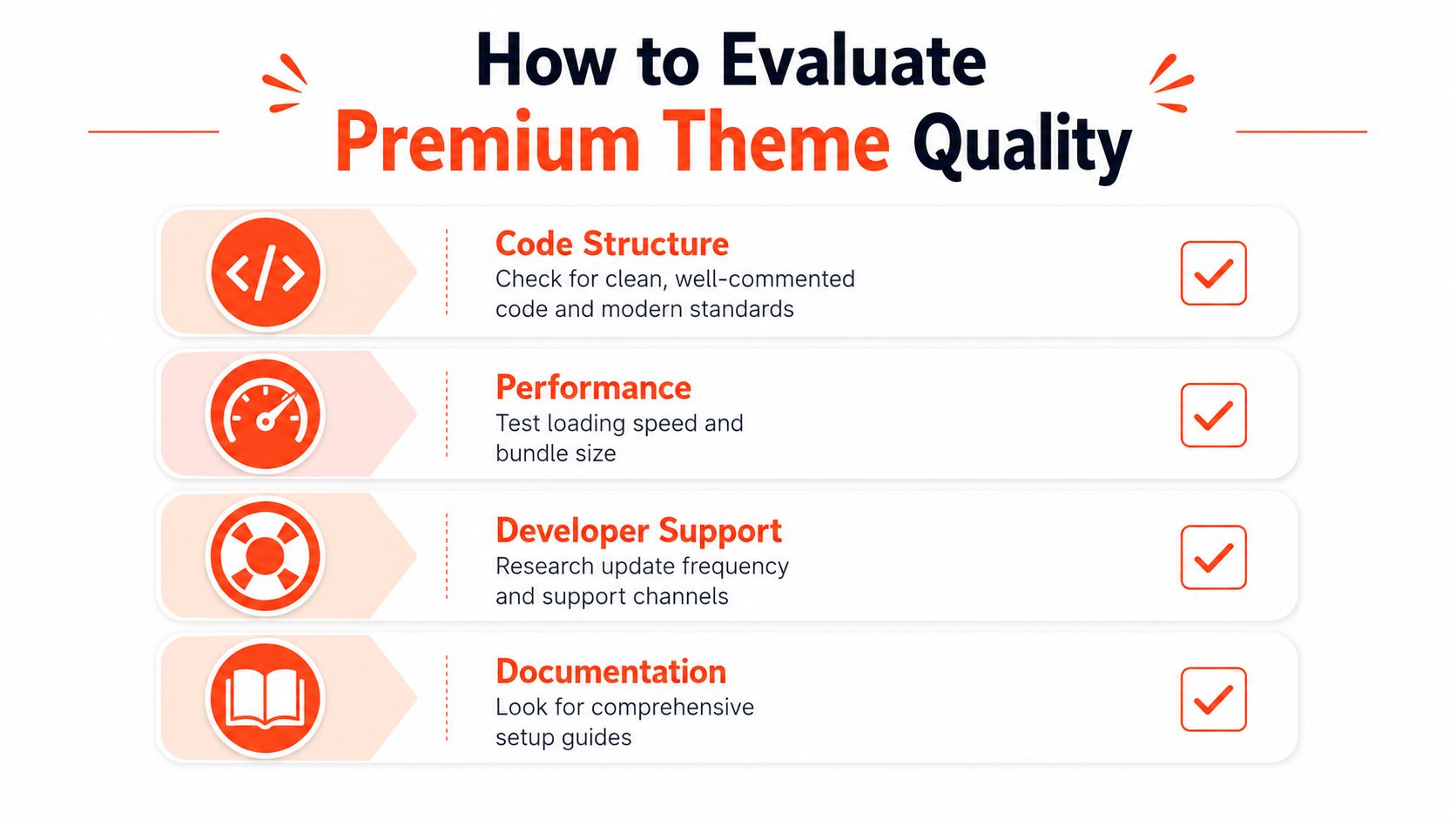
A premium demo can hide a weak foundation. That's why theme evaluation has to start with code structure, not homepage polish. The best-looking store can still be fragile if the theme relies on heavy scripts, messy section logic, or poor documentation.
Check how the theme is built
Shopify's template system rewards efficient reuse. If a theme's sections are organized cleanly, your developers can move faster and your merchandisers can make changes without breaking unrelated pages. If the theme is stitched together with inconsistent patterns, every later edit takes longer and carries more risk.
Test performance with real pages
Shopify says theme performance standards are part of the store review process, and its theme articles also emphasize mobile readiness and accessibility by design on official themes. That still doesn't replace real testing on your catalog, your imagery, and your apps. The right question isn't whether the demo is fast, it's whether the theme stays fast after your team adds actual products, filters, and content modules. Review the implementation details in this performance optimization guide for Shopify stores.
Look at the theme on mobile first, then judge desktop. Mobile is where hidden layout issues usually show up first.
Read the support story, not just the sales page
Support quality is a maintenance issue, not a nice-to-have. Premium third-party themes commonly include limited support windows, while the Shopify Theme Store's official one-time purchase model still expects merchants to configure and maintain the theme themselves. That means you should check documentation depth, update cadence, and how clearly the developer explains version changes.
A strong theme usually has three things in common. It documents setup clearly, it avoids overcomplicated custom paths, and it doesn't force you to guess how a future update will behave. A weak theme looks impressive in the demo and becomes vague the moment the store needs something off-script.
Customization and Maintenance Tradeoffs
Every merchant wants flexibility until flexibility turns into a patchwork of one-off edits. The more a team customizes a premium theme, the more important it becomes to protect the base structure underneath it. If that structure gets messy, future updates start feeling like risky migrations instead of routine maintenance.
What happens after launch
The common pattern is predictable. A brand launches on a premium theme, the first merchandising request arrives, then the team adds a custom banner, a new product module, a quiz integration, and a few app blocks. Each change feels small. Together, they create a theme that is harder to update and more dependent on whoever originally touched it.
That's why the hidden cost is often not the theme itself, but the work required to preserve it. Shopify's own guidance makes it clear that themes still need merchants to configure and maintain templates and sections over time. Third-party premium themes also tend to come with limited support windows, so “buy once” doesn't mean “think about it once.”
Where maintenance pain usually shows up
Watch for this: app conflicts rarely look dramatic at launch. They usually appear later when a new feature touches the same section or template logic an older app already modified.
The trouble spots are familiar. A collection page that used to be simple now has custom filtering plus third-party review widgets. A product page gets two variants of upsells. A content page that was easy to edit becomes a special case nobody wants to clone. The more exceptions you add, the more fragile the theme becomes.
Presidio's Shopify theme customization guidance fits that reality well because the smarter approach is usually selective customization, not open-ended modification. Start from the theme's native capabilities, then add only the modules you need.
If a brand expects to add subscriptions, quizzes, or more complex discount logic later, the theme should be chosen with that future in mind. The safest premium template is often the one that leaves enough room to grow without turning every change into bespoke maintenance.
Reducing App Sprawl with Built-In Theme Features
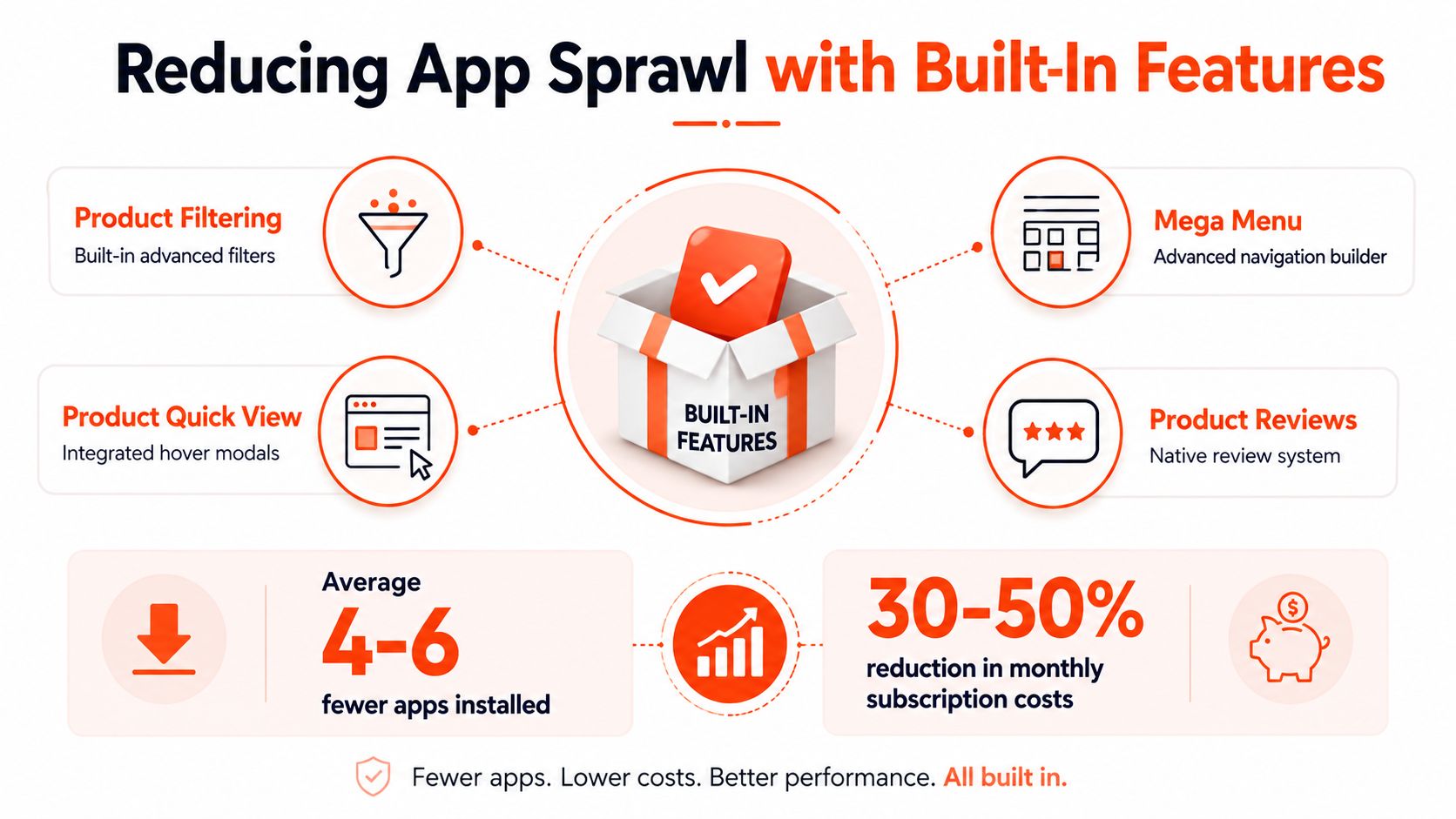
Premium themes earn their keep when they replace parts of the app stack instead of living alongside it. That changes the economics in a practical way. If the theme already covers merchandising features natively, the store avoids paying for, testing, and updating several third-party tools that all try to touch the same pages.
Fewer apps usually means less front-end complexity
Premium theme market data points to that trade-off directly. Many premium themes bundle sticky add-to-cart, advanced filtering, quick-buy drawers, size charts, promo pop-ups, and mega menus into the theme itself, so merchants do not have to assemble those functions from separate vendors. As noted earlier, the annual app cost for equivalent functionality can add up quickly, while a premium theme is often a one-time purchase.
That matters in day-to-day operations. Fewer third-party scripts usually means fewer places for performance regressions, fewer update conflicts, and less cleanup after a campaign launch. It also makes the storefront easier to audit when something breaks, because there are fewer moving parts to inspect.
Built-in features should support the business model
Premium themes tend to work best when the built-in tools match the store's actual merchandising motion. Fashion and lifestyle brands often benefit from lookbooks, large catalog navigation, and content-forward product pages. Catalog-heavy stores need filtering and menu structure that hold up as the assortment expands. Stores with subscriptions or quiz-driven discovery need a theme foundation that will not fight those layers later.
The goal is to avoid paying for the same capability twice, once in the theme and once in apps that recreate it poorly. When a theme already covers navigation, promotion, and product discovery cleanly, the team can spend more time improving the offer and less time managing scripts. For a closer look at how theme sets are organized and what built-in functionality typically comes with them, review Presidio's theme exploration page.
Selection Criteria for Different Brand Stages
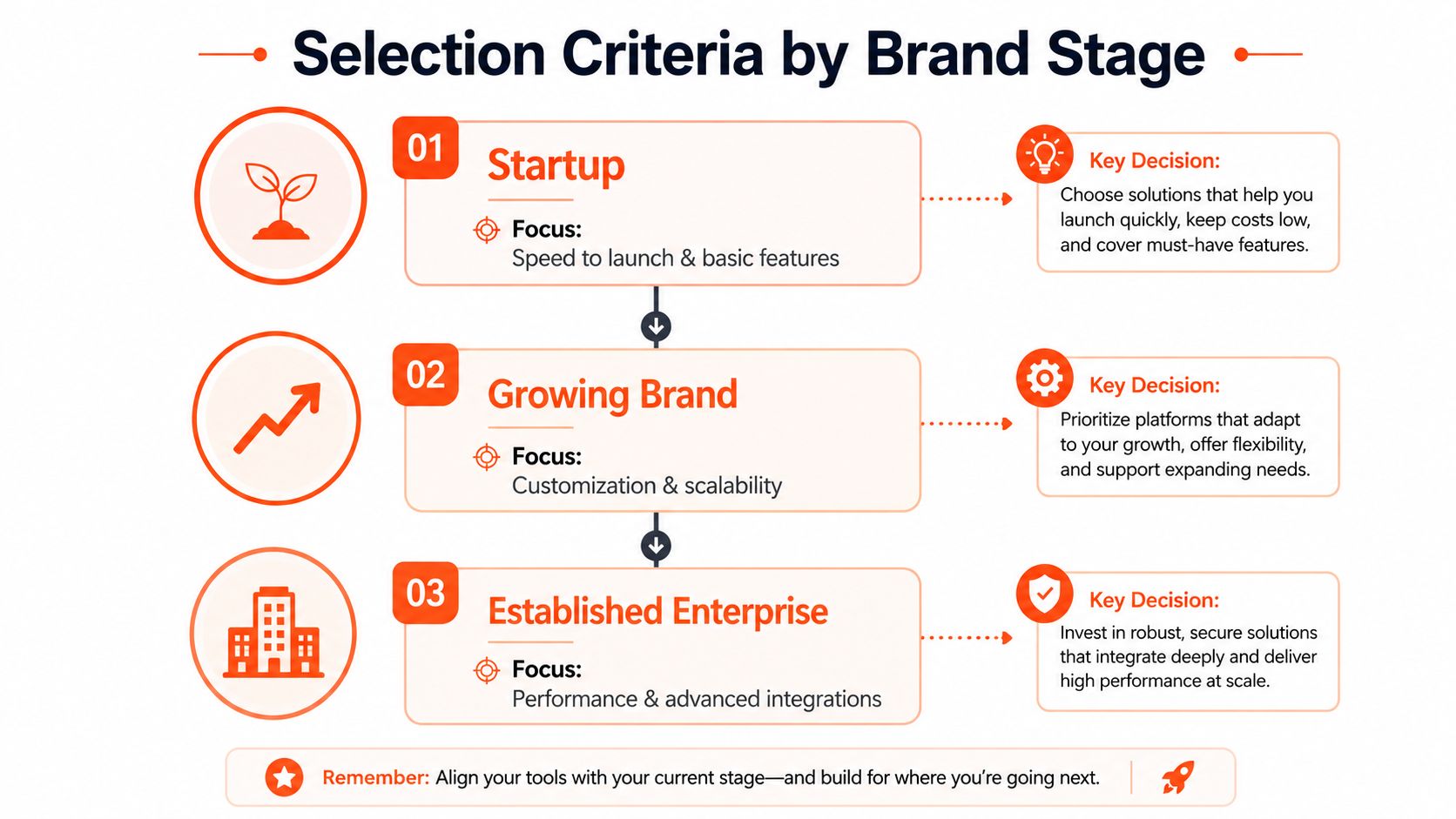
The right theme depends on where the brand is today, not where the sales deck wants it to be. A startup, a scaling DTC label, and an established catalog business all have different maintenance tolerances. A theme that feels generous for one stage can be clumsy for another.
Match the theme to the brand stage
For a startup, the priorities are speed, clarity, and the ability to launch without overbuilding. A simpler premium theme can still be the right move if it keeps the first version of the store clean and easy to edit.
For a growing brand, the criteria change. Flexibility starts to matter more, but only if the theme can handle additional product storytelling, better navigation, and more sections without turning into a fragile one-off build. That's where architecture matters more than demo aesthetics.
For an established enterprise, the theme has to behave like part of a broader commerce system. Performance, advanced integrations, and predictable updates matter because the storefront now sits inside a larger operational stack.
Use the business model as a filter
Not every category needs the same thing. Fashion brands usually care about mobile presentation and merchandising rhythm. Large catalogs need navigation that stays intuitive as the assortment expands. Lifestyle and editorial brands need room for content without compromising product clarity.
Decision rule: if the theme can't support your next three site changes without a rebuild, it's too narrow for the brand.
The shortlist should get smaller once you ask the right questions. Does the theme support your catalog shape. Does it leave room for future apps without clutter. Can it keep working after customizations, not just before them?
A useful starting point is Presidio's theme exploration page, especially if you want to compare premium options against the way a real Shopify implementation behaves after launch.
Common Mistakes and Next Steps
A lot of merchants make the same mistake twice. They choose the theme that looks strongest in the demo, then they customize too early and discover they've made the store harder to manage than it needed to be. The result is usually a site that looks polished but feels annoying to operate.
One store I reviewed had the right premium theme for its category, but the team had added custom sections before they understood the native setup. By the time they needed a simple content update, three different people had to touch the theme because the original structure was no longer clean enough to edit safely.
The mistakes to avoid
Don't buy on demo aesthetics alone. A beautiful homepage says very little about how the theme behaves under a real catalog, with real app blocks, and real content edits.
Don't over-customize before launch. If the default sections already cover the use case, let the theme prove itself first.
Don't ignore update history. If the developer can't show a clear pattern of maintenance, the theme may become a dead end.
Don't skip mobile review. That's where awkward spacing, cramped navigation, and broken product interactions show up fastest.
The next step is practical. Test the theme on a dev store, load real products, check the documentation, and ask the developer how they handle support and updates after the first year. If the answers are vague, keep looking.
Presidio builds and supports Shopify storefronts, premium themes, and custom theme work for brands that want cleaner architecture and less app sprawl. If you need help evaluating a premium theme, planning the right customizations, or keeping a store fast after launch, visit Presidio and start a conversation with the team.

Jamie, Presidio’s Designer, leads the practice alongside Johnnie. With over 10 years of e-commerce experience, Jay is a Shopify expert, known for crafting innovative solutions that prevent tech debt.
Jaime
Senior Product Designer, 2020



