Presidio

You're in the meeting where the replatforming debate finally gets real. Marketing wants cleaner campaign launches, operations wants fewer brittle workarounds, finance wants a number they can defend, and the technical team is staring at a stack that keeps getting slower, messier, and harder to change. That's usually the moment people start talking about software, but the problem is often the operating model behind it.
Ecommerce platform migration has changed for that reason. It's no longer a tidy IT swap, it's a decision about how your store runs, how fast your team can move, and how much complexity you're willing to carry after launch. The brands that treat it that way protect revenue, while the ones that don't often just move old problems into a new admin panel.
Table of Contents
Why Most Ecommerce Platform Migrations Are Treated as a Software Swap
Realistic Timelines and the Testing That Protects the Launch
Cutover, Rollback Triggers, and the First 30 Days After Launch
Why Most Ecommerce Platform Migrations Are Treated as a Software Swap
The call started like most migration calls do. A brand director wanted “a cleaner store,” the agency wanted scope confirmation, and the platform comparison deck had already turned into a feature checklist. Meanwhile, the team on the existing stack was spending too much time patching integrations, exporting data by hand, and working around limits that never show up in a sales slide.
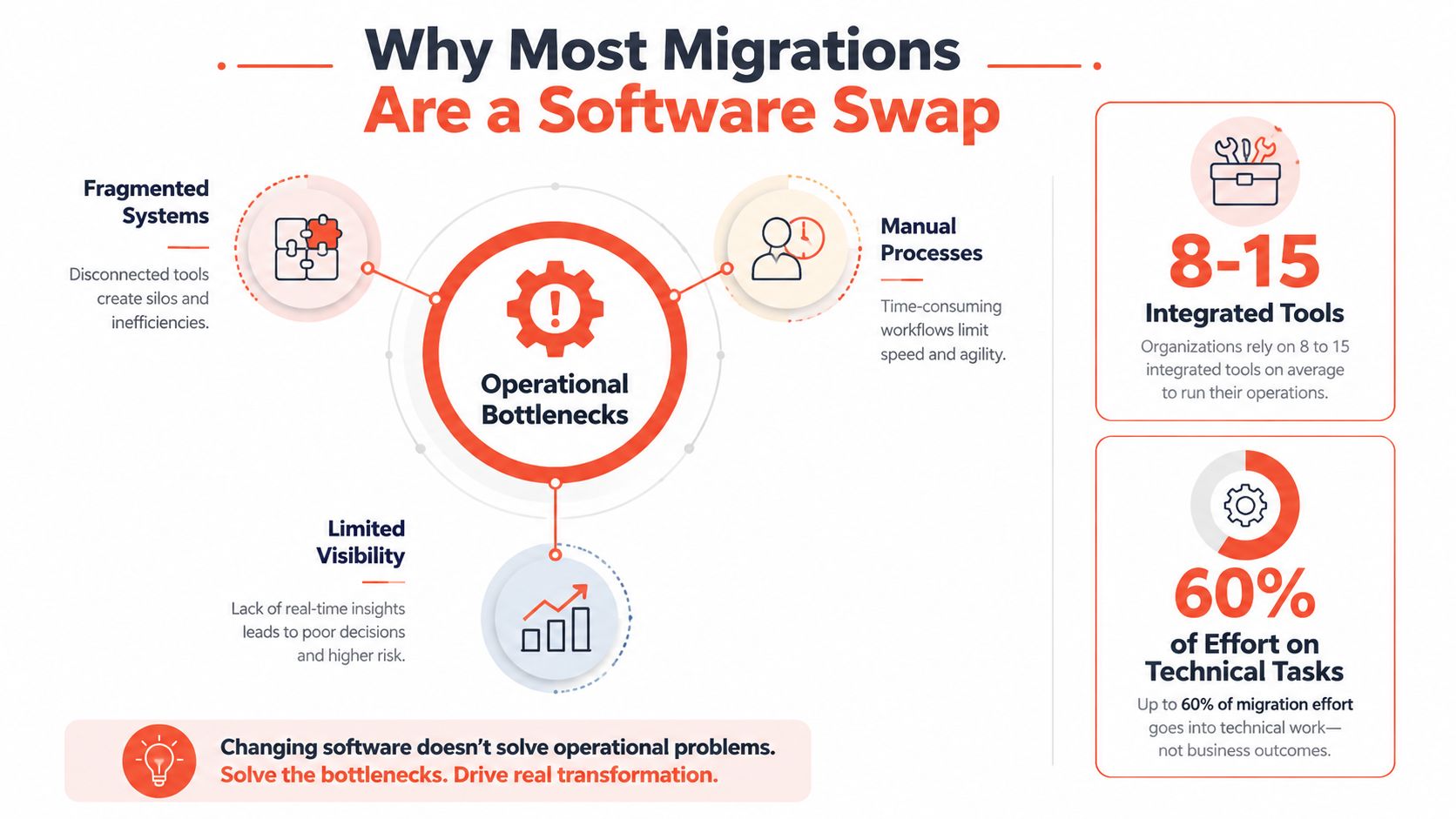
That's why replatforming gets misunderstood. The surface issue looks technical, but the pressure usually comes from operations, reporting, merchandising, support, and the repeated friction of keeping everything stitched together. The historical shift matters here, because 68.4% of retailers chose a hosted, cloud-based platform in 2023, and 27% of ecommerce companies were actively looking to switch platforms, while 46% of retailers had moved replatforming to a top priority. Those numbers point to a broader change in how merchants think about the move, as a strategic operating choice rather than a back-office cleanup (Swell's ecommerce migration statistics).
Who this guide is for
This is written for DTC brands, ecommerce and growth leaders, and agencies who keep getting pulled into migration work that starts as a platform decision and ends as a business continuity project. It's also for teams that want a realistic view of what protects revenue and what just looks productive in a kickoff deck.
A useful starting point is the Ecommerce API conversation, because once you see how storefronts depend on connected systems, the migration stops looking like a theme swap. It starts looking like a coordinated change to the way your business moves data, takes orders, and serves customers. For a broader perspective on that connected commerce layer, the Ecommerce API discussion from Zinc is a helpful companion read.
Practical rule: if the conversation is only about the new theme, you're already under-scoping the project.
A serious migration has to protect more than the homepage. It has to protect data fidelity, order flow, search visibility, and the workflows your team relies on every day. When those pieces are handled as one operating change, the move can simplify the business. When they're handled as a cosmetic upgrade, the old complexity usually survives intact.
The Four Pillars Every Migration Must Move Together
Think of a migration like moving house. You can't just carry the sofa and call it done, because if the wiring, plumbing, and keys don't arrive in sync, you're not moved in, you're stranded in a half-finished space. Ecommerce works the same way, and the four pillars that have to move together are data, integrations, design, and SEO.
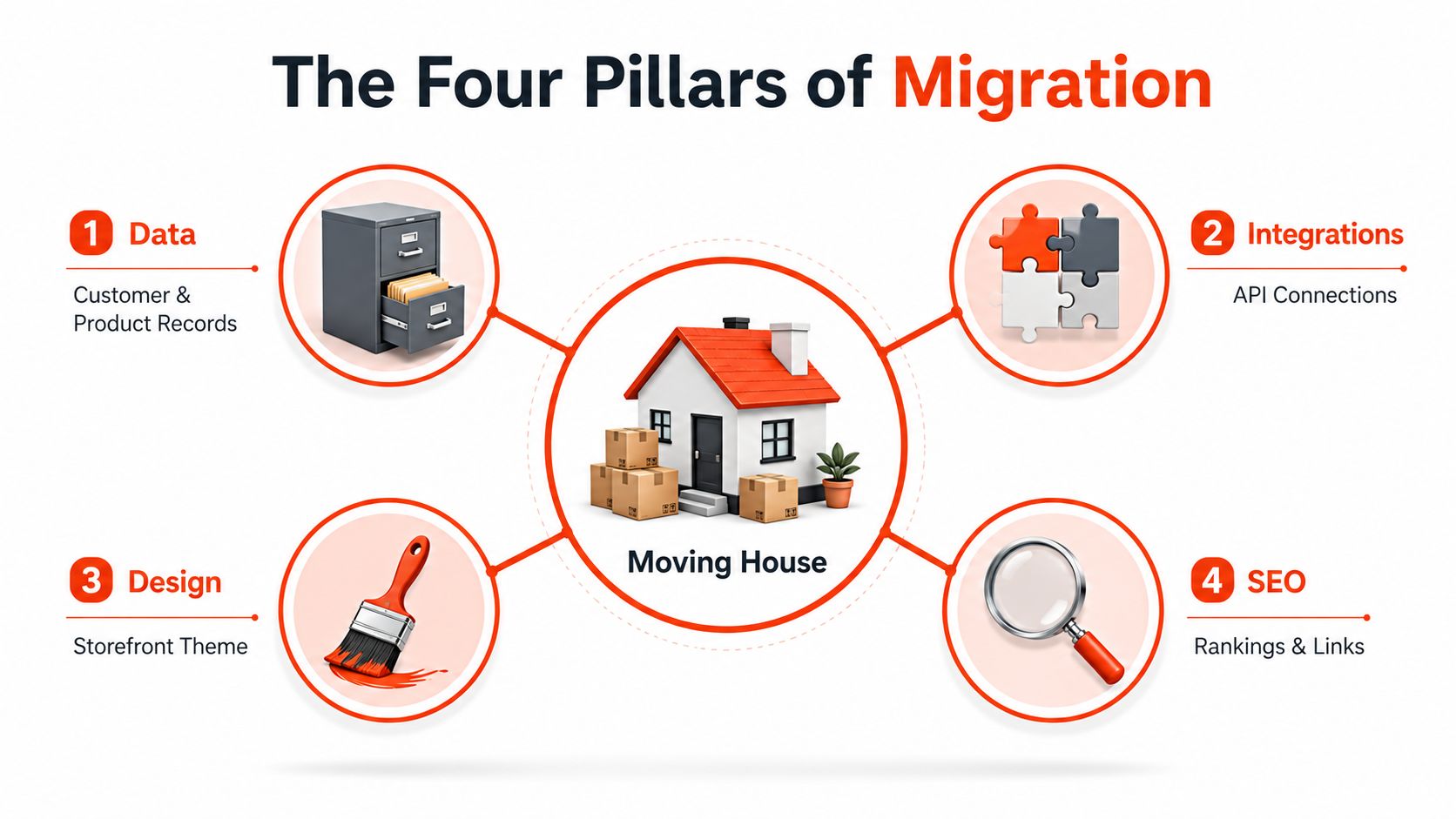
Data carries the records that prove the store still knows its customers
Data covers customer accounts, product catalogs, orders, content, and whatever else the business depends on to recognize repeat buyers and manage operations. If this layer is weak, the new store may look fine while losing history, duplicating records, or breaking variant logic.
Integrations keep the business from becoming manual again
Integrations are the system-to-system connections that move inventory, orders, payments, marketing events, and support data. If they fail, teams fall back to spreadsheets, inbox approvals, and side-channel fixes that erase the main reason to migrate in the first place.
Design preserves how the store sells
Design is not just visual polish, it's the storefront theme, product presentation, navigation behavior, and checkout experience. If the new build ignores how customers shop, the move can introduce friction even when the backend is cleaner.
SEO protects discoverability and accumulated authority
SEO is the migration of rankings, links, metadata, structured signals, and URL structure. If it's mishandled, the brand can lose search visibility even while the site appears technically live. That's why the redirect map and metadata preservation matter so much later in the process.
If one pillar is rushed, the other three tend to absorb the damage.
The important part is sequencing. A migration isn't successful because each stream was touched, it's successful because all four were planned together and validated as one system. That's the difference between a working replatform and a well-designed outage.
Planning and Discovery Before You Touch the Code
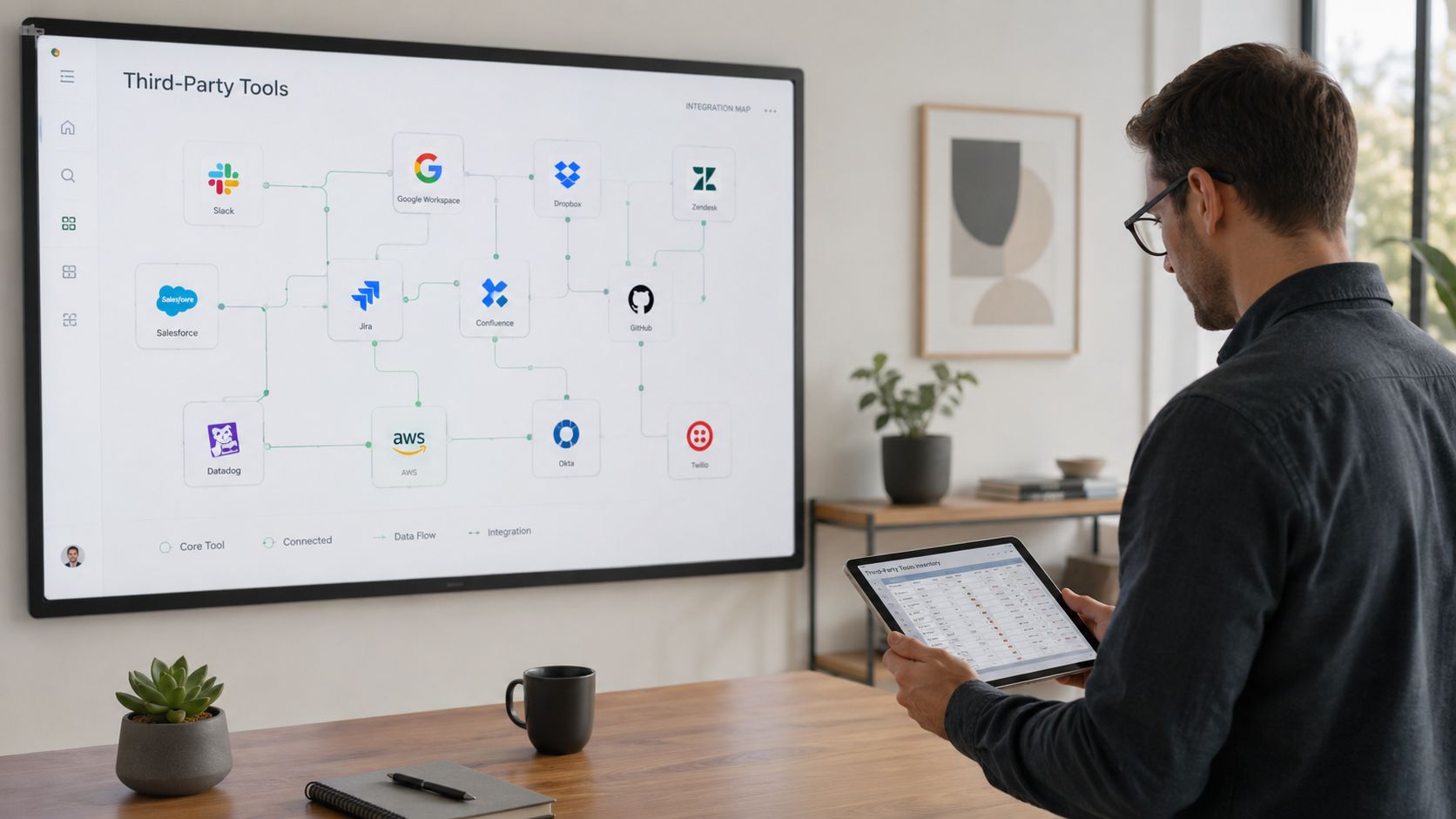
The first real mistake teams make is opening design files or asking developers to start mapping the target platform before they've audited what exists. A proper discovery phase begins with a full integration inventory, because SMB ecommerce sites commonly run 8 to 15 third-party integrations, and some of them won't have native equivalents on the new stack (Lenka Studio on SMB migration mistakes). If you skip that count, you'll discover the missing pieces during build, when every gap is more expensive.
Audit before selection
Start by documenting the current stack, the workflows it supports, and the tools that would break if you removed it tomorrow. That means payments, ERP, CRM, email, reviews, loyalty, analytics, returns, and any custom middleware in between. If a workflow still depends on tribal knowledge, write it down now, because undocumented dependencies are where launches get messy.
Define what success actually means
A good migration brief doesn't just say “move to Shopify” or “modernize the platform.” It states what the team needs the new stack to reduce, simplify, or make faster, and it names the essential requirements around support, accessibility, performance, and integration resilience. The best project scopes read like operating requirements, not vendor wish lists.
This is also the stage where workflow automation deserves a hard look. If a brand is replacing brittle manual routing, a resource like AY Automate custom automation can be relevant during discovery, especially when the goal is to remove repetitive back-office tasks rather than rebuild them elsewhere.
Clean the records before they travel
Dirty data doesn't improve when you move it. Duplicate products, orphaned assets, stale customer records, and inconsistent taxonomy all become production bugs if they're imported without cleanup. This is the point where teams decide whether they want a cleaner stack or just a cleaner export.
The best discovery output is not a deck, it's a list of decisions that have already been made.
For teams migrating from BigCommerce to Shopify, a practical reference is this internal guide on how to migrate from BigCommerce to Shopify. The value is in seeing how scope, data, and workflow decisions get translated into a real implementation plan, not in treating the move as a lift-and-shift exercise.
Mapping Your Data So Nothing Quietly Breaks
Data mapping is where good intentions become real engineering work. A product name might move cleanly, but the variant logic, customer history, and content relationships often don't map one-to-one, which is why teams end up with missing accounts, broken SKU structures, or product pages that look complete but behave incorrectly.
Translate entities, not just fields
The right way to think about mapping is entity by entity. Customers, orders, products, pages, collections, and blog content each have their own relationships, and those relationships matter as much as the values themselves. If a legacy platform uses one structure for variants and the target platform expects another, the migration has to translate meaning, not just export columns.
That's why identifier strategy matters. You need to know which fields are authoritative, which ones can be normalized, and which ones should be rebuilt entirely on the destination platform. If a record depends on a legacy ID that doesn't survive the move, downstream references can snap even though the import itself appears successful.
Normalize before import
Normalization means trimming inconsistent naming, standardizing attribute formats, and removing duplicate logic before data is loaded. It sounds unglamorous because it is, but it prevents the kind of silent failure that shows up later as broken filtering, duplicate SKUs, or mismatched customer records.
A rushed mapping process usually has the same fingerprints. It compresses distinct data sets into one generic import, assumes the migration tool will infer relationships, and leaves edge cases for “post-launch cleanup.” That approach almost always pushes problems into production.
Stage large catalogs instead of bulk-dumping everything
Big catalogs and complex content sets need staged mapping because a single bulk export makes it hard to isolate what broke. The cleaner pattern is to migrate in controlled passes, verify the structure, then move the next batch once the previous one is stable. That's slower on paper, but it's faster than fixing a launch full of hidden exceptions.
Entity | What needs to survive | Common failure mode |
|---|---|---|
Customers | Accounts, history, identifiers | Duplicate or missing records |
Products | SKUs, variants, attributes | Broken variant logic |
Orders | Status, totals, references | Truncated history |
Content | Pages, blogs, metadata | Lost links and layout drift |
For a practical redirect companion, this internal resource on 301 redirects in Shopify is the right kind of reference point, because data mapping and URL mapping tend to fail together when they're handled as separate tasks.
Realistic Timelines and the Testing That Protects the Launch
Timelines get distorted when teams ask for one answer to a question that depends on scope. A basic move can take 3 to 7 days, while enterprise implementations can take 3 to 8 months. That range is wide for a reason, because the time is not only spent moving data, it is spent confirming that the store still behaves like a store after the move.
Use the range to set expectations, not to argue for speed
Short timelines usually mean low complexity, limited integrations, and a straightforward catalog. Long timelines usually mean custom logic, multiple stakeholder groups, heavier QA, and more risk around SEO, checkout, or data validation. The wrong plan is the one that treats those as equivalent.
A migration also has to be tested for the commercial cost of speed. Google has reported that 53% of mobile visits are abandoned if pages take longer than three seconds to load. That makes performance regression a business issue, not a cosmetic one, because slower pages can turn a successful cutover into a traffic problem.
Two full test migrations are the floor
At least two end-to-end test migrations should happen before cutover. The point is not to prove that imports can run. It is to verify final data, 301 redirects, sandbox checkout and payments, analytics tagging, and how the site behaves under expected traffic load (Nordic Web Team migration guidance). If a test does not cover those areas, it does not give enough confidence for launch.
The teams that handle this well treat the first test as a way to expose structural issues and the second as proof that the fixes held. That order matters, because one pass only tells you where the problems are. The second pass shows whether the work reduced risk or just moved it around.
Practical rule: if checkout has not been tested in a sandbox, the launch plan is still a draft.
Migration Scope | Typical Timeline | Primary Risk |
|---|---|---|
Small catalog, limited integrations | 3 to 7 days | Missing edge cases |
Mid-market replatform | Several weeks | Data or redirect gaps |
Enterprise rebuild | 3 to 8 months | Coordination and launch failure |
The cleaner the test plan, the fewer surprises on cutover day. A good partner proves that the ugly parts have already been found in staging, including the parts that only show up when catalog, checkout, analytics, and redirects all have to work together. For a practical performance reference, Shopify performance optimization guidance is useful because launch readiness depends on speed as much as it does on data accuracy.
Cutover, Rollback Triggers, and the First 30 Days After Launch
Cutover shouldn't feel like a cliff jump. It works better as a controlled sequence with a freeze window, traffic monitoring, and clear ownership for who watches what once the new platform goes live. If the whole team is waiting for the “big moment,” nobody is watching the details that usually expose problems first.
Define the rollback triggers before launch
Rollback is for failures that threaten the business, not for every imperfect metric. If checkout starts failing, payment authorization drops, or critical redirects break, the team needs a pre-agreed trigger that tells them to stop and revert. If a banner is misaligned or a secondary template needs a quick fix, that belongs in the patch queue.
The point is to separate launch noise from launch failure. Teams that blur that line either panic too early or wait too long.
Watch the first month like an operator, not a spectator
The first 30 days are about validation across analytics, search console, integrations, and operational dashboards. You want to confirm that orders are flowing, event tracking is intact, redirects are resolving cleanly, and support teams aren't seeing patterns that point to a hidden breakage. If the site looks fine but reports look wrong, the migration isn't done.
A performance reference is useful here too, which is why Shopify performance optimization guidance matters during the post-launch window. Speed issues often surface after the celebratory meeting, not before it.
Keep the support posture tight
The old site shouldn't disappear the moment DNS changes. Keeping the prior environment available for a fallback period gives the team room to resolve problems without turning every issue into an emergency. That buffer is boring when everything works, and invaluable when something doesn't.
Launch day success is measured by what customers don't notice.
If the first month is treated as monitoring rather than victory lap, the team catches the issues that only show up under real traffic and real behavior. That's what turns a launch into a stable operating state.
The Question Most Migrations Forget to Answer
The last question to ask before approving any replatforming work is simple. Will this stack lower the total cost of ownership, or will it just move the complexity into a different set of tools and vendors?
Launch polish is not the same as operational improvement
A migration can look successful on day one and still fail the business later. If the new environment needs more apps, more maintenance, more custom workarounds, or more developer intervention to do the same job, the store hasn't really been simplified. It's just been relocated.
That's why lean builds matter so much on Shopify-focused work. Fewer third-party apps, better use of Shopify Functions, stronger theme architecture, and cleaner integrations can reduce the drag that usually accumulates after launch. A team's skill shows up six months later, not in a launch screenshot.
Evaluate the partner on what they remove
A good Shopify migration team should be able to explain how they'll reduce app sprawl, protect performance, keep the build maintainable, and avoid unnecessary custom debt. They should also be comfortable with accessibility, search visibility, and the operational detail that makes a store easier to run over time. If those topics are missing from the proposal, the project is probably being sold as a cosmetic upgrade.
Presidio fits into that conversation as one practical option. It builds and supports Shopify storefronts, themes, apps, migrations, performance work, and ongoing optimization for brands that want a maintainable stack rather than a fragile one. The point isn't to chase a larger tech footprint, it's to remove the pieces that keep creating work.
The right stack makes the next change cheaper than the last one.
Six months after launch, a good migration feels quieter. Developers spend less time on maintenance, merchants spend less time working around platform limits, and the stack stops demanding constant rescue work. That's the decision lens worth using before you approve the project.
If you're evaluating an ecommerce platform migration and want a team that treats it as an operating-model decision, Presidio can help scope the move, tighten the build, and reduce the long-term maintenance burden after launch. Visit Presidio to start a conversation about your current stack, your migration risks, and what a simpler Shopify operating model could look like for your brand.

Jamie, Presidio’s Designer, leads the practice alongside Johnnie. With over 10 years of e-commerce experience, Jay is a Shopify expert, known for crafting innovative solutions that prevent tech debt.
Jaime
Senior Product Designer, 2020



