Presidio

A Shopify theme pipeline is usually defined as a Git repository connected to Shopify CLI, with a few checks added before publishing. That definition is incomplete. A clean Liquid pull request can still break merchandising through a JSON template, hide localized content behind the wrong dynamic source, or remove an app block that a trading team depends on.
Online Store 2.0 made theme development more flexible, but it also made release governance more important. A production theme is now a combination of code, page composition, editor settings, metafields, app blocks, and merchant decisions. The pipeline must control all of those changes, not just the files that developers commit.
Table of Contents
Redefining the Shopify Theme Pipeline
Git integration is useful, but Git alone doesn't make a Shopify release safe. It tells you what changed in the repository. It doesn't automatically tell you whether a merchant rearranged sections in the visual editor, whether a metafield now contains incompatible content, or whether an app block is missing from a market-specific product template.
That distinction matters because Online Store 2.0 moved Shopify themes toward a component-based system. Shopify's Online Store 2.0 announcement describes sections that can be used across product pages, collection pages, custom pages, blog posts, and other page types. Merchants can compose those pages with reusable sections, JSON templates, app-powered blocks, dynamic sources, and theme-editor settings.
A deployment can therefore pass a Liquid lint check and still produce a commercial regression. A product template might reference the wrong section order. A collection template might omit a promotional block. A locale-specific metafield might render an empty label. None of those failures requires invalid Liquid.
Practical rule: Treat every publishable theme state as a release artifact, including its JSON composition and merchant-controlled configuration.
Code quality isn't merchandising quality
Enterprise teams often separate developers from merchandisers, but the storefront doesn't. The browser renders their combined decisions. A developer owns section schema and Liquid logic, while a brand team may control headings, media, block order, product recommendations, and dynamic sources from the editor.
That creates two change streams:
Code changes modify Liquid, HTML, CSS, JavaScript, schema, snippets, and assets.
Configuration changes modify JSON templates, section settings, app blocks, metafield references, and editor state.
A reliable pipeline records the relationship between those streams. Each release should identify the code revision, the preview theme, the approved template configuration, the reviewer, and the known editor changes. Without that record, a later deployment can overwrite a valid merchandising change because the repository contains an older copy of the theme.
Governance creates speed
Strict control doesn't mean making every copy change bureaucratic. It means deciding which changes can move quickly and which need broader validation. A typo in a campaign heading may need a lightweight review. A change to a shared product template, app block, or market-specific metafield needs a different level of scrutiny.
The useful mental model is a content-and-code change-control system. It gives developers a safe way to ship code, gives merchandisers a defined path for editor changes, and gives release owners enough visibility to prevent accidental overwrites. Shopify CLI remains part of that system, but it isn't the system itself.
Architecting for Online Store 2.0
Online Store 2.0 changed the unit of theme development. Legacy Shopify work often centered on Liquid templates that combined structure and rendering. In the newer architecture, JSON templates describe which sections appear and in what order, while section files contain Liquid, markup, settings, and configuration.
Shopify's Online Store 2.0 theme documentation explains that JSON templates let developers add existing or new sections to most pages and let merchants add or remove those sections in the theme editor. The same resource type can also use multiple templates, such as separate product or collection layouts, without duplicating the entire theme.
Separate composition from rendering
Liquid still performs the dynamic rendering. Shopify describes it as a readable, Ruby-based templating language that connects store data, such as product titles and prices, to HTML delivered to the shopper's browser. JSON controls composition, and editor settings control configuration.
That separation is valuable because developers can reuse sections across templates instead of copying markup. It also creates more objects that deserve review. A pull request that changes a section schema may affect every JSON template using that section. A JSON-only change may alter a page without changing a Liquid file. Both are release events.
A useful review should ask:
Does the JSON template preserve the intended section order?
Are settings compatible with the current section schema?
Do dynamic sources resolve for every relevant product, collection, and market?
Are app blocks still available and placed where shoppers expect them?
Can a merchant understand and safely edit the resulting configuration?
App blocks and dynamic sources expand the risk surface
Shopify introduced app-powered blocks so app developers could create interface components that merchants add, remove, and configure through the theme editor rather than through manual theme-code edits. This reduces custom integration work, but it also means an app's storefront behavior can depend on editor configuration that isn't obvious from a Liquid diff.
Dynamic sources create a similar dependency. A section can be technically valid while pointing at a metafield that is empty, incorrectly typed, unavailable in a market, or populated inconsistently across a catalog. The release process must test representative content, not only empty development fixtures.
The architecture described in the custom Shopify theme development guide is best understood as a set of contracts. Section schemas define what can be configured. JSON templates define where components appear. Metafields and app blocks provide content or functionality. The pipeline should verify that those contracts still work together after every meaningful change.
Branch around user-facing outcomes
A feature branch shouldn't be named only after a file or technical task. Name it after the storefront outcome and connect it to a ticket, such as a new product merchandising layout or a localized collection campaign. That naming makes review easier when a pull request contains both code and JSON changes.
The branch should produce a preview that a developer, merchandiser, accessibility reviewer, and product owner can inspect. A theme pipeline that promotes code without preserving that review context is still treating the storefront as a code-only application.
Local Development and Branching Strategy
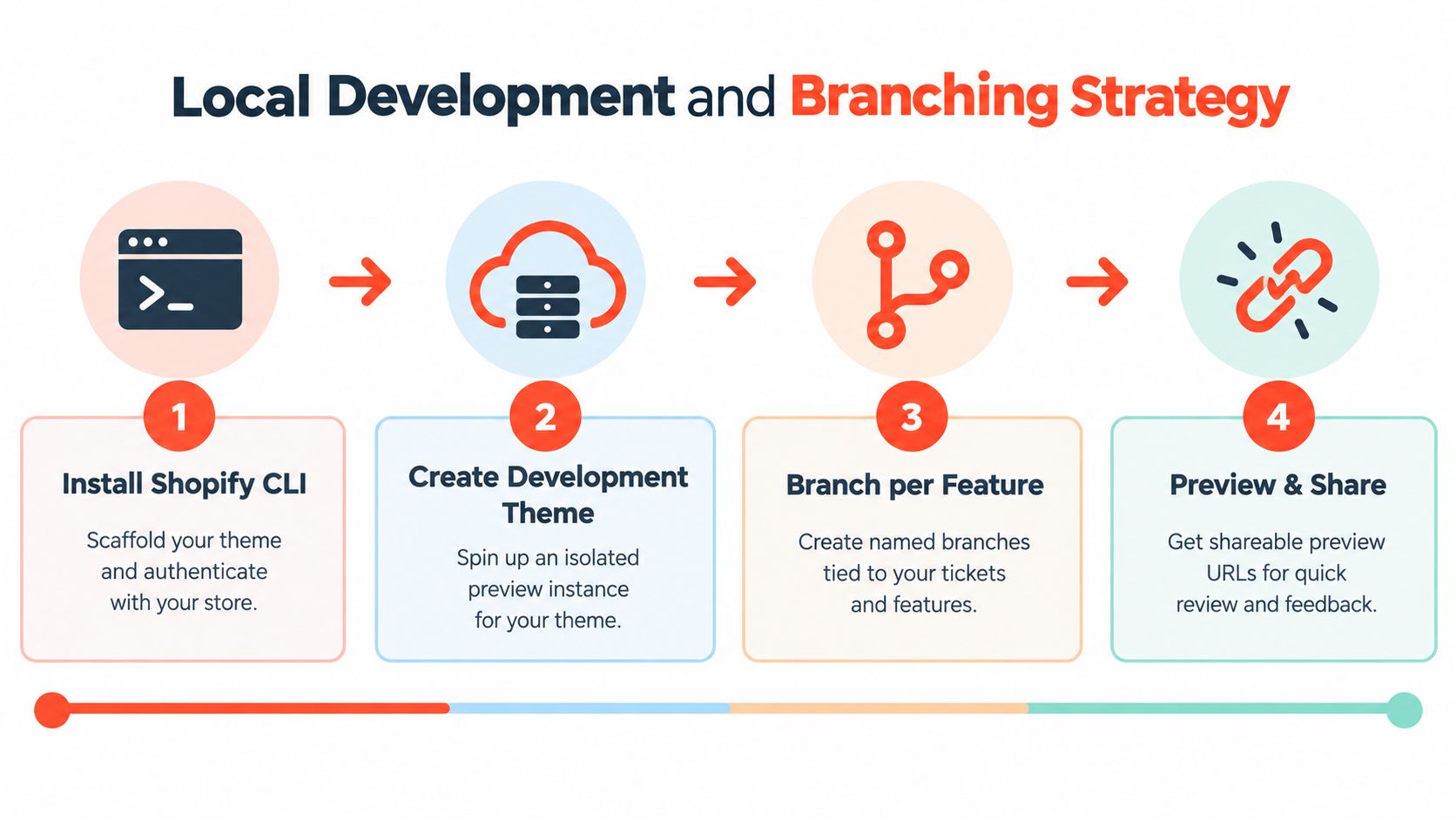
A reliable local setup begins with an isolated development store containing representative products, collections, metafields, navigation, content, and app configuration. A nearly empty catalog produces false confidence. Sections that behave correctly with one product can fail when titles are long, media is missing, variants differ, or a metafield is blank.
Shopify CLI connects local files to development themes and supports previewing changes before they reach a live theme. Keep the repository aligned with Shopify's standard theme structure, including sections, snippets, templates, assets, and configuration files. Store secrets outside the repository, and document which settings must be supplied separately for each store or market.
Give each feature an isolated preview
A shared staging theme looks convenient until two developers and a merchandiser need it at the same time. One person overwrites another's preview, screenshots no longer match the pull request, and reviewers can't tell which configuration they approved.
Use a separate development theme for each meaningful feature or workstream. The developer can sync local changes, share a preview link, and discard the theme when the work is merged. A branch-specific preview also makes visual review practical for JSON templates and editor settings, which are difficult to assess from a code diff alone.
A simple operating pattern works well:
Authenticate once per workspace: Keep Shopify CLI access documented and use the correct store for the work.
Create a named development theme: Tie the theme name to the branch or ticket so nobody mistakes it for staging or production.
Preview the affected templates: Check home, product, collection, search, cart, content, and market-specific routes when relevant.
Record editor changes: Note any settings or block arrangements made during review so they can be reproduced or promoted intentionally.
Delete stale previews: Remove abandoned themes after the branch closes to reduce confusion in the admin.
Keep store configuration deliberate
Not every value belongs in version control. Product data, inventory, navigation, translations, metafields, app installation state, and market configuration often belong to the store rather than the theme repository. The team still needs an inventory of those dependencies, because “outside Git” must not mean “unknown.”
Document configuration that a release expects. If a section requires a product metafield, state its definition and fallback behavior. If an app block must be added manually in the editor, include that action in the release checklist. If a market needs a separate JSON template, review it as part of the same change.
A preview link is not evidence by itself. The reviewer needs representative content and a known configuration state.
Protect the shared review environment
Staging should be a release candidate, not a playground. Developers work in feature themes, reviewers approve a candidate theme, and only the release owner promotes the approved artifact. If the marketing team needs to test a campaign, give them a controlled preview or a documented content window instead of allowing untracked edits to the candidate.
This structure avoids a common failure mode: treating a shared theme as both an active development environment and a stakeholder demo. Those purposes conflict. One rewards experimentation, while the other requires stability and traceability.
Automated Quality Gates and Performance Testing
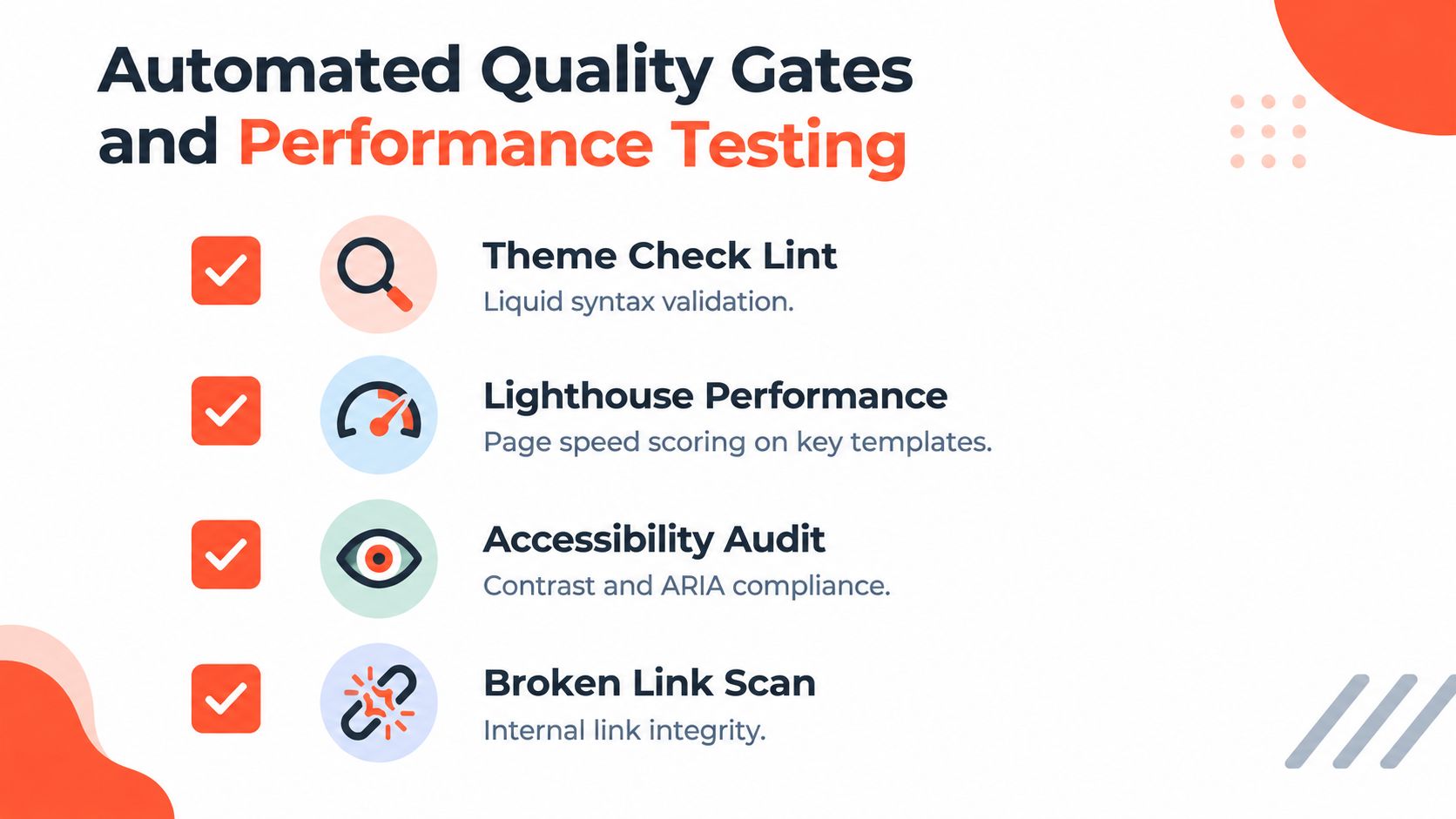
A theme can pass review while its storefront still fails. The pipeline needs separate checks for Liquid, rendered behavior, performance, and the content structures that OS 2.0 templates depend on. Shopify's performance testing guidance recommends Theme Check as a first defense, supported by browser-based tools such as Lighthouse, WebPageTest, and Theme Inspector.
Theme Check identifies Liquid syntax errors, deprecated patterns, and structural problems. It cannot confirm that a product template renders correctly with real merchandising data, or that a JSON template still exposes the sections editors expect. Test the rendered result as well as the source.
Combine static and rendered checks
A practical gate assigns each test a clear responsibility:
Theme Check: Catch Liquid errors, deprecated patterns, and theme structure issues before merge.
Accessibility review: Check keyboard access, headings, labels, contrast, focus behavior, and ARIA usage on rendered templates.
Lighthouse CI: Compare performance on representative home, product, and collection URLs.
Visual regression checks: Compare critical routes with approved screenshots after section schema, template, or CSS changes.
Link and route checks: Find broken internal links, missing assets, and invalid navigation destinations.
Content fixtures: Exercise long titles, missing images, empty metafields, localized values, and products with unusual combinations of data.
Content fixtures deserve the same attention as code fixtures. A section schema can be valid while a merchandising change exposes an empty state, an oversized title, or a missing reference in a JSON template. Keep representative fixtures available in preview so reviewers can verify those outcomes before approval.
Set the gate so predictable failures are caught in preview, at a cost far below fixing them after a campaign launch. Do not simulate full production in every pull request.
Use Shopify's page weighting correctly
Shopify's benchmark methodology runs each tested URL at least three times and uses the median result to reduce one-off network variance. Its composite speed score weights the home page at 17%, the product page at 40%, and the collection page at 43%.
Those weights should shape the test suite. A fast homepage does not offset a slow collection experience, and homepage-only testing misses templates carrying most of the composite score. Set template-level budgets, compare score changes against the approved baseline, and investigate regressions instead of relying on one aggregate result.
Liquid execution can increase time to first byte. Client-side JavaScript affects interactivity and layout stability, while oversized media can weaken the experience even when Liquid remains efficient. App scripts belong in the same review process as theme code when an integration adds sitewide behavior. The Shopify performance optimization guidance provides practical remediation ideas, while the team's policy defines which failures block delivery.
Turn checks into merge decisions
Reports only protect production when they produce an action. Invalid Liquid should block immediately. A material regression on a critical template should also block unless the release owner records an explicit exception, its reason, and the follow-up owner.
Document the tested URLs, device assumptions, content fixtures, score thresholds, accessibility requirements, and approval roles. Record failures against the candidate so the team can distinguish a code defect from a content or configuration problem. After launch, compare lab results with real-user data. Actual devices, networks, catalogs, apps, and shopper behavior can expose regressions that CI cannot reproduce.
Release Governance and Environment Promotion
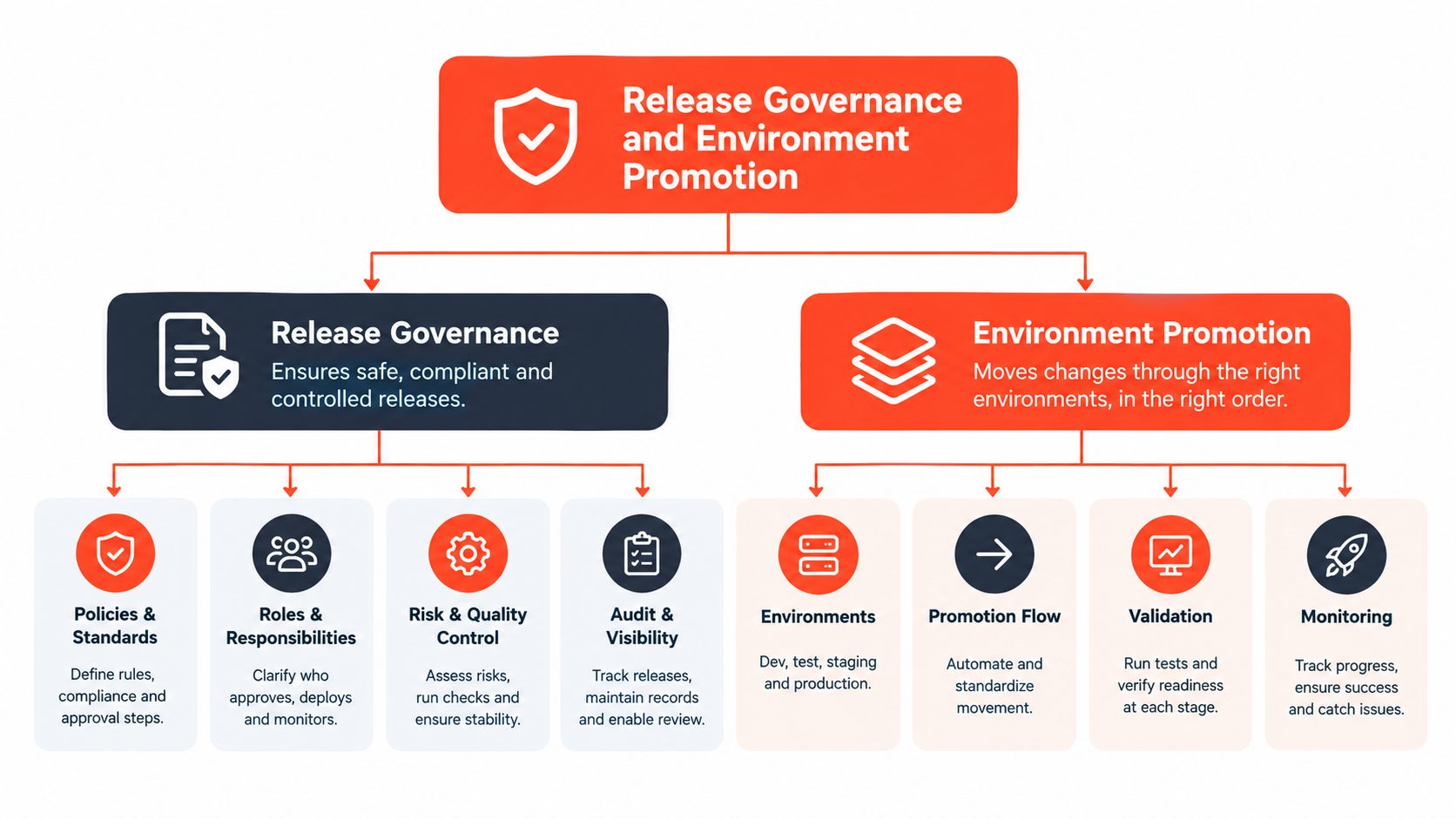
Production publishing is where a technically disciplined team can still lose control. Shopify's visual editor lets authorized users make valuable changes quickly, but an emergency edit made in the live theme can be overwritten by the next deployment if nobody records it.
The solution isn't to remove the editor from the workflow. It is to define ownership and timing. Developers own code and release artifacts. Merchandising teams own approved content changes. A release owner coordinates the point at which those changes are frozen, captured, and promoted.
Promote an immutable candidate
Don't rebuild a release from memory after approval. Create a versioned release candidate from the approved branch, deploy it to a staging theme, and require the same candidate to move to production after validation. If files or settings change after approval, the candidate is no longer the approved artifact and should return to review.
A promotion record should include:
Release record | What to capture |
|---|---|
Source revision | The commit or release reference used to create the candidate |
Preview location | The staging theme and shareable preview link |
Content dependencies | Required metafields, products, collections, translations, and app blocks |
Validation evidence | Theme Check, performance, accessibility, visual, and route results |
Approval | Named reviewers and the release owner |
Rollback target | The previously stable theme and its verification status |
This record helps teams distinguish a code rollback from a content rollback. Reverting Liquid may restore a rendering bug while leaving a harmful JSON arrangement or editor setting in place.
Manage concurrent editor changes
Set a clear change freeze before promotion. Announce it to the people who can edit the theme, identify the freeze window, and state which emergency changes are allowed. During the freeze, the release owner compares the candidate with the current live theme and records any differences.
If an emergency admin edit is unavoidable, pause the promotion and capture the change. Decide whether to reproduce it in the candidate, preserve it as a separate hotfix, or postpone the release. The dangerous option is to continue publishing while assuming the admin change will survive.
A production editor change is a code-review event when the next deployment can overwrite it.
Validate more than the visual surface
Visual review should cover the critical templates and meaningful content states, not just the homepage. Test product availability, variant selection, recommendations, app blocks, dynamic sources, translated content, navigation, cart behavior, and accessibility paths that the release touches.
Shopify CLI documentation covers connecting themes to GitHub, creating development themes, previewing changes, running Theme Check, and pushing or publishing themes through the CLI. Those capabilities support the workflow, but they don't define who may publish, how a freeze works, or how the team restores a known-good state. Those policies need explicit ownership inside the organization.
Executing the Deployment and Rollback Workflow
Consider a release that adds a new product-page section, changes its JSON template, and introduces an app block for product education. The pull request is approved only after the section renders against representative products, the app block is configured in the preview theme, and the relevant performance and accessibility checks pass.
The release owner creates a release candidate from the approved branch and pushes it to an isolated theme with Shopify CLI. The exact command flags depend on the team's authentication and store setup, but the operational sequence remains consistent: authenticate to the correct store, push the candidate to a named theme, generate a preview, and obtain explicit approval before publishing.
The final review is operational
The reviewer checks the preview as a shopper and as a merchant. The shopper view covers product media, variants, recommendations, responsive layout, keyboard access, and cart behavior. The merchant view confirms that section settings, app blocks, dynamic sources, and editor labels remain understandable.
Before publishing, the release owner confirms:
The candidate is frozen: No unrecorded editor changes occurred after approval.
The target is correct: The team is publishing the intended store and theme.
The content exists: Required products, collections, metafields, translations, and app configuration are present.
The rollback target is known: The previous stable theme remains available and identifiable.
The communication is ready: Merchandising, support, and growth teams know the release window and validation plan.
Shopify CLI can push and publish themes, but publishing is only one action in a broader change-control process. The team should also follow a documented zero-downtime deployment approach where the storefront can return to a stable state without improvisation.
Validate immediately after publishing
Open the live routes that correspond to the release, not only the homepage. Test a representative product, a collection, a content page, search, and the cart when the change could affect those experiences. Verify that app blocks load, dynamic sources resolve, media appears, and the intended JSON composition is active.
Then monitor real-user signals and support channels. A lab check can pass while shoppers encounter a market-specific metafield issue, a third-party script conflict, or a product with an unexpected content shape. Capture the release revision, validation results, and any observed exceptions in the deployment record.
Roll back deliberately
If a critical regression appears, stop further publishing first. Identify whether the fault lives in Liquid, assets, JSON templates, editor settings, app configuration, or store content. That diagnosis determines whether the correct response is a full theme rollback, a targeted hotfix, or a content correction.
For a full rollback, publish the previously stable theme that was preserved as the release target. Validate the same critical routes and communicate the restoration clearly. Don't delete the failed theme until the investigation is complete, because its files and settings may be needed to reproduce the issue.
After service is stable, open a follow-up change that explains the failure and adds a preventive check. A rollback that restores the storefront but leaves the process unchanged only postpones the next regression.
Presidio provides custom Shopify theme development, performance and accessibility work, and ongoing storefront support for brands operating on Shopify and Shopify Plus. If your releases combine Liquid, JSON templates, editor changes, and app integrations, visit Presidio to discuss a governed theme pipeline and a practical path to safer production deployments.

Jamie, Presidio’s Designer, leads the practice alongside Johnnie. With over 10 years of e-commerce experience, Jay is a Shopify expert, known for crafting innovative solutions that prevent tech debt.
Jaime
Senior Product Designer, 2020



