Presidio

A Shopify storefront can look polished in a design review and still leave customers confused at the moments that matter most. A shopper may find the right product but fail to select a variant, abandon a subscription choice, lose a discount code, or reach checkout without understanding why payment failed. By the time those problems appear in support tickets and refund requests, the team may already have spent weeks refining the wrong interface.
User experience research gives ecommerce teams a way to replace assumptions with evidence. It doesn't require an academic research department or a long pause in shipping. It requires the right question, the right participants, and a method that connects observed behavior to a decision the Shopify team can act on.
Table of Contents
Why Ecommerce Brands Skip User Experience Research and Regret It
Qualitative Versus Quantitative UX Research Methods Explained
Recruiting Participants Without Mistaking Convenience for Evidence
Turning Research Observations into Benchmarks and CRO Actions
Why Ecommerce Brands Skip User Experience Research and Regret It
A DTC brand often starts with reasonable evidence. The founder knows the products, the support lead collects recurring complaints, the growth team watches conversion reports, and the designer studies competitor storefronts. The problem starts when those signals become substitutes for direct observation.
A team may launch a new Shopify theme because internal reviewers think the product page feels clearer. After launch, customers still ask whether a size is included, where to enter a promotional code, or whether a subscription can be changed later. The brand adds explanatory copy, moves a button, and installs another app. The symptoms shift, but the underlying mental model remains unresolved.

The cost appears after launch
Skipping research rarely produces one dramatic failure. It creates a chain of smaller costs:
More support work: Customers contact the team about navigation, discount rules, delivery information, or account changes that the interface should explain.
Lower purchase confidence: Shoppers who can't predict what happens after selecting a variant or subscription are more likely to postpone the decision.
Reactive development: Engineers fix individual screens without understanding the journey that connects product discovery, cart, checkout, and post-purchase support.
Unclear experimentation: The team tests visual changes without knowing whether the original problem involved terminology, information architecture, trust, or functionality.
Internal opinions can identify a promising hypothesis, but they can't prove that customers share the same assumptions. Analytics can show where shoppers leave, but it usually can't explain whether a confusing label, missing product detail, inaccessible control, or technical error caused the exit.
Practical rule: Treat research as risk management. The earlier a team observes a critical journey, the cheaper it is to change the journey.
Small studies can prevent expensive mistakes
The practical case for iterative usability testing became clearer through work presented by Jakob Nielsen and Thomas Landauer at the ACM INTERCHI conference in Amsterdam in 1993. Their model used an average single-user discovery rate of approximately 31% and predicted that five users could reveal about 85% of usability problems in a relatively homogeneous product and task environment, as documented by Nielsen Norman Group's guidance on test users. That finding supports small formative rounds, not a claim that five people represent an entire market.
For a Shopify brand, the useful application is straightforward. Test product discovery, variant selection, discount application, and checkout in separate rounds. Fix the clearest interaction failures, then retest the changed flow. If the brand wants precise population statistics, such as a reliable task-success rate, the same guidance says the sample needs to be substantially larger, with at least 20 users cited for that purpose.
A customer-experience program can also extend beyond the storefront. Teams evaluating retention and service consistency may find useful context in this resource on how to boost loyalty with Amazon CX in 2026. The principle is the same: understand the experience customers have before optimizing the experience the team assumes they have.
What Good User Experience Research Actually Measures
A usability score on its own can't tell a Shopify team what to fix. Credible research combines behavioral evidence with attitudinal evidence, then connects both to a commercial or operational decision.
Behavioral measures show what happened. Did the participant find a product, select the correct variant, apply a discount, complete payment, or recover from an error? Record task completion, critical errors, time-on-task, abandonment points, and the steps that required help. Attitudinal measures show how the experience felt and what the participant believed was happening. Surveys, interviews, post-task confidence, and instruments such as the System Usability Scale can reveal frustration that raw funnel data may miss.
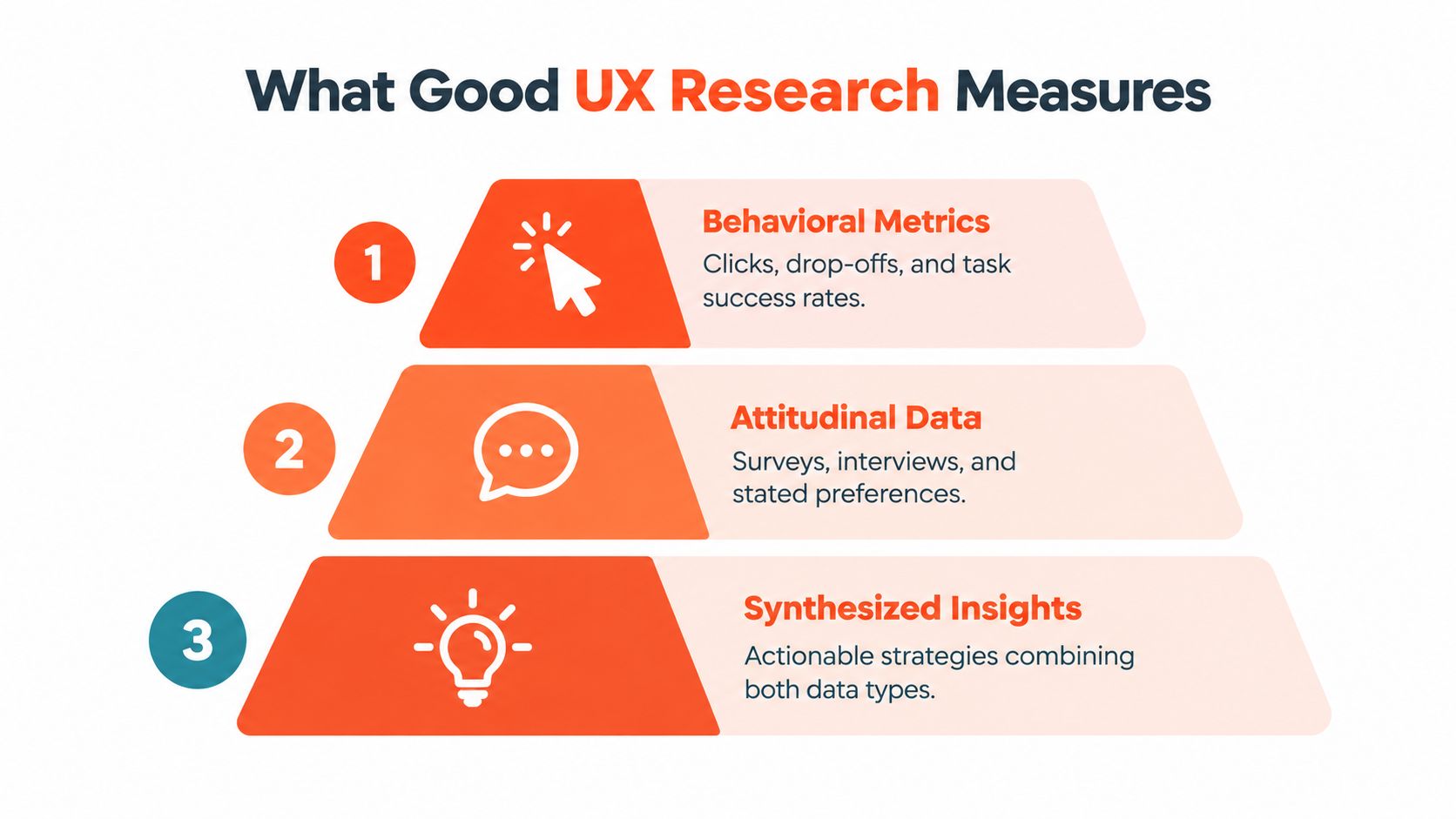
Three layers of evidence
A useful research protocol starts with the task, not the metric.
Effectiveness: Define what successful completion means before the session. “Find a suitable product” is vague. “Find the fragrance-free version, choose the monthly option, and add it to the cart” is observable.
Efficiency: Record the time and effort required. A participant who completes checkout only after searching through several menus has technically succeeded, but the journey may still create commercial risk.
Satisfaction: Ask what the participant expected, what felt difficult, and how confident they were. A standardized measure can make repeated evaluations more comparable than informal reactions.
Research across 50 academic websites found a positive relationship between task success and subjective usability ratings, but the relationship wasn't perfect, as reported in the study of website usability measures. Ecommerce teams should take the same caution seriously. Strong conversion can coexist with hidden friction, while favorable opinions can coexist with failure in product discovery, account creation, or payment.
Segment before drawing conclusions
The average result can conceal the customers who matter most. Review findings by:
Device: Mobile shoppers may encounter different controls, keyboard behavior, and checkout interruptions than desktop shoppers.
Accessibility needs: Screen-reader, voice-control, magnification, and cognitive-support users can experience barriers that a visual review misses.
Customer familiarity: A repeat customer may know where a first-time buyer can't find a product detail or account action.
Traffic source: A shopper arriving from a product-specific campaign may behave differently from someone browsing through organic navigation.
Your synthesis should connect the two evidence types. Analytics identifies where abandonment concentrates. A moderated session or interview can reveal that shoppers don't recognize a subscription selector, misunderstand a discount condition, or interpret a validation message incorrectly. The research output isn't a list of opinions. It's a prioritized explanation of which customers struggle, where they struggle, why the interface creates that friction, and what the team should test next.
For search-heavy stores, pair this protocol with a focused review of ecommerce site search behavior. Search exits, zero-result queries, and failed refinements can become testable research questions rather than isolated analytics events.
Qualitative Versus Quantitative UX Research Methods Explained
Qualitative and quantitative research answer different questions. Treating them as competing methods creates unnecessary arguments about sample size, speed, and credibility. A Shopify team usually needs both, but not at the same moment.
Qualitative research explains why. A moderated usability session can reveal that shoppers overlook a filter because its label doesn't match their language, or that customers hesitate at checkout because a delivery estimate appears too late. Interviews and open-ended surveys help uncover mental models, expectations, and unmet needs. They generate hypotheses that analytics alone can't provide.
Quantitative research measures how often and how much. Funnel analytics can identify abandonment points, while unmoderated tests and structured surveys can measure task success, completion time, error frequency, and satisfaction across a broader audience. Quantitative evidence is especially useful after a theme, navigation pattern, or checkout component changes.
Research Goal | Best Method | Typical Sample | Key Output |
|---|---|---|---|
Understand why shoppers miss a variant selector | Moderated usability testing | Small, deliberately recruited group | Mental models, observed errors, design hypotheses |
Identify where customers abandon checkout | Behavioral analytics and funnel review | Existing store traffic | Drop-off locations and segments for investigation |
Measure satisfaction with a revised purchase flow | Structured survey with post-task questions | Broader customer sample | Comparable satisfaction and confidence signals |
Validate whether a navigation change improves task success | Unmoderated usability test or controlled experiment | Matched or larger audience | Task outcomes, errors, time, and comparative performance |
Explore why customers hesitate about subscriptions | Interviews paired with cart or subscription data | Segment-specific participants | Motivations, objections, and language for testing |
Sequence methods around decisions
Suppose analytics shows that shoppers add products to the cart but rarely start checkout. A quantitative signal has located the problem area, but it hasn't diagnosed the cause. Qualitative sessions can expose unexpected shipping costs, uncertainty about account requirements, or a confusing cart layout. The next quantitative study can test whether a targeted change reduces the same failure across a broader group.
The reverse sequence works too. Interviews may suggest that customers want a product quiz, but that preference doesn't establish whether a quiz improves discovery or creates another step. A prototype test can identify interaction problems, while live behavioral measurement determines whether the feature helps the intended journey.
A practical UX research methods guide can help teams compare interviews, usability studies, surveys, analytics, and other approaches. The choice should still begin with the decision. If the team needs to understand a mental model, observe behavior and probe the reasoning. If it needs to compare two implementations, define the outcome and measure it consistently.
Research is rigorous when it improves a decision, not when it uses the most elaborate method available.
Don't ask a survey to explain a behavior it can't observe. Don't use five interviews to claim a precise population rate. Match the method to the uncertainty, then combine the findings when the decision carries meaningful revenue, operational, or accessibility risk.
Recruiting Participants Without Mistaking Convenience for Evidence
The easiest participants are often the least useful participants for a difficult question. Loyal customers respond quickly, know the brand vocabulary, and may be willing to forgive confusing interactions because they already trust the company. Their feedback matters, but it shouldn't stand in for the experience of infrequent shoppers, abandoned checkouts, international customers, or people using assistive technology.
A 2025 survey of 485 researchers worldwide identified finding enough qualified participants, recruitment time, and participant quality as persistent challenges. 54% still identified recruitment time as a problem, even after that figure fell from the prior year, according to the 2025 State of User Research report. Faster recruitment can therefore produce faster bias, especially when a panel or customer list favors people who are easy to reach.

Build the sample around the risk
Start by identifying who could experience the failure differently. A useful screener might distinguish:
Purchase frequency: First-time, occasional, and repeat customers may have different expectations of navigation and account flows.
Checkout outcome: Include completed purchases and abandoned sessions when studying payment, delivery, or discount problems.
Device and geography: Mobile behavior, shipping rules, language, and payment familiarity can vary across markets.
Accessibility needs: Recruit people who use screen readers, voice control, magnification, keyboard navigation, or cognitive supports when those journeys matter.
Product familiarity: A knowledgeable customer can make a poor interface look better than it is.
Don't recruit every segment for every study. Segment where the risk or hypothesis requires it, and document which customers the study excludes. That record prevents a convenient sample from becoming an invisible assumption in future decisions.
Reconcile contradictory signals
Suppose loyal customers complete a checkout prototype smoothly, while analytics shows abandonment among new visitors. The contradiction isn't a reason to discard either source. It suggests that familiarity may be compensating for unclear labels or missing context.
Use intercepts to reach shoppers in the relevant moment, moderated sessions to investigate the behavior, and analytics to determine whether the observed issue appears in the broader journey. Accessibility-focused recruitment should sit alongside these methods, not after them as a separate compliance exercise.
A small study can identify severe interaction failures, but only if the people recruited can encounter the failure. The question is not merely, “How many participants can we schedule?” It's, “Which customer experiences would make this decision unsafe if we failed to observe them?”
Turning Research Observations into Benchmarks and CRO Actions
Research becomes commercially useful when the team translates observations into a baseline, a threshold, and a testable change. A recording that says “customers were confused by the subscription selector” is valuable diagnosis, but it isn't yet a CRO action.
Start with the journey you want to protect. Measure search-to-product-view, variant selection, add-to-cart, checkout initiation, payment completion, returns, and subscription management separately. Averaging them into one site-wide usability result can hide a serious payment failure behind easy browsing tasks.

Establish a useful baseline
Combine real-user analytics with moderated or unmoderated task testing. For each journey, record:
Completion: Whether the participant achieved the defined outcome.
Errors: Whether the participant selected the wrong variant, entered invalid information, or needed assistance.
Time and effort: How long the task took and how much searching or backtracking it required.
Abandonment reason: What the participant believed prevented completion.
Segment: Which device, customer type, traffic source, geography, or accessibility need shaped the result.
Benchmarking guidance reports target task-success rates of 90% for experts and 70% for novices, while a synthesis of 1,189 tasks across 115 usability studies found an average completion rate of approximately 78%, as summarized in Autodesk's usability benchmarking material. These figures are starting points, not universal pass or fail rules. Task complexity changes the achievable result, so payment completion should usually carry a stricter internal threshold than exploratory filtering.
Turn the finding into a test
Write the causal chain before implementation:
Observation: Shoppers overlook the subscription selector.
Root cause: The selector looks like secondary promotional content and doesn't explain the commitment.
Threshold: Subscription-selection tasks must meet the team's defined minimum success level without adding material time or errors.
Change: Clarify the choice, price, frequency, cancellation information, and selected state.
Validation: Retest the task, then compare matched cohorts or run an experiment.
A stronger result means task success rises without a material increase in time, errors, or reported effort. A higher click-through rate alone doesn't prove that the journey improved if shoppers still fail at payment or contact support afterward.
Use Shopify A/B testing practices to structure the comparison around a defined hypothesis rather than a collection of visual preferences. Keep the implementation maintainable inside the theme or app, because a research insight that requires brittle overrides will create future friction for the same team.
A visual change isn't the outcome. The outcome is a customer completing an important task with fewer errors and less uncertainty.
Use the same benchmark after a navigation, theme, or checkout change. Over time, the repeated measures create an evidence base that helps UX, product, and growth teams distinguish a genuine improvement from a short-term movement in a vanity metric.
Researching Accessibility as a Purchasing Experience
Accessibility research shouldn't stop after an automated scan reports a clean result. A customer still has to discover a product, understand its images and options, select a variant or subscription, apply a promotion, enter an address, complete payment, and recover from errors. A barrier at any point can break the purchase even when individual components appear acceptable in isolation.
A 2025 audit of 250 pages from major ecommerce sites across France, Germany, Italy, Spain, and the UK found that 94% had inaccessible checkout journeys when evaluated against WCAG 2.2 criteria, according to Contentsquare's ecommerce accessibility snapshot. The finding points to a journey problem, not just a markup problem. Filters, product-image alternatives, subscription choices, promotional-code fields, address forms, and error recovery can all affect whether a shopper can complete the transaction.
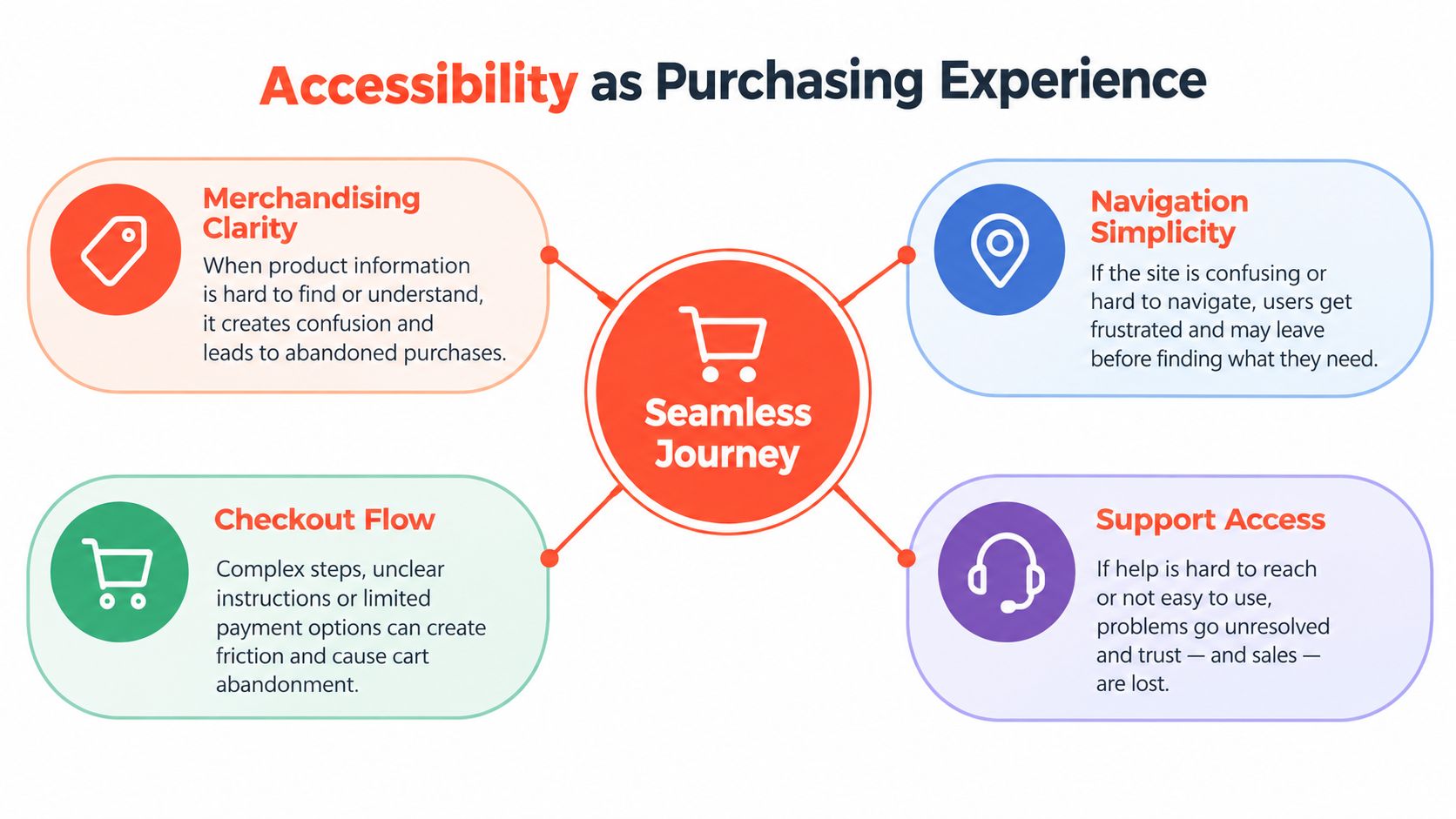
Test the journey with real assistive technology
Automated WCAG checks are useful for finding detectable issues, but they can't fully reveal how a person understands a product card, uses a filter, or recovers from a payment error. Task-based sessions with disabled participants add that missing evidence.
Give participants realistic goals rather than isolated components:
Find a product that meets a stated need using filters and search.
Compare variants using product information and image alternatives.
Choose a subscription or one-time purchase option.
Apply a promotional code and understand whether it worked.
Complete the address and payment forms.
Correct an error without losing entered information.
Run those tasks on the devices and assistive technologies customers use. Record whether the task succeeds, where the participant needs help, what information is missing, and whether a theme or app update changes the outcome. Review checkout analytics by relevant segments, then repeat the tests after remediation. Accessibility is a continuous quality signal because Shopify themes, apps, personalization tools, and content changes can reintroduce friction.
Validate AI-assisted experiences
AI-powered recommendations and quizzes add another layer of responsibility. A 2025 Microsoft-Forrester study of 3,901 U.S. consumers found that 66% would use assistive tools more often if enhanced with AI, while 41% had already used AI for accessibility purposes, as reported in the Contentsquare source above. Those figures indicate interest and adoption, not proof that any particular recommendation or quiz works for every user.
Test whether an AI-powered product quiz works with screen readers, voice control, magnification, cognitive supports, and nonstandard input. Check whether dynamic recommendations announce meaningful context, preserve focus, explain choices, and provide a usable alternative when the model misunderstands the customer. Review the same journey after changes to product data, theme components, or app logic.
For teams reviewing standards and implementation responsibilities, this guide to ADA accessibility requirements provides useful context. Compliance matters, but the stronger operating question is whether customers can complete the purchase independently and confidently.
Presidio combines UX and CRO audits, usability checks, Shopify theme and app development, performance work, and structured accessibility improvements to help DTC brands find and fix friction across discovery, product evaluation, cart, and checkout. Visit Presidio to discuss a research-led roadmap for your Shopify or Shopify Plus storefront.

Jamie, Presidio’s Designer, leads the practice alongside Johnnie. With over 10 years of e-commerce experience, Jay is a Shopify expert, known for crafting innovative solutions that prevent tech debt.
Jaime
Senior Product Designer, 2020



