Presidio

Approximately 95.9% of the top one million homepages had detectable WCAG failures in the WebAIM Million audit, leaving only about 4.1% that passed automated checks. WebAIM's accessibility data makes the risk hard to dismiss, especially for Shopify merchants whose stores combine product imagery, interactive merchandising, third-party apps, cart drawers, and payment flows.
An ADA compliance inspection isn't a one-time scan that produces a green badge. It's a repeatable diagnostic process that checks whether blind, low-vision, motor-impaired, and cognitively impaired shoppers can discover products, choose variants, add items, complete checkout, and understand what happens next. Automated tools help, but they don't operate a storefront with a keyboard or listen to it through a screen reader.
This guide follows the same practical sequence used in professional audits, adapted for Shopify teams. It covers scope, standards, manual testing, theme and app failure points, remediation priorities, and the monitoring routine that keeps accessibility from degrading after the next theme release.
Table of Contents
Why ADA Compliance Inspection Matters for Shopify Stores
A Shopify store can lose a sale before a shopper reaches checkout. A low-contrast promotion, missing image alternative, or app-injected modal can block access on the homepage. Product pages add more failure points, including galleries, variant selectors, review widgets, subscription controls, and sticky add-to-cart elements. Each must work with a keyboard and communicate its state to a screen reader.
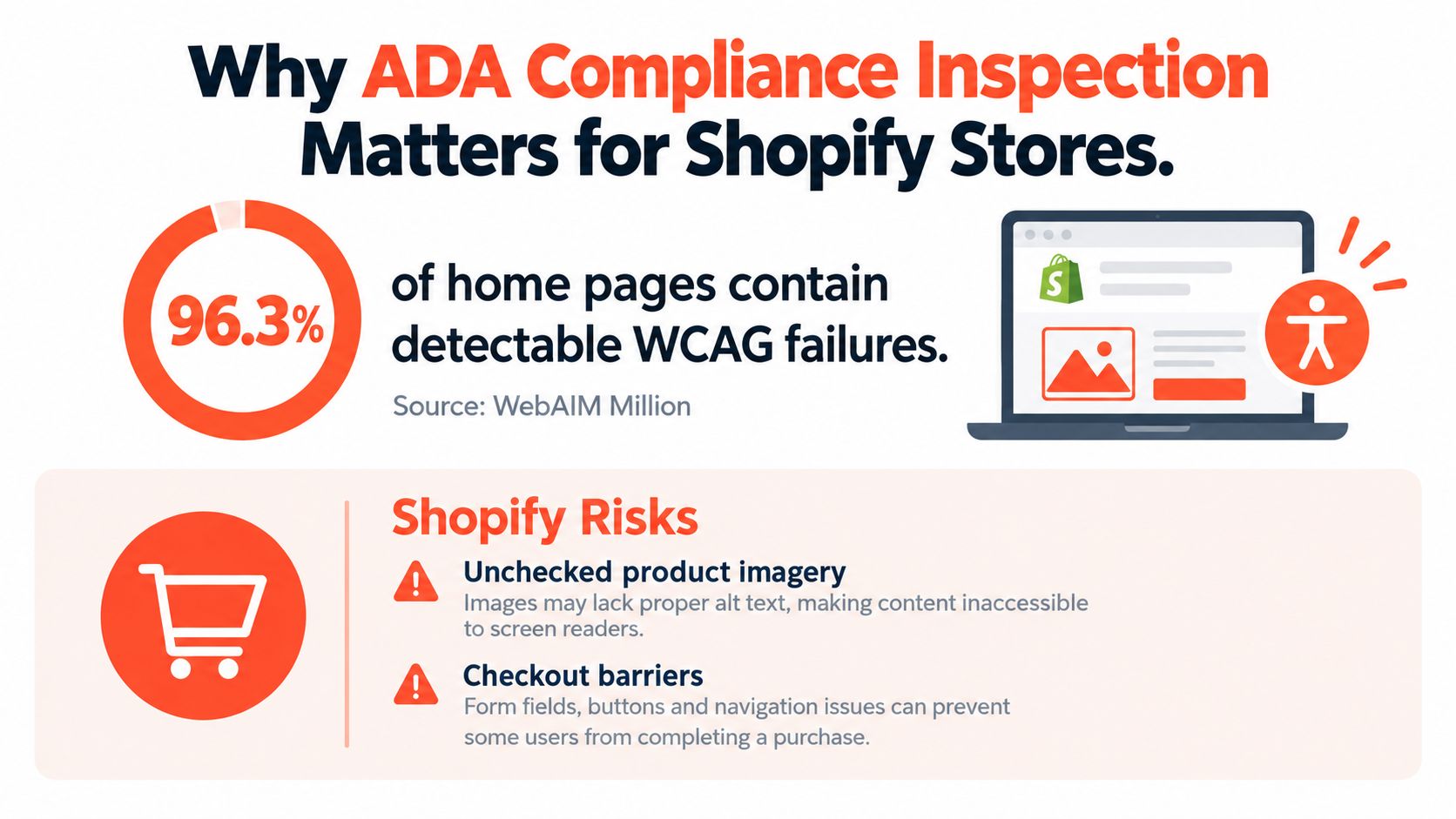
An inspection gives merchants a repeatable way to examine the storefront, theme code, installed apps, cart, and checkout. A scanner can identify missing labels, poor contrast, and some structural errors. It cannot confirm that a keyboard user can open a cart drawer, that focus moves into the drawer and returns correctly, or that a screen reader announces a newly selected variant. Those checks require manual interaction.
The commercial cost of an inaccessible journey
Revenue-sensitive controls deserve attention first. If a keyboard user cannot open the mobile menu, product discovery stops. If a screen reader announces only “button” beside several size options, selecting the right variant becomes guesswork. If a cart drawer appears visually while focus remains on the page behind it, shoppers may not know where they are or how to proceed.
The same workflow should cover every template and major state: load the page, move through it by keyboard, inspect focus order, trigger dynamic updates, and repeat the journey with a screen reader. Test discount fields, error messages, quantity controls, shipping choices, and payment actions, not only static page content. Third-party apps deserve separate attention because their markup and scripts can change without a theme release.
An inspection also produces evidence of scope, findings, ownership, and verification. That record supports disciplined remediation and helps a team confirm whether a fix works across affected templates. It does not replace legal advice or guarantee compliance.
Practical rule: Test the actions that make money first. A perfect footer heading hierarchy matters less than a cart drawer that traps keyboard focus.
Merchants assessing an outside partner should review why choose an accessibility specialist and look for human testing, clear defect reports, and support after remediation. The useful result is not an automated score. It is a shopping journey that more people can complete, with testing evidence showing which barriers were fixed and where further work remains.
The Legal and Technical Standards Behind the Inspection
The Americans with Disabilities Act is a federal civil-rights law, and Title III addresses accessibility for places of public accommodation. Courts, attorneys, and accessibility consultants have applied those obligations to commercial digital experiences, including storefronts that sell to U.S. consumers. An ADA compliance inspection measures technical accessibility conditions. It isn't itself a legal opinion about liability.
The legal framework has developed over time. The ADA was signed on July 26, 1990, the ADA Accessibility Guidelines were published on July 26, 1991, and ADA enforcement began in July 1992, according to the U.S. Access Board's ADA history. Those milestones matter because accessibility obligations aren't based on a temporary campaign or a one-off technical preference.
WCAG as the working benchmark
For websites, WCAG 2.1 Level AA is commonly used as the practical benchmark in audits, settlements, and remediation plans. WCAG organizes accessibility around four principles:
Perceivable: Product images need meaningful text alternatives, and visual status changes need an equivalent nonvisual presentation.
Operable: Menus, variant pickers, quantity controls, and checkout actions must work with a keyboard and other input methods.
Understandable: Field instructions, validation messages, shipping choices, and checkout errors need clear relationships and predictable behavior.
Resilient: Dynamic Shopify sections and app widgets must expose reliable names, roles, states, and values to assistive technology.
Newer agreements may reference WCAG 2.2, while international merchants may also need to consider the Section 508 refresh and EN 301 549. The right benchmark depends on the store's audience, contracts, jurisdictions, and legal advice. A website compliance checklist from Wistec can help teams organize related controls, but it shouldn't replace testing against the criteria that govern the project.
For a deeper explanation of the requirements that affect commercial sites, review this ADA accessibility requirements guide.
Standard | Scope | Why It Matters for Shopify |
|---|---|---|
ADA Title III | U.S. commercial public accommodations | Establishes the legal context for consumer-facing storefront accessibility. |
WCAG 2.1 AA | Web content and user interface accessibility | Provides testable criteria for themes, templates, components, and checkout experiences. |
WCAG 2.2 | Newer web accessibility criteria | May appear in newer agreements or internal standards. |
Section 508 refresh | U.S. federal information and communications technology | Relevant when selling to or supporting federal entities. |
EN 301 549 | European ICT accessibility | Useful for merchants serving international markets and public-sector buyers. |
Scoping the Inspection Across Your Shopify Storefront
A reliable ADA compliance inspection begins with an inventory, not a browser extension. List every Shopify template and shopper-facing state. Include the index, product, collection, page, blog, search, 404, and password templates, plus the JSON settings and section configurations that determine what each template renders.
Map representative URLs rather than checking one convenient page. Include products, collections, editorial pages, search results, and unusual content. A product with swatches, subscriptions, reviews, a size guide, and back-in-stock messaging exercises different code from a simple one-variant product.
Inventory the interactive states
Static templates cover only part of the inspection. Test the cart drawer, dynamic checkout buttons, variant pickers, swatches, review widgets, quick views, predictive search, locale and currency selectors, and mobile navigation. Follow the purchase path through Shopify checkout, Shop Pay, accelerated payment fields, confirmation pages, and order status pages where access permits.
Third-party apps need separate entries in the scope. Email capture popups, upsell modals, chat tools, quizzes, cookie controls, and accessibility overlays can inject markup and ARIA states outside the theme developer's control. An overlay can conceal a visible defect while leaving the underlying semantics unchanged. It can also create a focus trap or announce duplicate content.
Build a scope package
Create three working artifacts:
URL map: Representative pages, states, locales, devices, and checkout paths.
Component inventory: Theme sections, Liquid snippets, JavaScript modules, app widgets, and injected overlays.
Testing access sheet: Store accounts, checkout permissions, browser and screen-reader combinations, and assistive-technology profiles.
Record responsive breakpoints and test each version. A desktop menu may work while its mobile counterpart traps focus, hides the close control, or leaves content inaccessible behind an open drawer. Use this Shopify store audit framework to organize the wider inventory, then validate the scope against the actual shopper journey. Each item should identify its owner, source, and test state, so a failure can be traced to the theme, an app, or Shopify-managed checkout.
Automated Scanners vs Manual Testing on Shopify
Scanners and human testing answer different questions. Lighthouse, axe DevTools, and WAVE are efficient for identifying likely contrast failures, missing alternative text, invalid ARIA, empty controls, and form-label problems. They're excellent for establishing a baseline across templates and for catching regressions after a deployment.
They don't tell you whether a shopper can understand the product gallery, move through a variant selector, or recover from a checkout error. They also can't reliably judge whether an image's alternative text communicates the information a buyer needs. Independent audit guidance notes that surface-level automated checkers catch only about 25% of issues, while one scan-based analysis found automated scanners reliably flagged only 13% of WCAG criteria and missed about 42% entirely.
Run the two tracks together
Start with a clean browser session and run automated checks on the homepage, a representative collection, a complex product page, cart, and accessible checkout states. Export the findings, remove duplicates, and keep the tool name and rule identifier in the report. A scanner finding is a lead for investigation, not proof that the page is compliant or noncompliant.
Then test manually.
Keyboard-only: Use Tab, Shift+Tab, Enter, Space, Escape, and arrow keys. Confirm visible focus, logical order, skip links, modal entry and exit, cart updates, and checkout progression.
NVDA with Chrome: Listen for product names, prices, image alternatives, button labels, live-region updates, field instructions, and error messages.
VoiceOver with Safari: Check the same journey on iOS and macOS, paying particular attention to touch exploration, headings, rotor navigation, and dynamic sections.
Visual review: Zoom content, inspect focus indicators, compare text against backgrounds, and check whether fixed elements obscure controls.
A scanner can report that a button has a name. Only a person can determine whether the name makes sense in the buying context.
Dimension | Automated Scanners (Lighthouse, axe, WAVE) | Manual Testing (Keyboard + Screen Reader) |
|---|---|---|
Speed | Fast baseline across many URLs | Slower, but focused on representative journeys |
Strongest coverage | Detectable contrast, labels, alt attributes, and markup patterns | Focus behavior, comprehension, announcements, interaction flow |
Shopify value | Finds recurring theme-level defects | Exposes AJAX cart, app widgets, menus, and checkout barriers |
Main limitation | Misses context, usability, and many interaction failures | Requires trained testers and defined environments |
Best use | Secondary check and regression signal | Primary evidence for real-world usability |
Pair both tracks in one issue sheet. Map each manual finding to a related automated rule when one exists, and label it as a human-only discovery when it doesn't. That distinction helps stakeholders understand why reducing scanner errors isn't the same as making the store usable.
WCAG Checkpoints Most Likely to Fail on Shopify
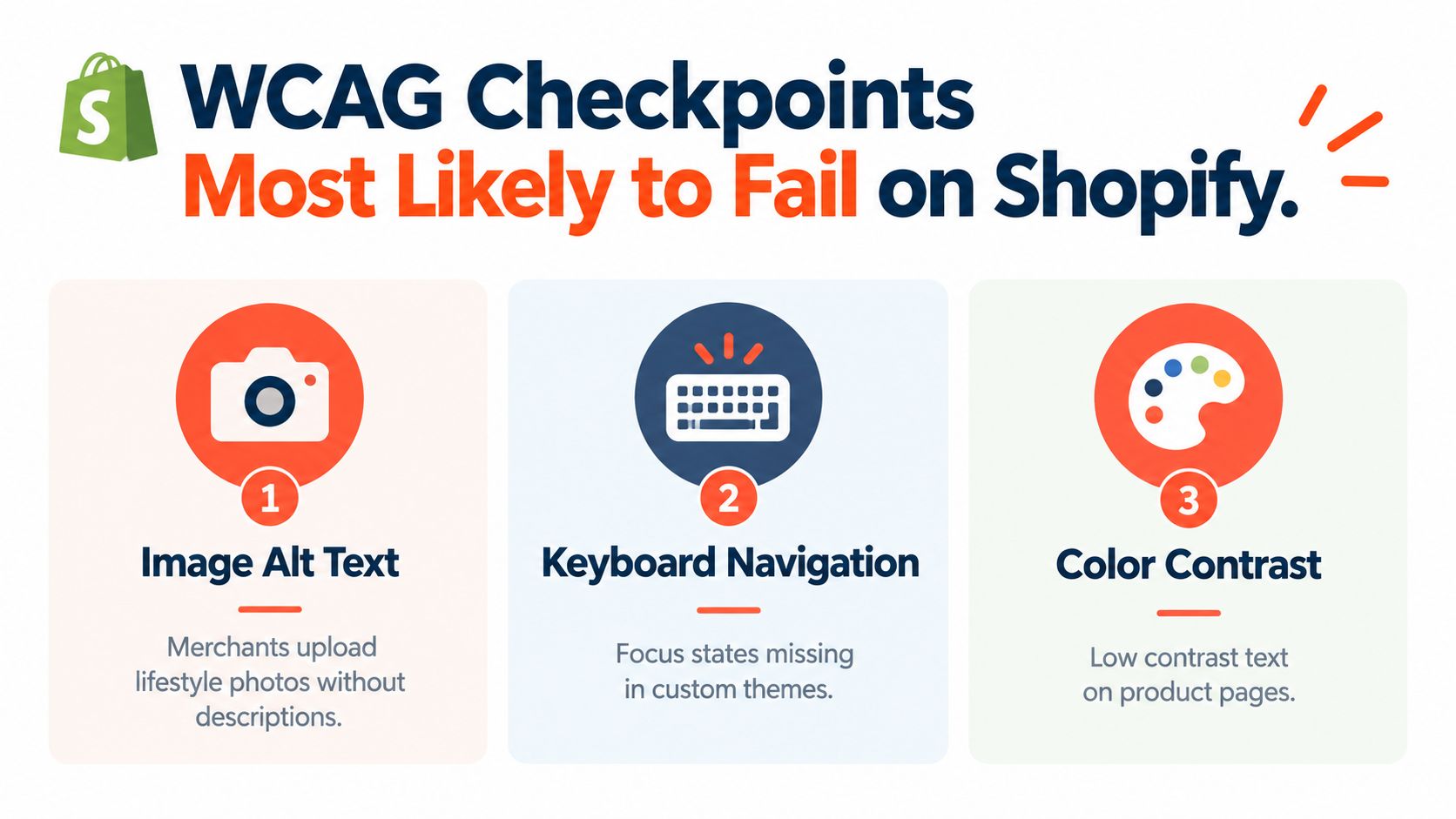
Shopify stores tend to fail where merchant content, theme logic, and app code overlap. The exact defect list varies by theme and implementation, but several checkpoints deserve immediate attention because they affect shopping decisions and navigation.
Product information must survive without sight
Alternative text is a common failure point. Merchants upload lifestyle photography, detail shots, and promotional banners, while product gallery code or app output may ignore useful descriptions. A decorative image shouldn't force a screen-reader user through meaningless text, but a photo showing a product feature shouldn't be announced as a generic file name.
Check the full image experience, not just the first product image. Verify thumbnails, selected-image state, zoom controls, swatch images, collection cards, recommendation carousels, and promotional imagery. The alternative should communicate the information that changes the purchase decision.
Contrast and keyboard behavior need real interaction
Low-contrast sale badges, countdown timers, announcement bars, and app-injected banners often appear only in particular states. Inspect hover, focus, disabled, error, selected, and sticky versions against the actual theme background. Don't approve a color token globally until you've checked it where the component is used.
Keyboard testing should follow a shopper's route:
Menus: Open and close desktop and mobile navigation, then confirm focus doesn't disappear behind the drawer.
Product controls: Operate swatches, quantity controls, image galleries, accordions, and quick views without a mouse.
Cart: Add an item, change quantity, remove it, and confirm the updated price and item count are announced.
Modals: Test age gates, email capture, reviews, and upsells for focus entry, escape behavior, and return focus.
Checkout: Move through contact, shipping, delivery, and payment fields while checking labels, instructions, and errors.
Forms and dynamic announcements
Customizations can wrap Shopify inputs in extra containers, separate labels visually from their fields, or replace native controls with div-based components. A screen reader should identify each field, its purpose, required state, and error status without relying on visual placement.
Dynamic updates need equal care. When an AJAX cart adds an item, the user should know that the action succeeded and understand the new cart state. When a postal code or email field fails validation, the message should identify the problem and connect it to the relevant input. Icon-only controls need accessible names that describe the action, such as opening search or removing a product, rather than announcing only “button.”
The WebAIM-related failure data gives useful context for prioritization. The cited analysis reported low-contrast text on 83.9% of pages, missing alt text on 53.1%, missing form labels on 51%, empty links on 46.3%, empty buttons on 30.6%, and missing document language on 13.5% in its sample. The detailed breakdown is a reminder to inspect common defects first, while still testing the interaction failures that automated checks can't see.
Turning Findings Into a Prioritized Remediation Plan
A report with a long undifferentiated list doesn't help a Shopify team decide what to ship. Rank each finding by user impact, journey exposure, and fix effort, then connect it to the exact theme file, section, script, or app responsible.
A focus trap in the cart drawer and an unlabeled payment field belong at the front of the queue because they can prevent completion. A missing heading level in a low-traffic editorial block may still need correction, but it shouldn't compete with a defect that blocks product selection or payment.
Use impact before aesthetics
A practical backlog can look like this:
Critical: Checkout fields, cart controls, or modal behavior prevents a user from completing the task.
High: Product choice, navigation, pricing, or important instructions become difficult or unavailable to assistive-technology users.
Moderate: A repeated theme defect affects comprehension or efficiency but has a workable path around it.
Low: Decorative content, minor hierarchy inconsistencies, or isolated issues with limited user impact.
The score should reflect repetition across templates. One broken quantity control in a shared product section can affect every product page, making the underlying component more urgent than an isolated page-level issue.
Assign the actual owner
A merchant can fix some content and theme settings through Shopify's admin. Other items require Liquid, JavaScript, CSS, or app-vendor changes. A ticket should identify the owner, file or component, reproduction steps, affected assistive technology, relevant WCAG criterion, and proposed validation method.
Use a controlled branch for Shopify theme customization work, then re-test the same journey after each batch. Keep screenshots, DOM references, screen-reader observations, and before-and-after results in the report. The evidence helps developers reproduce the issue and gives compliance reviewers a defensible remediation trail.
Don't close a finding because a scanner turns green. Close it when the corrected control works in the environment that exposed the problem, and when a second pass confirms that the change didn't break another state.
Continuous Monitoring After the First Inspection
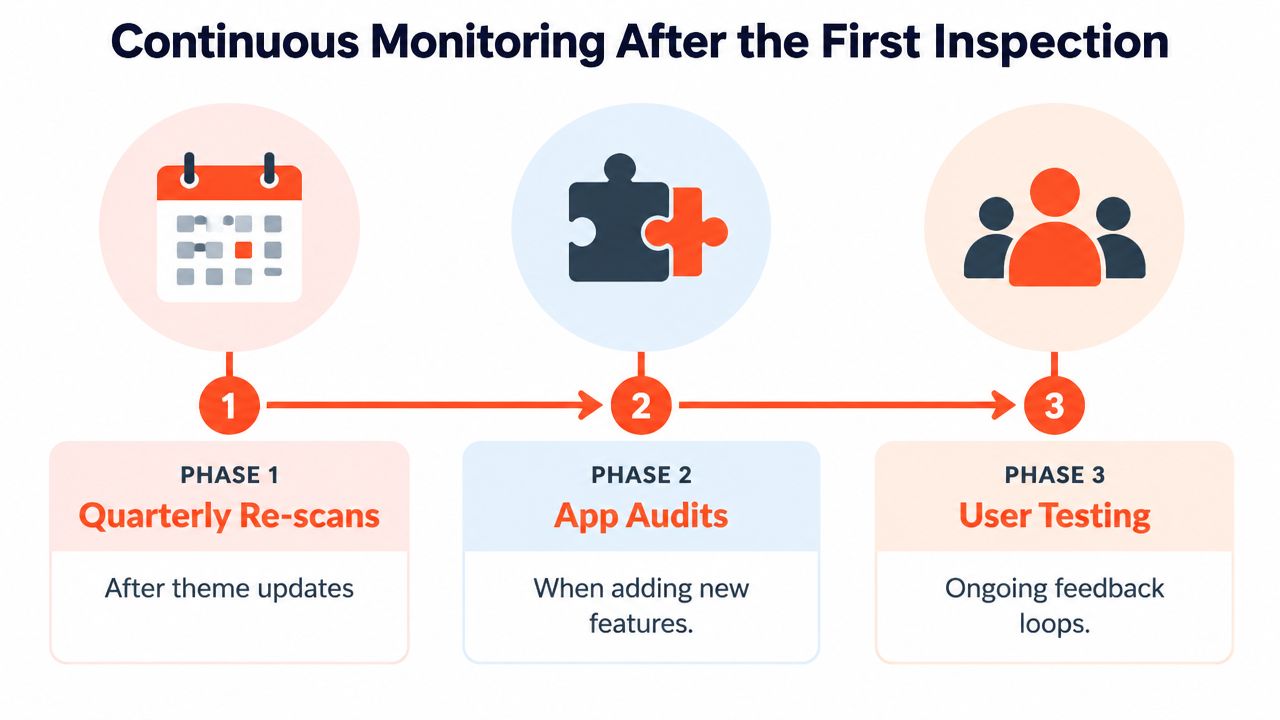
Accessibility can regress during routine ecommerce work. A theme update may alter a shared button, a review app may inject a carousel, a campaign may add a high-contrast banner, or a developer may replace a native select with a custom picker. Each change can affect keyboard focus, screen-reader announcements, or the ability to complete a purchase.
Use the first ADA compliance inspection as a baseline. Record tested URLs, browser and screen-reader combinations, scanner settings, screenshots, and issue IDs. Reuse that test set after later changes so results remain comparable.
A cadence that fits Shopify operations
Run quarterly automated scans after meaningful theme or app changes, using the same Lighthouse and axe DevTools configuration. Before publishing Liquid or JavaScript, test the affected component in every relevant state. Before installing an app, inspect its demo or staging output, then check the live injection points after installation.
A monthly manual pass should cover the product page, cart, and checkout. Keyboard-only testing exposes lost focus, inaccessible menus, and trapped dialogs quickly. NVDA with Chrome and VoiceOver with Safari add practical coverage for headings, labels, announcements, and dynamic content that scanners cannot judge reliably.
Track findings by template and component, owner, status, regression history, and date of last human verification. Pipeline alerts can flag new scanner violations, but releases need a triage rule. A documented warning with an assigned fix may remain temporarily. A defect that prevents checkout should block release until the shopper journey works.
The DOJ Title II web accessibility rule is scheduled to require larger state and local government entities to comply by April 26, 2027, and smaller entities by April 26, 2028, following an April 2026 extension, as summarized in this accessibility standards update. These deadlines apply to public entities, not every private Shopify merchant, but they reinforce the need for documented, recurring accessibility reviews.
Presidio provides Shopify and Shopify Plus accessibility audits combining automated scans, keyboard review, screen-reader testing, WCAG mapping, code-level remediation, and retesting. Stores that recently changed themes, added apps, or introduced a more complex checkout path can visit Presidio to discuss an inspection workflow based on the shopper journey.



