Outrank AI

Most guides on how to build Shopify apps start in the wrong place. They jump straight to scaffolding, OAuth callbacks, and dashboards, as if the hardest part is getting an app to install. The hard part is getting a merchant to keep it installed, trust it, and pay for it when their admin is already crowded with tools.
The ecosystem is crowded enough to punish generic ideas. Recent reporting puts the Shopify App Store at roughly 11,905 to 12,320 apps in 2026, and another report says merchants install an average of six apps per store, with some stores using as many as 30 apps, so builders are competing inside a dense, selective environment where every new install has to earn its place quickly (Shopify app store statistics). Shopify's own analytics tooling pushes the same reality, because app success is measured against installs, revenue, reviews, merchant counts, and short-cycle performance windows inside the Partner Dashboard (Shopify app usage tracking).
The right question is not whether you can wire up an app. It's whether you can solve one merchant problem so cleanly that your app replaces something else, reduces friction, and gives you proof inside Shopify's own metrics. If you're already thinking about a migration or a larger platform change, a structured partner like migrate your Shopify store can be useful context for how merchants evaluate operational risk and tooling at the same time.
Table of Contents
The Question Most Shopify App Guides Get Wrong
The usual advice assumes the work starts when you open Shopify CLI. It doesn't. The work starts when you can name a merchant problem sharply enough that the app earns a place in a store already full of software.
That matters because Shopify apps aren't niche side projects anymore. The App Store is crowded, merchants often already carry several apps, and the true test is whether your app keeps its slot or gets removed after the first billing cycle. Shopify's own analytics model reflects that, because app builders are expected to track installs, retention, revenue, and merchant counts as part of the product itself, not as an optional reporting layer after launch. See Shopify app usage tracking and how to build custom Shopify apps for the implementation context.
What success looks like
A serious Shopify app does more than “work.” It reduces a real operational burden, then proves that it can retain merchants and generate recurring revenue. That proof lives in the Partner Dashboard, where the default view is the last 30 days of performance and where installs, revenue, reviews, and merchant counts are front and center (Shopify app usage tracking).
Practical rule: If you can't describe the problem in one sentence without naming your framework, you probably haven't found the app yet.
Beginner guides oversimplify the game. They teach the mechanics of building, but not the positioning work that tells you whether the app should be built at all. In a market with thousands of competing apps, generic utilities get buried fast. A better framing is to look for a workflow you can simplify, consolidate, or remove entirely.
That's also why the merchant-problem lens matters when you evaluate existing tools. If your idea is just “another dashboard” or “another automation app,” it is likely to compete on features alone. If it removes one layer of app sprawl, it has a stronger reason to survive.
For teams mapping this against broader operational work, there is value in looking at app consolidation the same way you would think about stack cleanup in a storefront project. A leaner app often wins not because it is flashier, but because it gives merchants fewer chances to run into friction. If a merchant is already ready to migrate your Shopify store, the bar for adding another app is even higher.
Validating the Idea Before You Open Your Editor
Before Shopify CLI enters the picture, the strongest move is to pressure-test the merchant demand. Shopify's own official guidance says to verify the problem, confirm whether merchants will pay, and check whether the app can be built before submission, which is the right order if you want to avoid wasting time on a polished idea with no buyer (How to build a Shopify app).
Start with the merchant workflow, not the feature list
Write a one-page brief that names the merchant, the pain point, the current workaround, and the outcome they want. Then test that brief against the actual surfaces the app would touch. Some problems live in the admin, some need checkout-related logic, some need Storefront API access, and some belong in Shopify Functions or POS-adjacent workflows. If the solution needs three surfaces to deliver one outcome, the scope is probably too wide for the first release.
Reading App Store reviews of competing apps is useful here because merchants tell you what breaks trust. Look for repeated complaints about setup friction, unclear pricing, missing edge cases, and slow support. Those signals tell you more about what to build than a generic feature comparison page does.
Merchants don't buy abstractions. They buy fewer steps, fewer tools, and fewer surprises.
A development store is the next reality check. Install the in-progress app there and follow the merchant journey from first auth to first meaningful action. If the install flow is confusing in a dev store, it will be worse in production, where the merchant is already juggling orders, notifications, and staff access.
For a useful planning reference, how to guides can help you think through the shape of an operational workflow before you translate it into an app. They're especially helpful when you're comparing a manual merchant process against what can realistically be automated.
There's also a strategy decision hiding in the validation stage. If the app only adds another screen and another login, it's probably a weak business. If it replaces a patchwork of tools and reduces admin clutter, it has a better chance of fitting how merchants already work. For teams building custom solutions, custom Shopify app development is a useful reminder that the core question is fit, not novelty.
Setting Up Your Local Environment with Shopify CLI
Once the problem is real, the build starts with the toolchain. Shopify CLI is the practical entry point because it scaffolds the app, connects it to a Partner organization, and lets you install it on a development store without touching production data. That separation matters more than it sounds, because it lets you test install, auth, and first-load behavior while the app is still unfinished.
Choose the starter that matches your maintenance budget
Shopify supports starter templates across common stacks, and the choice is less about fashion than about what your team can maintain. Node and Remix are common for modern app work, while PHP starters still make sense for teams with deeper PHP expertise. The best starter is the one your team can debug quickly six months from now, not the one that feels trendy on day one.
Commit the generated scaffold to version control immediately. That's not a housekeeping detail, it's how you prevent environment drift. Keep secrets out of the repository, store them in environment variables, and treat your local setup as disposable except for the code itself.
Verify the install path first
The first milestone should be boring. Install the app on a dev store, authenticate successfully, and confirm that the app loads in the merchant context without errors. If that fails, nothing else matters yet.
A clean setup also makes it easier to separate public apps from custom apps in your thinking. Public apps are designed for broader distribution, while custom apps are often tied to a single merchant or store relationship. That choice affects deployment, support, and how much operational overhead you take on later.
If the local install is flaky, the merchant install will be worse. Fix the first mile before you write the second feature.
The best teams use the CLI scaffold as a starting point, not a finished foundation. They wire the app into their repo, build the first happy-path install, and only then expand the surface area. That keeps the app small enough to understand while you're still making architecture decisions that will matter later.
For teams that also need to think about store logic beyond apps, Shopify Scripts to Functions is a useful related reference point for how Shopify's extensibility model keeps moving toward more structured, maintainable primitives.

Designing the Architecture for Maintainability
Good Shopify apps age poorly when their architecture is improvised. The stack that holds up in production is usually modular and plain, a backend service for OAuth and sessions, a React admin UI with Polaris, persistent storage, background workers, and a webhook layer that verifies payloads and handles duplicates safely. That's less exciting than a flashy framework choice, but it's what keeps the app legible after the first few feature releases (Shopify app scaffold guidance).
Keep responsibilities narrow
OAuth and session handling belong in the backend, not scattered across UI code. The admin interface should focus on the merchant's task, not mirror your internal architecture. Persistent storage should hold app state, installation context, and whatever configuration the app needs to survive restarts.
Background workers matter once you have anything that can't finish instantly. Sync jobs, imports, exports, and follow-up tasks should run outside the request thread so the app stays responsive. Webhooks deserve the same discipline. Verify the payload, make the handler idempotent, and design retries so a duplicate delivery doesn't create a duplicate side effect.
Operational rule: If a webhook can be delivered twice, your code has to behave as if it will be.
A good way to prevent integration drift is to define API contracts, webhook payloads, scopes, and sequence diagrams before you wire the moving parts together. That sounds formal, but it saves time. Without that map, teams often discover mismatched assumptions only after the app is already talking to a live merchant store.
Design around merchant reality
The most maintainable Shopify apps don't try to do everything in the first screen. They open with a thin, direct experience, then expand only when the merchant proves they need more. That keeps the app fast to understand and easier to support.
This is also where narrow scopes pay off. Request only the permissions the feature needs. Wider scopes increase the blast radius if something goes wrong, and they make the install ask feel heavier than it needs to be.
If you're evaluating implementation partners or internal build approaches, Presidio is one example of a team that offers Shopify app development alongside broader storefront work. That kind of hybrid setup can help when the app needs to fit into a larger system, not stand alone as an isolated tool.
The best architecture choices are rarely dramatic. They're the ones that make the app easier to reason about when a merchant files a ticket, a webhook retries, or a background sync fails halfway through.
Handling Authentication, Scopes, and Webhooks the Right Way
Authentication bugs are where trust gets expensive fast. A merchant who can't install the app, gets bounced in the auth flow, or sees a confusing permissions screen will often abandon the setup before the app has a chance to prove itself. Shopify's updated OAuth guidance also makes it clear that the initial app load should be fast and clean, not needlessly disruptive (Shopify OAuth recommendations).
Make the install path boring and durable
Use the minimum scopes required for the feature. Store sessions in durable storage rather than memory so the app survives restarts. If the app needs to refresh tokens or renew session context, do it in a controlled way instead of depending on a one-off happy path.
Log auth events clearly. When install fails, merchants need a message they can act on, not a stack trace disguised as a support experience. The same principle applies to permissions errors. If the app is missing a scope, surface the reason in plain language and point the merchant to the fix.
Treat webhook handling as production code
Webhook handlers should verify the payload before trusting it, then process the event with idempotency in mind. That's the only safe assumption when delivery can happen more than once. Background jobs and retry policies should be tuned to recover from transient failures without flooding the merchant with duplicate actions or noisy alerts.
A simple mental model helps here:
Minimal scope request: Ask only for what the feature needs.
Verified inbound events: Never trust an unverified webhook payload.
Durable session storage: Don't keep install state in memory.
Idempotent side effects: Design every handler so repeated delivery doesn't double-apply changes.
The operational payoff is bigger than the security payoff alone. Clean auth and webhook handling keep support volume down, make the app easier to deploy, and reduce the number of merchant-facing failures that look random from the outside.
If the install flow is the front door, webhooks are the plumbing behind the walls. Merchants usually never see them directly, which is exactly why they need to be reliable.
Hosting, Testing, and Shipping Without Downtime
A Shopify app is still a small SaaS product, so it should be operated like one. The hosting choice matters less than whether the app has clear separation between web requests, background jobs, and observability. Fly, Railway, Render, Vercel, and a small VPS setup can all work depending on the app's shape, but the key requirement is that the runtime stays predictable when traffic, webhooks, and sync jobs overlap.
Build a release path that mirrors the app's risk
Use one environment for local development, one for staging, and one for production. The staging environment should mirror production webhooks closely enough that you can trust the behavior you see there. Unit tests should cover business logic, while integration tests should hit a development store and exercise real install flows, auth callbacks, and API calls.
Watch for the failures merchants notice first. Slow API calls, webhook retries, and scope-related auth errors are the ones that tend to surface in support tickets. Good observability catches those before the merchant does, which means logs and alerting should be part of the build, not a post-launch clean-up task.
Deployment habit: Ship small, then verify the install and critical webhook paths before you add the next feature.
Background workers deserve their own process because they don't behave like web requests. If you cram them into the request cycle, the app becomes harder to scale and harder to debug. Keeping them separate also makes rollbacks safer, since you can isolate which part of the stack changed when something regresses.
For teams thinking about the merchant experience beyond raw uptime, Shopify performance optimization is a relevant companion topic. Fast apps don't just feel better, they're easier for merchants to keep using.
A representative build loop looks like this. A merchant-facing app starts with a narrow feature, the team tests it against a dev store, then deploys it behind staging webhooks. After launch, the team watches for auth failures and sync errors before deciding whether to add the next workflow.
The point isn't to avoid every bug. It's to make sure a bug doesn't become a merchant-facing pattern.
Launch, Analytics, and the App Consolidation Mindset
App Store submission marks the first test of whether the product is understandable enough for a merchant to try. Shopify's official guidance says the listing should focus on the merchant problem, not the architecture, which is the right framing because merchants buy outcomes, not implementation details (How to build a Shopify app).
Measure what Shopify exposes
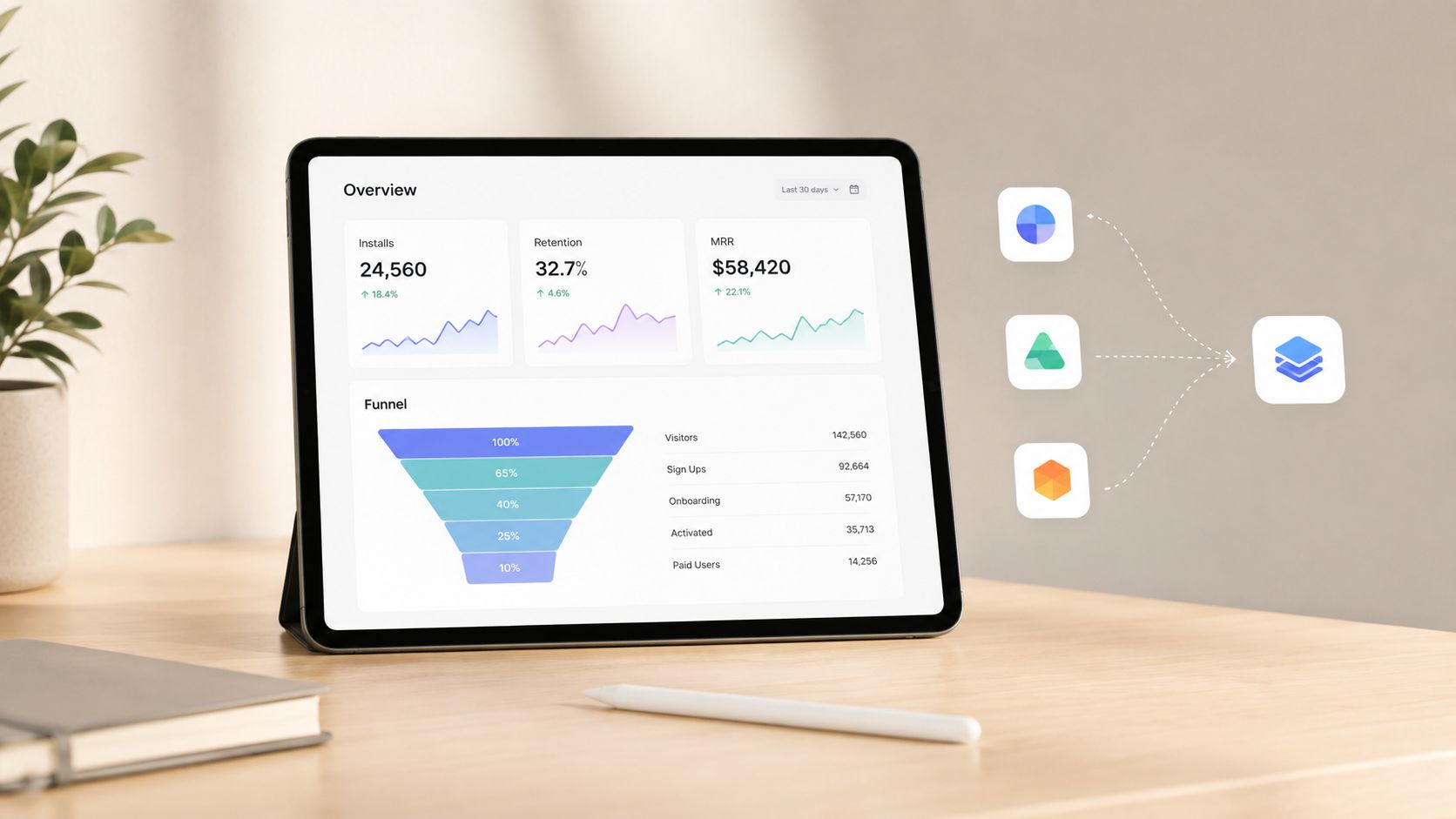
The Partner Dashboard gives you installs, revenue, reviews, and merchant counts, and Shopify recommends modeling app performance around the AARRR funnel, Acquisition, Activation, Retention, Revenue, and Referral (Shopify app usage tracking). That means the app should be instrumented from day one to show install-to-activation conversion, retention after install, and monetization behavior inside Shopify's own tooling.
Shopify's docs also show that analytics can be modeled in ShopifyQL, charted in the app UI, and annotated with events like launches or campaigns. In practice, that makes iteration part of the build process rather than a separate reporting exercise.
Build for consolidation, not just addition
The strongest apps in a crowded store often replace several smaller tools. That matters because merchants are already carrying multiple apps, and app sprawl creates its own cost in settings, support, and maintenance. A discount-and-rules app, for example, can be positioned to absorb two or three narrow tools if it handles the merchant's workflow cleanly enough.
The winning app is often the one that removes the need for another login, another bill, and another place to troubleshoot.
This is the practical difference between feature-first and merchant-first thinking. Feature-first builders ask what they can add. Merchant-first builders ask what they can consolidate without breaking the workflow the store already depends on.
If you're starting today, the next move is simple. Pick one merchant pain point, write the validation brief, and decide what the app replaces before you write the first route. Then build the install path, instrument the funnel, and keep the release small enough that you can explain every failure mode to a merchant support rep without opening a diagram.

Jamie, Presidio’s Designer, leads the practice alongside Johnnie. With over 10 years of e-commerce experience, Jay is a Shopify expert, known for crafting innovative solutions that prevent tech debt.
Jaime
Senior Product Designer, 2020



