Presidio

In a recent 90-day window, 8,993 WooCommerce stores switched to Shopify, according to industry migration tracking. Another 2026 view attributed 60.8% of all tracked migrations to Shopify, while reporting a 3.1:1 inbound migration ratio, with 31,946 stores moving to Shopify versus 10,271 leaving. The direction is clear, but the numbers don't tell you whether your migration will protect revenue.
That outcome depends on the details most migration checklists underplay: customer passwords can't transfer, subscriptions need a continuity plan, order history follows a different schema, and imported records require verification before launch. A successful migration from WooCommerce to Shopify is a controlled replatforming project, not a CSV upload.
Table of Contents
Auditing and Cleaning Your WooCommerce Data Before Migration
Executing the Data Transfer and Handling Platform Limitations
Preserving SEO Rankings Through URL Redirects and Structure Mapping
Post-Launch Validation and the First 30 Days Monitoring Plan
Why Brands Are Moving From WooCommerce to Shopify in 2026
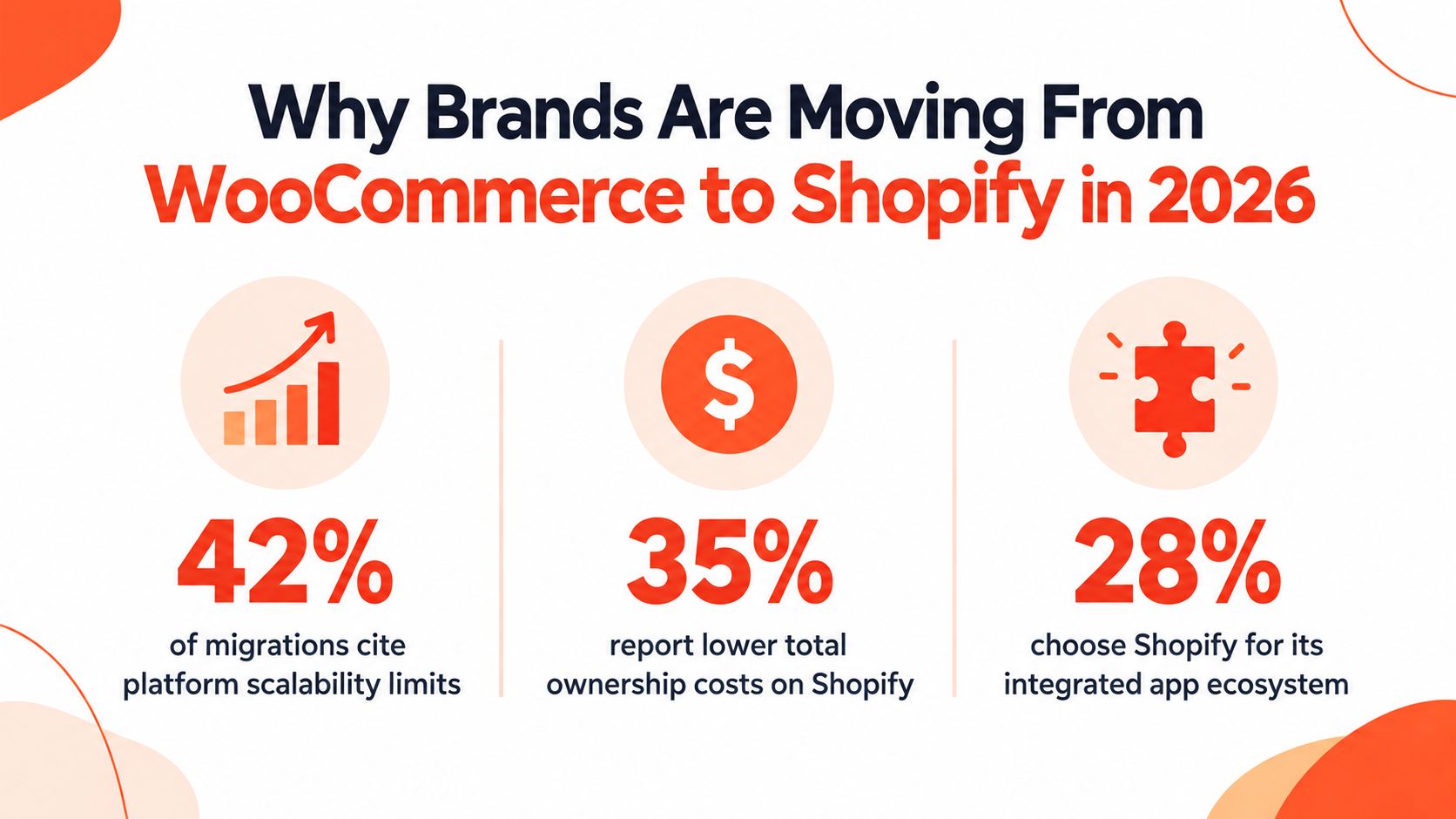
Shopify is becoming a common destination for WooCommerce replatforming because brands want fewer operational dependencies, not just a different storefront. Industry migration data shows Shopify gaining attention as an inbound platform, but market direction alone does not justify a move. The business case depends on whether managed infrastructure reduces the risks your team currently carries.
WooCommerce gives merchants control over hosting, code, plugins, and data. That control also makes the merchant responsible for WordPress updates, plugin compatibility, security maintenance, backups, and diagnosing failures when a small change affects checkout, inventory, or tax logic. As order volume and integrations grow, that technical workload can pull attention away from merchandising, retention, and customer experience.
The migration decision should also account for operational continuity. Customer passwords cannot be transferred directly, so the launch plan needs a password-reset journey that does not strand returning buyers. Subscription products require a separate rebuild and billing test. Order history may not map cleanly into Shopify's model, which affects customer service and account views. These details can create revenue and support problems even when the catalog import appears correct.
Shopify can reduce infrastructure work, but it does not remove migration risk. Teams still need to rebuild custom functionality, select compatible apps, map data fields, and test integrations against Shopify's constraints. A staged pipeline is safer than one large import: move a controlled sample, validate products and customers, rebuild subscriptions, test order and inventory behavior, then promote the approved dataset. Keep the WooCommerce store available until checkout, account access, recurring billing, and support workflows pass their test cases.
The platform decision needs a business case
A migration makes sense when one or more conditions are persistent:
Maintenance burden: Your team spends too much time resolving plugin conflicts, updates, and hosting issues.
Operational risk: A hosting, integration, or checkout failure can interrupt orders.
Scaling friction: New markets, fulfillment rules, or merchandising requirements repeatedly need custom development.
Launch velocity: Marketing and ecommerce teams need to publish changes without waiting for WordPress engineering work.
Shopify is not a cure for weak product data, poor navigation, slow creative production, or unclear ownership. Define owners and pass-fail checks for revenue, customer access, recurring billing, order support, SEO, and inventory before touching the source store. That preparation determines whether the platform change protects trading continuity or moves existing problems into a new system.
Auditing and Cleaning Your WooCommerce Data Before Migration
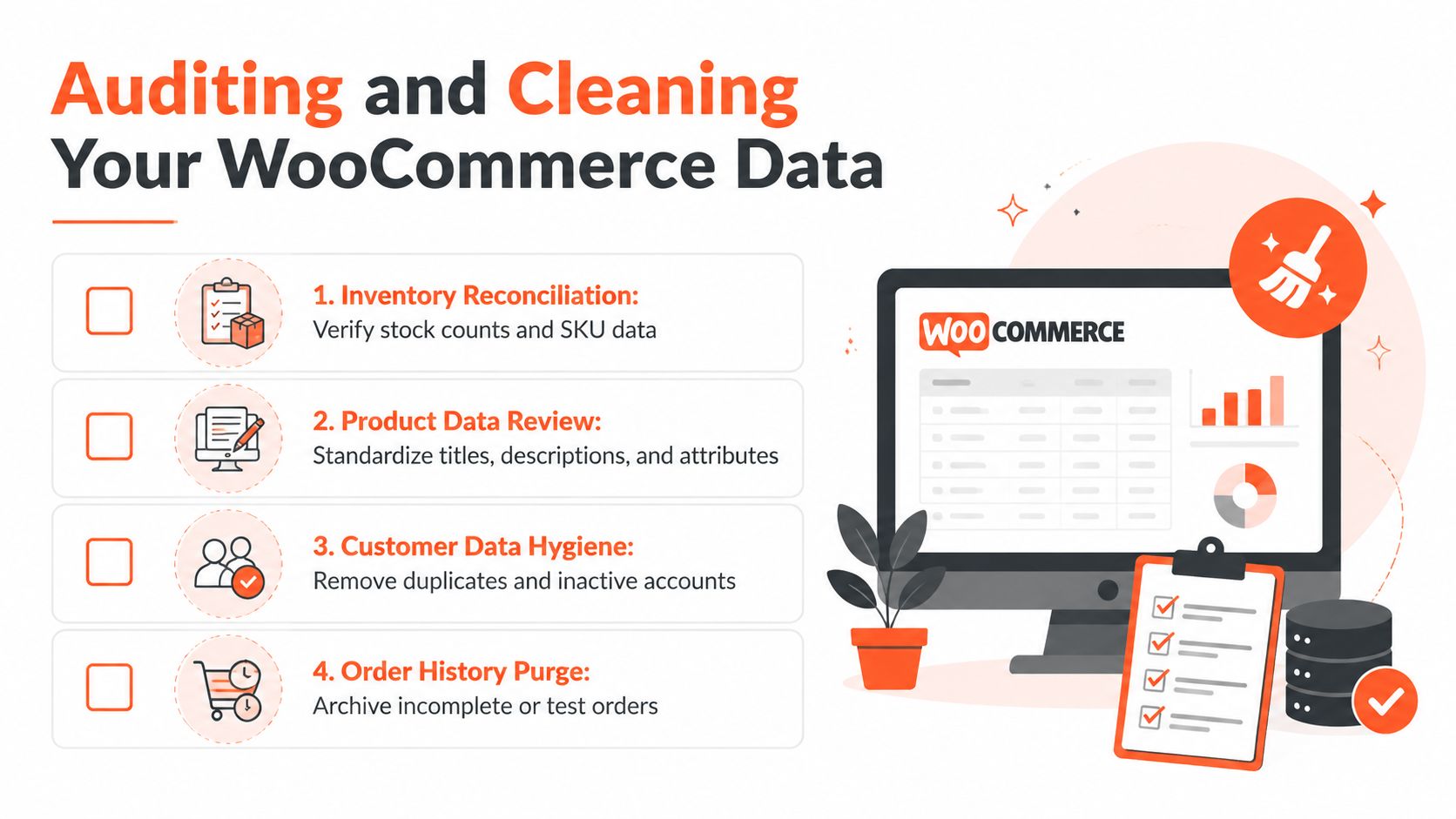
The cleanest Shopify build can still fail if the source database contains duplicate customers, obsolete products, test orders, inconsistent variants, or stock values nobody trusts. Begin with an inventory of what exists, then create a written scope that labels every record as migrate, transform, archive, or exclude.
Start with products. Export the catalog and inspect titles, descriptions, SKUs, attributes, images, tax settings, weights, and variant relationships. WooCommerce stores often contain years of one-off fields and formatting created by plugins. Remove shortcodes and stale HTML, standardize option names, and decide how custom fields will map to Shopify metafields or metaobjects. Don't import a product only because it exists. Confirm that it belongs in the active catalog and that its merchandising data is usable.
Build a data scope before an export
Customer cleanup needs a different standard. Consolidate duplicate records where the email identity is reliable, preserve useful address information, and flag accounts that require review rather than merging them. Keep a clear distinction between a customer record and a customer login. The record may transfer, but the password won't, so the account reactivation experience belongs in the migration scope.
Orders require an explicit retention decision. Because WooCommerce and Shopify organize order data differently, a complete historical transfer may require transformation or an external reporting approach rather than a straightforward import. Decide which history support staff need inside Shopify, which records belong in an archive, and which historical reporting must remain available in a separate system.
Use an audit worksheet with fields such as:
Record identity: Product ID, SKU, customer email, or order reference.
Business status: Active, discontinued, duplicate, test, refunded, or incomplete.
Destination model: Shopify product, variant, customer, order, metafield, or external archive.
Transformation rule: Rename, merge, normalize, convert, or manually rebuild.
Validation owner: The person responsible for confirming the result.
Inventory deserves its own reconciliation pass. Compare stock records by SKU and location, investigate negative or missing quantities, and separate sellable inventory from backorders or legacy warehouse data. The migration guidance in this ecommerce migration services resource reflects the right operating principle, data should be mapped and validated rather than copied blindly.
Practical rule: If nobody can explain why a record is being imported, it doesn't belong in the first migration scope.
Finish by freezing the scope document before test imports begin. Teams often create avoidable risk by adding products, old orders, or plugin fields halfway through the project. A deliberate archive is safer than importing data that confuses customers, reports, and fulfillment staff.
Executing the Data Transfer and Handling Platform Limitations
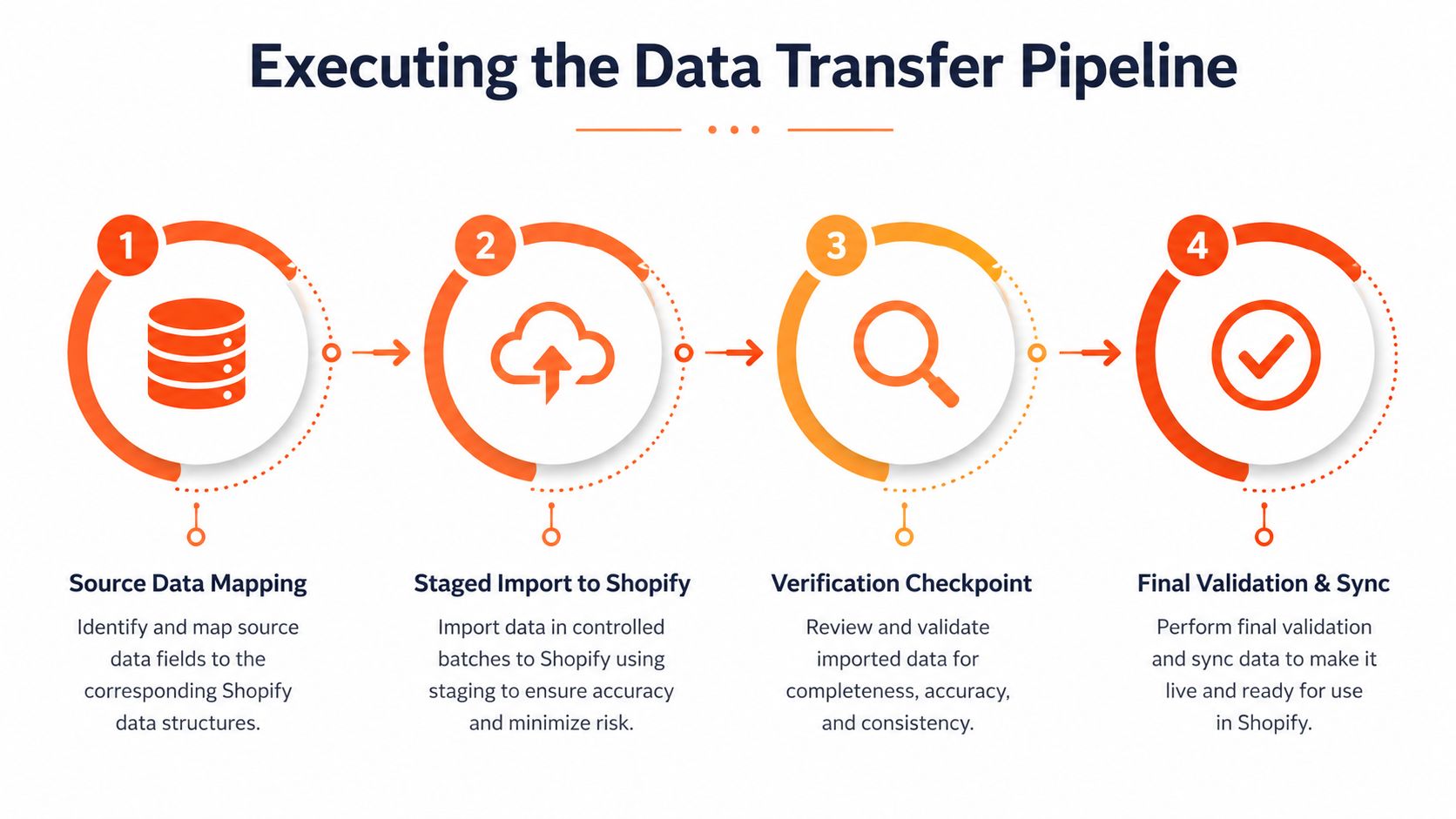
Treat the transfer as a staged data pipeline. Set a checkpoint after each meaningful transformation, then validate before the next stage. Map fields, run test imports, compare row counts, reconcile revenue, and check inventory by location. These controls expose errors while the source data is still available for correction.
Map the source model first
Create field-level mappings for products, variants, customers, orders, discounts, addresses, and custom data. Record the source field, Shopify destination, conversion rule, and exception behavior. A WooCommerce custom field should not vanish merely because Shopify lacks a column with the same name. Assign it to a metafield, metaobject, app-owned record, or documented exclusion.
Run a test import using representative complexity, not only straightforward products. Include multiple variants, missing images, custom attributes, unusual descriptions, discounts, refunds, and location-specific stock. Validate:
Row counts: Expected source records against Shopify records.
Revenue totals: Imported order values against the source reporting period.
Inventory distribution: Quantities by SKU and location.
Relationship integrity: Orders connected to the correct customers and line items.
Content fidelity: Titles, descriptions, images, handles, and metadata.
A matching product count does not approve the import. Variants may be flattened, SKUs changed, images omitted, or descriptions rendered unusable despite an apparently correct total.
Plan around the hard limitations
WooCommerce stores orders in WordPress post-type structures, while Shopify uses a different schema. Complete order history therefore requires transformation rather than a direct transfer, as explained in this order and account continuity guidance. Decide whether orders are needed for customer service, reconstructed in Shopify's model, or retained in an external archive for reporting. Confirm the decision with support, finance, and fulfillment before the import begins.
Passwords create a separate identity gap. The platforms hash credentials differently, so existing passwords cannot transfer. Import customer names, emails, addresses, tags, and permitted historical relationships, then prepare an account reactivation campaign before launch. Give customers clear activation or reset instructions. Otherwise, failed logins can become support tickets immediately after cutover.
Subscriptions require their own revenue continuity plan. In our migrations, payment vault tokens never transfer, and billing schedules must be recreated in Shopify-compatible subscription tooling. Inventory active subscribers, renewal dates, plan rules, and payment methods. Select the target subscription system, then test cancellation, skipped orders, payment failures, renewals, and customer portal access before launch.
The final transfer should use a controlled delta process. Freeze source changes where practical, or monitor them closely. Import the approved changes, reconcile orders and inventory again, and keep WooCommerce available under the rollback plan.
Use the visual walkthrough below to align the implementation sequence:
Preserving SEO Rankings Through URL Redirects and Structure Mapping
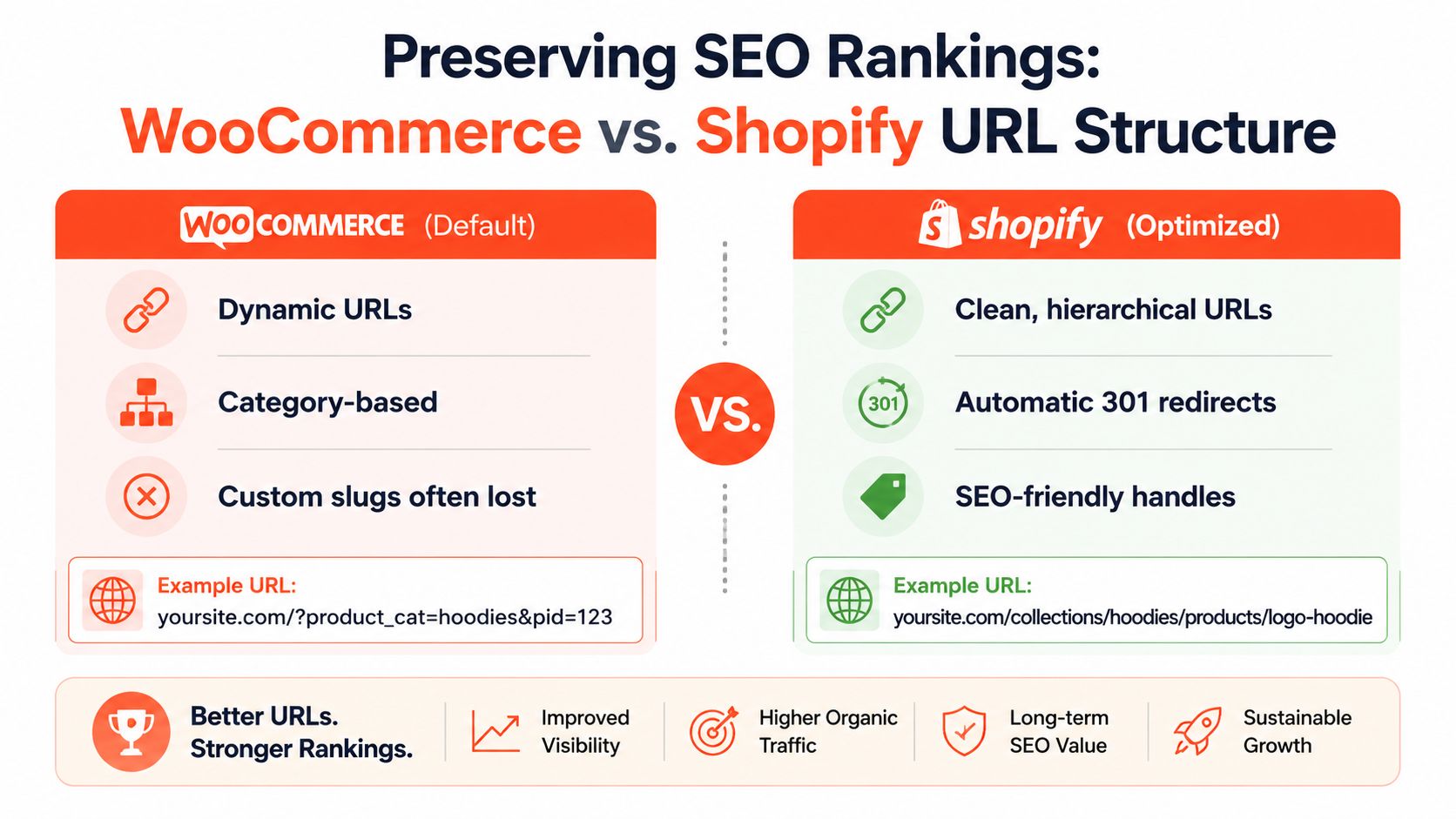
A migration can move every product correctly and still lose valuable search visibility if old URLs stop resolving. WooCommerce permits flexible permalink structures, while Shopify requires platform-specific paths such as /products/, /collections/, /pages/, and /blogs/. Those prefixes aren't cosmetic details. They determine how your old URL inventory must map to the new store.
Create a one-to-one redirect map
Begin with a full crawl of the live WooCommerce site and supplement it with XML sitemaps, analytics landing pages, backlink reports, product feeds, and Search Console exports. Include product, category, shop, page, blog, image, and pagination URLs where they matter to users or search engines.
Build a spreadsheet with at least these columns:
Old URL: The complete WooCommerce address.
New URL: The final Shopify destination.
Page type: Product, collection, blog post, page, or archive.
Status: Keep, consolidate, redirect, or retire.
Verification result: HTTP response, destination match, and content check.
Typical mappings include /product/slug to /products/slug, /product-category/slug to /collections/slug, and the old shop landing page to the appropriate Shopify collection destination. Blog paths need individual review because WordPress permalink structures vary, while Shopify uses its own blog hierarchy.
Don't point every retired URL to the homepage. Map discontinued products to the closest relevant product or collection, and return a deliberate not-found response when no useful equivalent exists. A redirect is useful when it preserves user intent. A generic destination can create a poor experience and make diagnosis harder.
Test redirects and preserve page relationships
Upload redirects before launch when possible, then test them from a sample of high-value URLs and edge cases. Check for redirect chains, loops, case mismatches, trailing-slash behavior, and destinations that resolve to another redirect. The Shopify 301 redirect implementation guide provides a practical reference for organizing this work.
Update internal links in navigation, product descriptions, collection copy, blog posts, XML references, canonicals, and structured data. A redirect can preserve access, but direct internal links give crawlers and customers the final destination immediately.
Structured data deserves a fresh validation pass. Shopify themes and apps may output product, offer, review, breadcrumb, or organization markup differently from the WooCommerce stack. Test representative templates, confirm that price and availability reflect the live catalog, and resolve duplicate or invalid schema before asking search engines to recrawl the site.
Submit the new sitemap after launch and monitor coverage, indexed pages, crawl errors, and redirect behavior. Organic performance can fluctuate while search engines process the new structure, but unexplained clusters of 404s or incorrect canonical URLs require immediate investigation.
Setting Up Your Shopify Theme and Consolidating Apps
A WooCommerce theme can't be transferred directly into Shopify. The storefront needs to be rebuilt around Shopify's theme architecture, with templates, sections, blocks, settings, and Liquid logic replacing PHP-driven theme behavior. That rebuild is an opportunity to remove brittle customizations, but only if the team documents what customers use before recreating it.

Start with the customer journeys that generate revenue. Reproduce collection browsing, search, product options, cart editing, discounts, checkout, account access, returns, subscription management, and post-purchase communication. Don't judge a theme only by its homepage. A polished landing page can't compensate for a confusing variant selector or a broken mobile cart.
Replace functionality, not plugin names
WooCommerce plugins describe implementation, not business requirements. Convert each plugin into a functional statement before choosing a Shopify replacement.
Existing capability | Shopify decision |
|---|---|
Wishlist or saved products | Native-compatible app or custom storefront feature |
Bundles and complex discounts | Shopify Functions, app logic, or a revised merchandising rule |
Product attributes | Standard options, metafields, or metaobjects |
Subscription billing | Shopify-compatible subscription platform and migration plan |
Shipping or tax rules | Native settings, integration, or specialist app |
Custom account workflow | Customer accounts, app extension, or external identity flow |
This exercise exposes unnecessary app sprawl. Some functions can use Shopify features, while others need a carefully selected app or custom development. Presidio's Shopify sections development guidance is relevant when a WooCommerce page builder or custom template needs to be translated into maintainable, configurable sections.
Keep the theme foundation lean. Every app should have a named owner, a defined purpose, a data requirement, and a test case. Remove duplicate tracking, overlapping reviews, redundant popups, and plugins that no longer support an active workflow. If a custom discount or bundle rule is central to the business, model it explicitly rather than forcing it into a generic app.
Before launch, test with real catalog complexity and multiple devices. Check keyboard navigation, image loading, variant selection, discount combinations, cart persistence, accelerated checkout, transactional emails, analytics events, and accessibility states. Also verify that app scripts don't add unwanted elements to pages where the feature isn't used.
Post-Launch Validation and the First 30 Days Monitoring Plan
Launch day is the beginning of validation under real conditions. Assign owners for orders, payments, customer accounts, subscriptions, inventory, SEO, analytics, and support so issues don't sit in a shared inbox.
Use a staged monitoring rhythm:
Launch day: Place test orders with the approved payment methods, apply discount codes, confirm fulfillment notifications, inspect inventory deductions, and verify customer account activation.
Early operating period: Reconcile Shopify orders against the source system, review failed payments and subscription events, check transactional email delivery, and crawl important redirects.
First monitoring cycle: Review Search Console coverage, new 404s, redirect chains, canonical signals, product rich results, analytics events, and internal search behavior.
Remainder of the first month: Compare customer support themes, refund handling, inventory synchronization, subscription renewals, checkout errors, and campaign attribution against the agreed baseline.
Launch rule: Pause the rollout for payment, inventory, account, subscription, or order-integrity failures. Fix cosmetic defects and isolated content issues in a controlled queue, unless they affect conversion or customer trust.
Keep the old environment available for reference and rollback according to the cutover plan. Capture logs, exports, screenshots, and reconciliation results as evidence, not just as project notes. A successful migration from WooCommerce to Shopify is proven when customers can buy, receive support, reactivate accounts, and continue recurring billing without hidden breaks.
Presidio can audit and clean WooCommerce data, map legacy fields to Shopify's schema, validate staged imports, and rebuild themes, apps, subscriptions, and custom commerce logic. Visit Presidio to discuss a migration plan designed around data integrity, SEO continuity, and revenue protection.

Jamie, Presidio’s Designer, leads the practice alongside Johnnie. With over 10 years of e-commerce experience, Jay is a Shopify expert, known for crafting innovative solutions that prevent tech debt.
Jaime
Senior Product Designer, 2020



