Presidio

You've just watched a customer tap Place Order. The payment went through, the confirmation page loaded, and the original sale is secure. Then the store shows a product that makes perfect sense with the order, but the offer is slow, irrelevant, or impossible to accept without starting checkout again.
That failure usually isn't an offer problem. It's an orchestration problem. On Shopify, the post purchase upsell touches the post-purchase checkout surface, the thank-you or order status page, email, SMS, order data, inventory, payment behavior, and analytics. A profitable flow coordinates those pieces instead of treating them as one widget.
Table of Contents
Post Purchase Upsell Benchmarks That Actually Set Expectations
Implementing Your Post Purchase Upsell Without Breaking Checkout
Why the Post Purchase Upsell Moment Matters on Shopify
The strongest moment arrives immediately after authorization. The customer has already completed the difficult decision, entered payment details, and accepted the brand's promise. A relevant add-on can feel like a useful completion to the purchase, while a pre-checkout promotion still risks distracting from the primary conversion.
Shopify gives merchants several downstream surfaces, and they each have a different job. A post-purchase extension can present a tightly focused offer inside the checkout experience. The thank-you page offers more room for explanation, imagery, and product discovery. Email and SMS provide longer dwell time, but they also compete with shipping updates, support messages, and the customer's declining purchase intent.
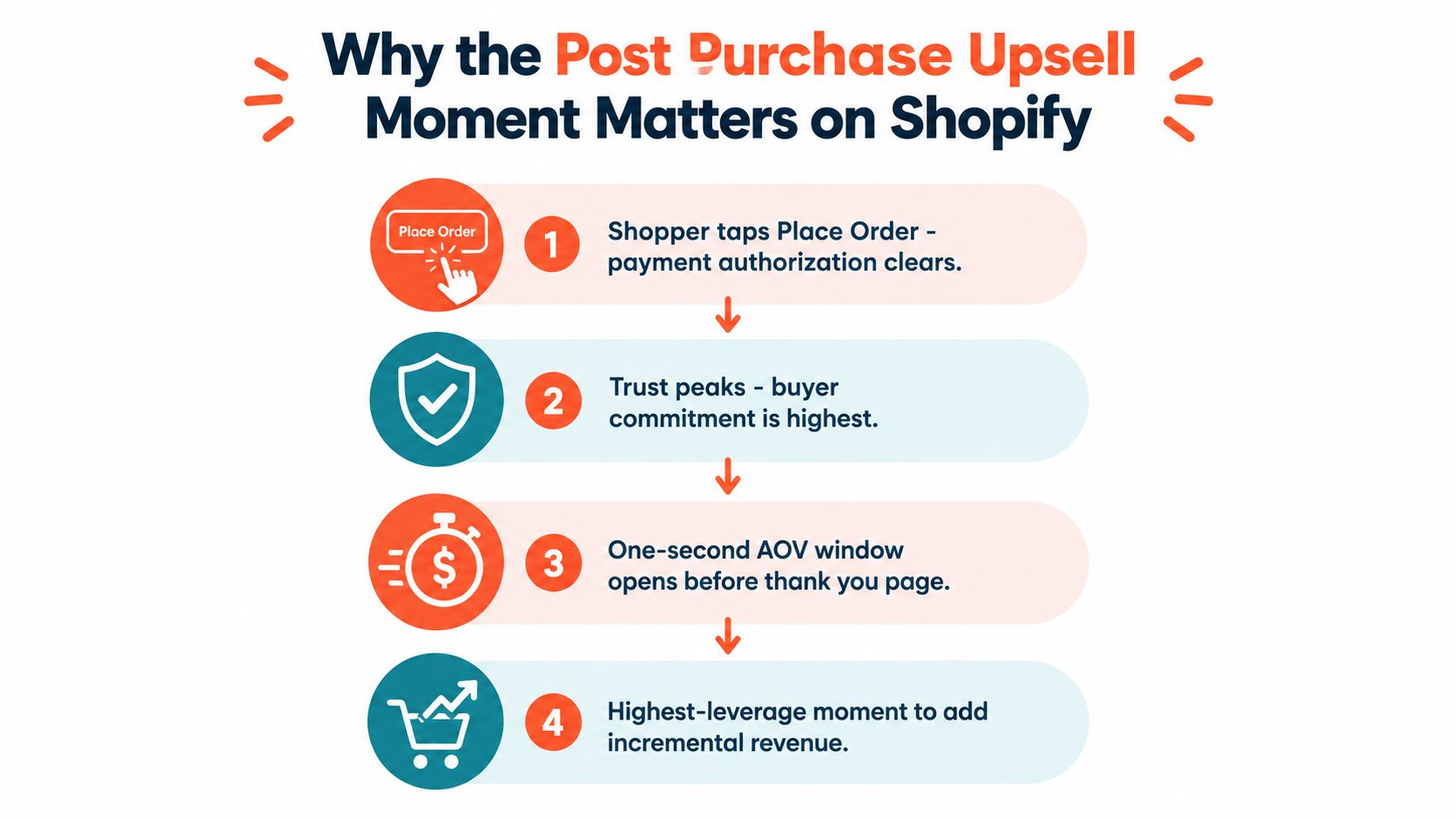
Consider a customer who buys a skin-care starter set. The immediate offer could be a matching moisturizer with one-click acceptance. The thank-you page might explain the product routine and show usage guidance. An email sent later could recommend replenishment or education, but it shouldn't repeat the same offer after the customer has already declined it.
Practical rule: The closer the surface is to payment authorization, the more relevant and concise the offer must be.
Industry benchmarks put typical post-purchase acceptance around 3% to 8%, with well-optimized offers reaching 10% to 15% according to CommerceV3's post-purchase upsell benchmark guide. A Shopify-focused benchmark covering 250 stores and 66 million offer impressions reported a 6% average acceptance rate, with relevant trigger rules lifting performance to 8% to 10% in that dataset, as documented by the same source.
The commercial logic extends beyond a single order. Acquisition cost has already been paid, so an appropriate add-on can improve order economics without asking the brand to acquire another customer. Merchants working on broader commerce models can also apply the principles in this resource on how to increase average order value in crowdfunding, particularly the emphasis on relevant additions that increase perceived value rather than adding more products.
Post Purchase Upsell Benchmarks That Actually Set Expectations
Benchmarking gets useful only when the metric is defined. A raw acceptance rate tells you how often an offer was accepted after it appeared. It doesn't tell you whether the offer was profitable after refunds, discounts, fulfillment costs, or customer-service overhead.
The available benchmark data shows a mature but varied channel. One industry source places typical acceptance at 3% to 8%, with strong optimization reaching 10% to 15%. Another Shopify-focused dataset reports a 6% average, while a separate benchmark covering 1,847 businesses reports a 14.6% average post-purchase upsell conversion rate and 11.3% for email-based post-purchase upsells, according to Focus Digital's 2025 upsell report. Those differences likely reflect variations in audience, offer design, traffic mix, pricing, and measurement rules. They shouldn't be collapsed into one universal target.
A benchmark table for planning
Metric | Single-offer post-purchase | Multi-touch, checkout + TY + email |
|---|---|---|
Typical acceptance or conversion benchmark | 3% to 8% (CommerceV3) | A sequence should be evaluated on blended incremental revenue, not assumed to add a fixed lift |
Well-optimized offer benchmark | 10% to 15% (GrowthSuite) | Performance depends on non-overlapping offers and timing |
Shopify-focused average | 6% across the cited dataset (CommerceV3) | No universal multi-touch rate should be used as a promise |
Additional benchmark context | 14.6% across 1,847 businesses (Focus Digital) | Measure each channel and the blended order outcome separately |
A separate benchmark identified $51 to $100 as an upsell pricing sweet spot, with a 16.2% conversion rate and 31.4% revenue lift in that dataset, as reported by Focus Digital. That result supports testing a tightly matched offer rather than assuming every customer wants a low-priced impulse item.
The historical data also matters. A 2024 benchmark report cited by Upsell.com reported $2.42 billion in additional sales generated collectively by ReConvert users, a 4.7% average one-click upsell conversion rate, a 28.3% top-offer conversion rate, and a 5.6% AOV uplift, according to Upsell.com's benchmark coverage. Treat those figures as context, not a forecast for your store.
Track acceptance rate, incremental revenue per order, net margin, and refund behavior together. A high take rate with weak contribution margin is a merchandising failure disguised as a conversion win.
Choosing the Right UX Pattern for Your Offer
The right UX depends on decision cost. A customer can accept a familiar replenishment product quickly, but a premium kit, subscription, or warranty needs more explanation and clearer consent.
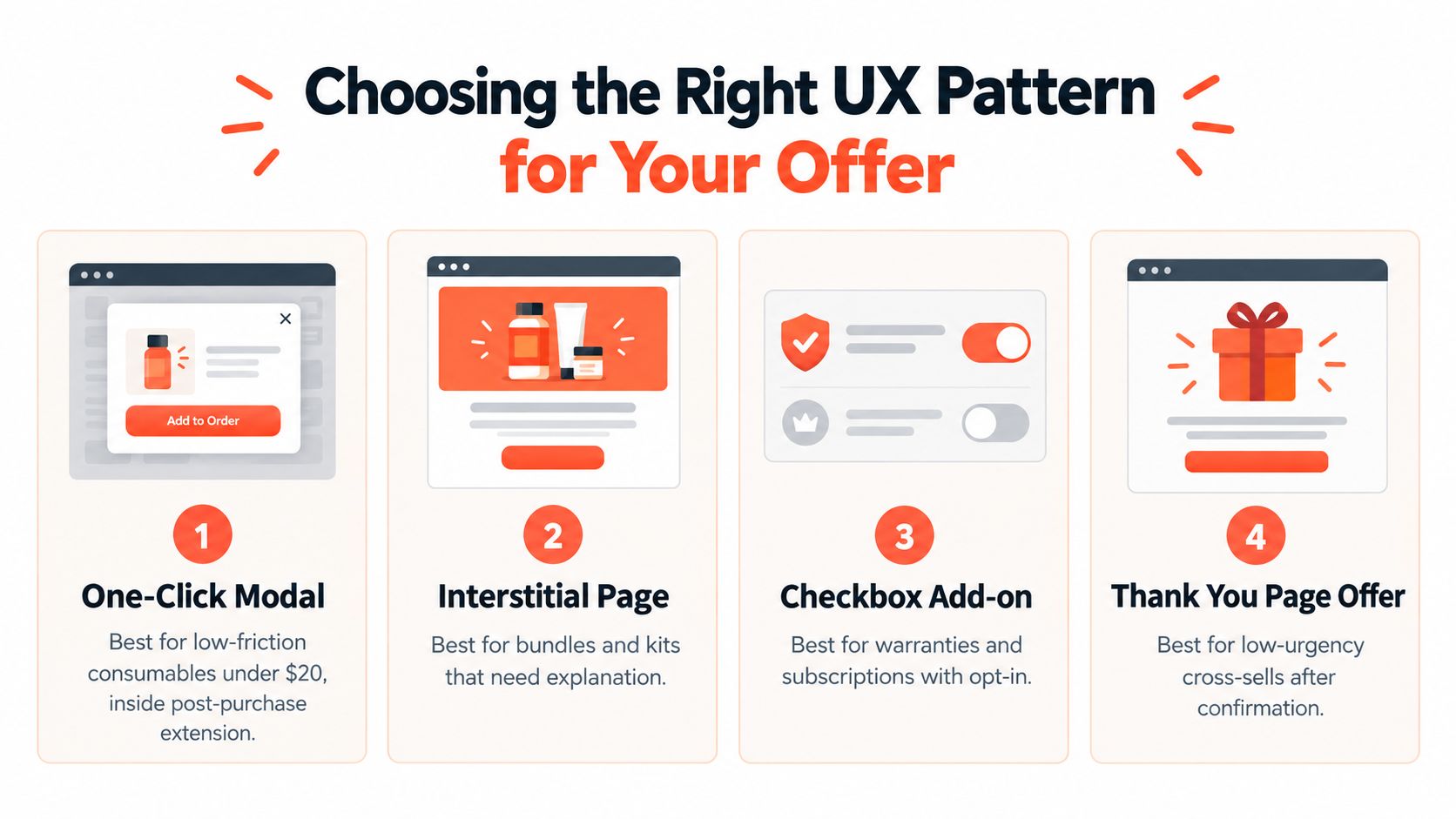
A one-click modal or post-purchase extension works best when the product is an obvious companion and payment can be applied without forcing the customer through a second checkout. Keep the copy short, show the exact product and price, and make the decline action visible. The offer should answer one question: “Why would this help with what I just bought?”
Match interaction depth to customer hesitation
A two-step confirmation is safer for higher-consideration products. It gives the buyer a clear acceptance decision and a clear way to decline, reducing accidental additions and making the offer easier to explain. It's particularly appropriate when the item has different variants, delivery implications, or terms that need explicit review.
An interstitial page suits bundles and kits. If the product needs a comparison, usage explanation, compatibility note, or several images, squeezing it into a constrained extension creates poor UX. The extra real estate costs immediacy, but it can improve comprehension.
A checkbox add-on is a better fit for protection products, subscriptions, and other opt-in services where consent matters. Don't preselect an add-on that carries ongoing obligations or unclear cancellation terms.
The thank-you page module is the least urgent pattern. It works for low-pressure cross-sells, educational recommendations, and products that don't need immediate order modification. It shouldn't pretend to be a one-click checkout offer if the customer must complete a separate transaction.
The best pattern is the one that makes the offer feel like the next logical action, not the one with the most animation.
Test offer hierarchy, layout, copy, and timing with a disciplined Shopify A/B testing approach. A competitor's modal may perform well because its product, audience, and checkout context differ from yours.
App Versus Shopify Functions Versus Custom Builds
There are three practical implementation paths, and each creates a different operating burden.
A turnkey app is usually the fastest way to launch. Products such as ReConvert, AfterShip, and Zipify OCU provide offer configuration, templates, reporting, and integrations that a lean team would otherwise have to build. Apps are a sensible starting point for merchants who need speed and standard post-purchase behavior, especially when the offer logic is simple.
The trade-off is control. App fees may be tied to revenue, attribution can be difficult to audit, and the merchant becomes dependent on the app's approach to the thank-you page and checkout extensibility. App sprawl also creates competing pixels, duplicated scripts, and unclear ownership when email, SMS, and upsell systems each claim the same order.
The implementation trade-offs
Dimension | App | Shopify Functions | Custom Theme or JavaScript |
|---|---|---|---|
Launch speed | Fast, with prebuilt workflows | Requires development and testing | Varies by scope |
Offer logic | Configurable within app limits | Strong logic for supported Shopify extension points | Flexible on storefront surfaces |
Checkout control | Depends on app compatibility and Shopify eligibility | Stronger on eligible Shopify and Shopify Plus surfaces | Limited in checkout |
Attribution | Convenient, but may be opaque | Can be designed around owned events | Must be implemented and maintained |
Maintenance | Vendor updates and app dependency | Store team owns logic and compatibility | Highest ownership burden |
Best fit | Standard offers and lean teams | Shopify Plus brands with complex rules | Distinctive experiences and core commerce logic |
Shopify Functions can encode discount, bundle, and order rules in a maintainable way, but Functions aren't a universal replacement for an app or a complete post-purchase interface. They operate within Shopify's supported extension model. They also require a team that can test API changes, edge cases, and checkout behavior over time.
Pure theme or JavaScript work gives creative freedom on storefront and thank-you surfaces, but it cannot bypass checkout restrictions. It's a poor choice for payment-sensitive logic and a fragile choice when the implementation depends on injected behavior.
For custom requirements, custom Shopify app development can provide an owned layer for offer rules, event handling, and merchant controls. Presidio: Up is another option in this category, a Shopify app that creates post-purchase offers and discounts based on purchase history or order value and allows merchants to customize post-purchase page branding.
Use a simple decision rule. Choose an app when speed and standardization matter most. Choose Functions when you're on Shopify Plus, have a developer, and need controlled business rules. Choose custom when the offer is central to the business model or requires an experience no existing app can maintain cleanly.
Implementing Your Post Purchase Upsell Without Breaking Checkout
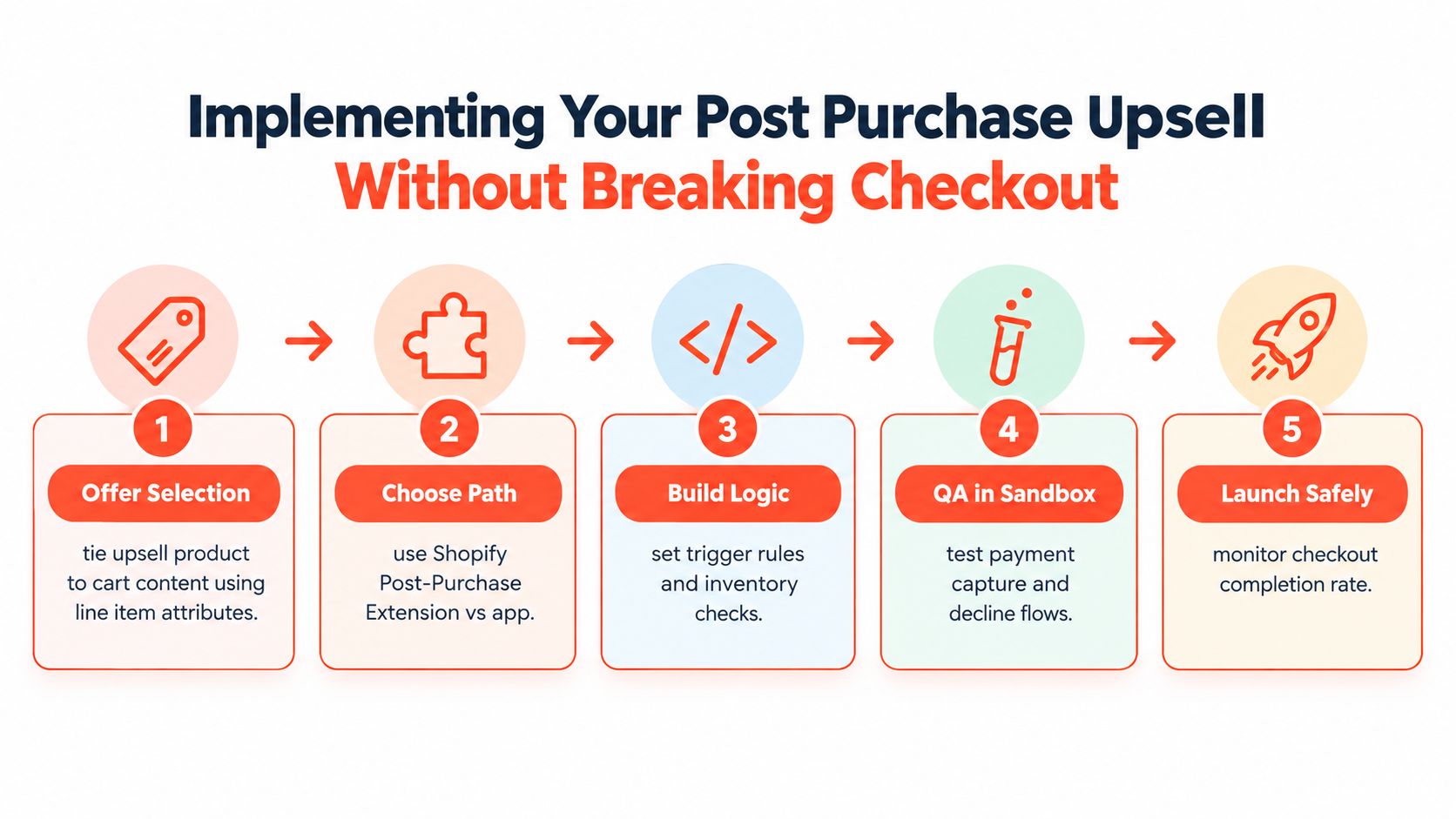
Start with the product rule, not the page design. A static “show Product X after every order” rule quickly creates irrelevant recommendations, stock problems, and awkward offers for customers who already bought the item.
A defensible selector should inspect the order's line items, relevant attributes, margin requirements, inventory state, customer history, and fulfillment constraints. If a customer buys a starter product, the rule can select its compatible refill. If the refill is unavailable, the system should suppress the offer instead of substituting an unrelated product without a clear merchandising decision.
Build around the payment path
Next, choose the surface. A Shopify post-purchase extension is appropriate when the offer can use the existing order context and supported payment behavior. A thank-you page module gives you more presentation control, but it may send the customer into a new transaction rather than modifying the original order. An app can abstract some of this complexity, though you still need to understand what it owns.
Shopify checkout extensibility has specific boundaries, so review Shopify checkout extensibility guidance before committing to a theme-based design. Shopify Plus can provide additional checkout capabilities, but Plus doesn't turn unsupported scripts into supported checkout architecture.
Variant handling needs deliberate rules. Preserve the selected variant, verify inventory at offer time, and show the correct price and currency. Discount logic also needs testing because an upsell discount may not stack with the original discount, automatic discounts can interact unexpectedly, and a promotional message can become misleading if the final price differs from the displayed price.
Avoid designs that require the customer to re-enter payment details unless the experience clearly communicates that it's a new transaction. A post-purchase offer that appears frictionless but unexpectedly creates another payment step will lose trust.
QA the failure paths, not only the happy path
Test completed, declined, and failed payment flows across PayPal, Shop Pay, Apple Pay, BNPL providers, and subscription shipping scenarios. Check duplicate clicks, browser refreshes, delayed network responses, out-of-stock variants, discount conflicts, tax calculations, and order confirmation timing.
Analytics should fire in a known sequence: offer eligible, offer shown, offer accepted or declined, payment succeeded or failed, order updated, and message suppression applied. Without that sequence, the dashboard may count an impression as an accepted offer or send an email for an item that was never added.
Measuring Incremental Revenue Instead of Vanity Numbers
A widget can claim credit for an order because it appeared. That isn't proof the upsell caused additional revenue. Customers who were already likely to buy the second product may accept it, while other customers may have purchased the same product later through email or direct navigation.
The clean comparison is between buyers who see the offer and a holdout group that doesn't. Randomly suppressing the offer for a small control group gives you a baseline for order value and downstream behavior. The exact allocation should be chosen based on order volume, statistical power, and business risk rather than copied from a generic template.
Instrument the full order outcome
Send distinct events to GA4, Meta, and Triple Whale, or to the analytics tools your team uses.
Eligibility: Record why the customer qualified and which rule selected the offer.
Impression: Record the surface, product, variant, price, and displayed discount.
Decision: Separate accepted, declined, dismissed, expired, and unavailable states.
Payment result: Record whether the additional charge succeeded, failed, or was never attempted.
Order mutation: Confirm that the line item was added to the correct order.
Customer outcome: Join refunds, cancellations, support contacts, and repeat purchases back to the offer.
The important distinction is attributed AOV versus incremental AOV. Attributed AOV counts revenue associated with customers who interacted with the offer. Incremental AOV estimates the difference between the treatment group and the holdout after controlling for the original order.
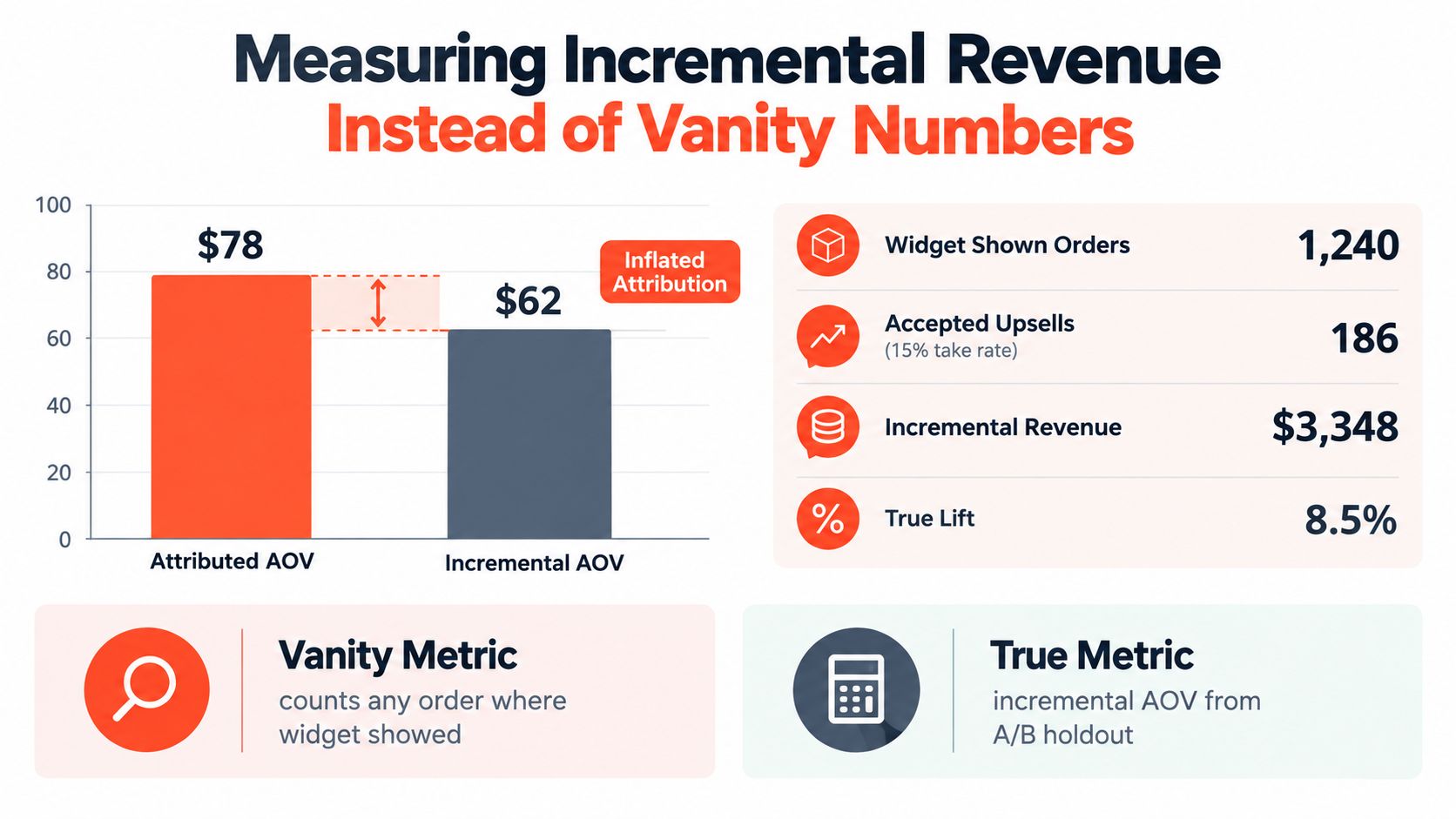
A useful dashboard should show incremental revenue per order, take rate, margin-adjusted contribution, and upsell refund rate. Segment those metrics by offer type, original product, customer status, payment method, country, device, and channel. A strong-looking conversion rate can hide a poor offer if the product generates returns, fulfillment exceptions, or chargebacks.
A post-purchase upsell succeeds when it adds profitable value to the order, not merely when a button gets clicked.
The benchmark evidence supports comparing several measures instead of relying on one headline number. The cited 2024 report documented average one-click conversion, top-offer conversion, thank-you-page conversion, AOV uplift, and revenue contribution as separate outcomes, which is a useful model for dashboard design. Your store should do the same, with a control group that tests whether the offer changes behavior rather than merely recording it.
Checkout Rules and Legal Constraints Most Teams Miss
Upsell launches often fail in implementation review because the team designed the experience before checking Shopify's extension boundaries. Standard checkout, Shopify Plus checkout, the thank-you page, and the order status page don't offer identical capabilities, and a storefront script cannot safely be treated as a checkout extension.
Shopify's Checkout Extensibility model should determine the architecture. On eligible Shopify Plus implementations, approved checkout and post-purchase extensions can provide supported extension points. On other plans, merchants must work within the capabilities Shopify exposes rather than relying on legacy checkout customization assumptions.
Tie each constraint to a build decision
Constraint | Where It Applies | Implementation Impact |
|---|---|---|
Checkout extensibility eligibility | Checkout and post-purchase surfaces | Confirm plan and supported extension points before choosing Functions or an app |
Unsupported script injection | Checkout | Don't base payment-sensitive behavior on theme scripts or injected checkout code |
Thank-you and order status customization | Post-purchase customer pages | Use supported app or extension surfaces, and keep the experience accessible |
Payment and order mutation behavior | Post-purchase offer | Confirm whether the offer updates the existing order or starts a new transaction |
Discount compatibility | Original order and upsell item | Display the final applicable price and test stacking and automatic discount rules |
Subscription or free-trial consent | Offers with recurring obligations | State renewal, cancellation, price, and eligibility terms clearly for the customer's jurisdiction |
Refund and return terms | Secondary offer | Make the terms visible before acceptance and ensure support can identify the added item |
Currency and tax display | International checkout | Resolve localized price, tax, and currency behavior before launch |
Shopify Functions can enforce supported business rules, but they can't replace every interface or override payment-provider behavior. An app may reduce development time, but the merchant still owns disclosure quality and must verify the app's handling of order updates, refunds, and customer communications.
Be especially careful with subscription offers, free trials, warranties, and protection plans. The customer should understand whether the item is one-time or recurring, when charges occur, how cancellation works, what refund terms apply, and whether the offer changes fulfillment or shipping. Consent language should be explicit rather than hidden in small print.
Finally, coordinate suppression rules across channels. If the customer accepts the checkout offer, the thank-you page and email should acknowledge that state. If they decline it, a later message shouldn't immediately repeat the same promotion. Multi-touch orchestration can work, but overlapping messages create fatigue and make attribution harder to trust.
Presidio builds and supports Shopify and Shopify Plus storefronts, custom apps, themes, checkout extensions, and maintainable offer logic for DTC brands. Visit Presidio to discuss a post-purchase upsell flow that fits your checkout architecture, analytics model, and operational constraints.

Jamie, Presidio’s Designer, leads the practice alongside Johnnie. With over 10 years of e-commerce experience, Jay is a Shopify expert, known for crafting innovative solutions that prevent tech debt.
Jaime
Senior Product Designer, 2020



