Presidio

A brand usually notices the problem the same way. Someone opens the checkout, spots a missing field, a broken trust badge, or a script that no longer fires, and suddenly the old checkout.liquid setup feels like a liability instead of a shortcut. With Shopify Checkout Extensibility, that's the moment to stop patching legacy code and decide what belongs in supported checkout primitives, what can be simplified, and what should just stay native.
Table of Contents
Why Checkout Extensibility Matters Now
A team can run a profitable checkout for years and still get caught when the platform changes under it. That is what happened to many brands when Shopify deprecated checkout.liquid for the Information, Shipping, and Payment pages on August 13, 2024, with the Thank You and Order Status pages following on August 28, 2025. Shopify's guidance is straightforward, the old template-edit model is gone, and the supported path is now hosted, app-based extensibility built around Checkout UI Extensions and Shopify Functions. That shift matters because checkout is not a place to improvise. It is already a conversion benchmark.
That benchmark explains why this migration is more than maintenance work. Shopify's enterprise marketing cites an independent study showing its checkout outperforms competitors by up to 36% and by 15.2% on average, while Shop Pay can lift conversion by as much as 50% versus guest checkout. Those numbers are the reason brands need to be careful about what they change. The key question is not whether checkout can look different, but whether a brand can add specific behavior without giving up the speed and flow that already convert well (Shopify Checkout).
What the migration means
A store that still depends on checkout.liquid has more at stake than a missing template. The old mental model no longer matches how Shopify wants checkout to work. The practical replacement is extensibility, which means using hosted components and server-side logic instead of editing checkout directly.
Practical rule: if a customization only works because it reaches into checkout internals, it probably needs to be redesigned.
The operational side matters too. Treating the change as a last-minute code swap usually creates more disruption than it solves. Brands that need a migration partner often do better with specialized help, and Hire-a.dev ecommerce talent can reduce the noise when the in-house team is already stretched. For teams also thinking about broader architecture choices, the composable commerce perspective in What Is Composable Commerce helps explain why Shopify is moving in this direction.
The Two Building Blocks of Checkout Extensibility
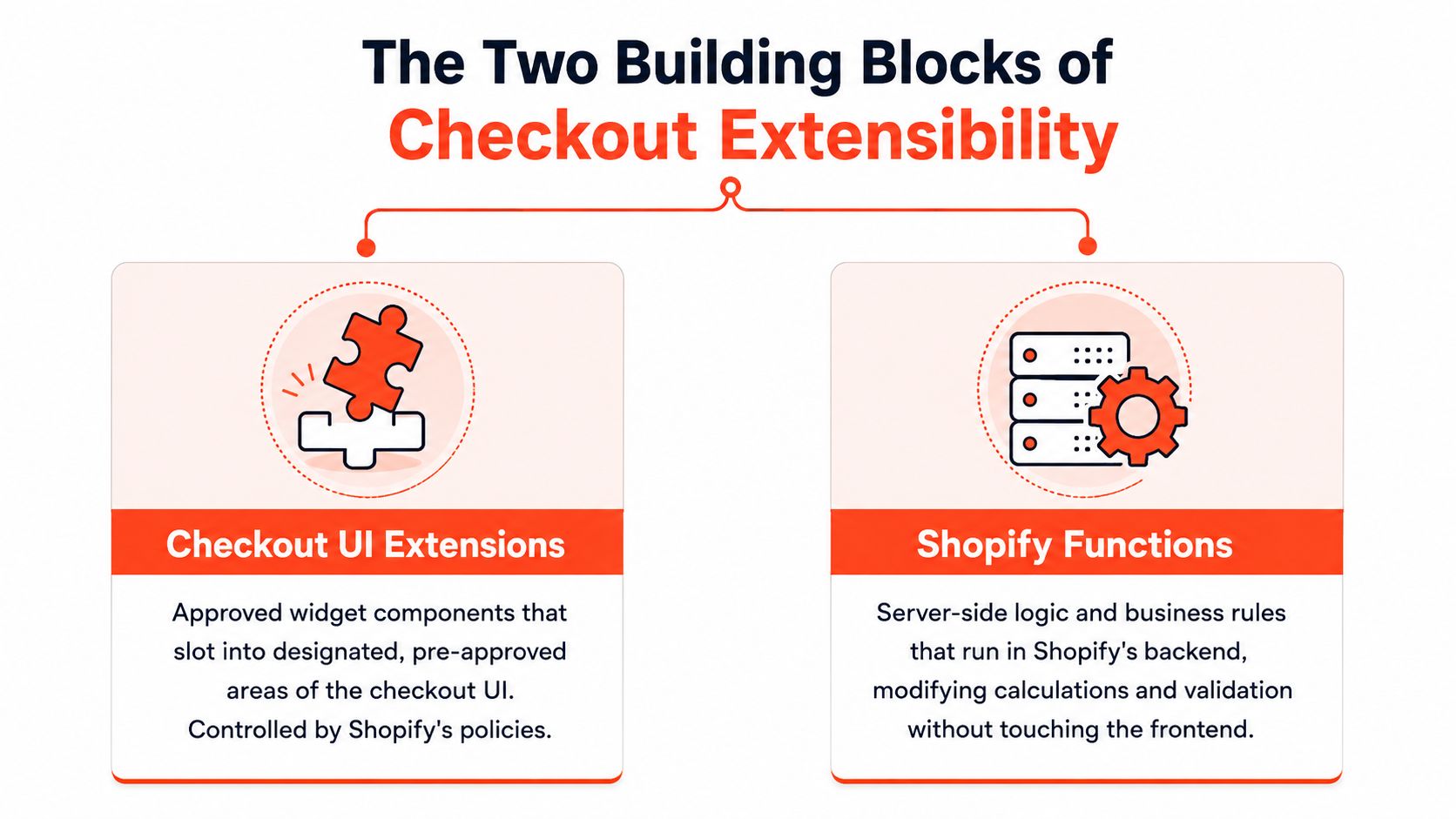
The easiest way to understand Shopify Checkout Extensibility is to split it into two parts. Checkout UI Extensions are the approved widgets that slot into designated areas of checkout, while Shopify Functions are the server-side rules engine that changes how checkout behaves without touching the frontend. That's the new model, and it's very different from the old pattern of editing templates directly or bolting on external API calls that could slow or break the flow.
Checkout UI Extensions in practice
Think of UI Extensions as approved checkout widgets. They can add things like trust badges, order note fields, delivery instructions, upsells, or limited-form custom content, but only where Shopify exposes an extension target. You're not replacing the page, you're inserting into the spaces Shopify allows.
That distinction matters because it changes the build process. You design for the slot, not for full-page freedom. A custom trust signal near payment can be useful, but a full redesign of checkout spacing, conditional sections, or arbitrary layout shifts usually collides with the extension model.
Shopify Functions as business logic
Functions are where checkout logic lives now. They're the supported way to customize discounts, shipping, payment methods, and validation inside Shopify's infrastructure, which means the rule executes close to the transaction instead of depending on an external service call. That's the right tool for tiered discounts, bundle pricing, shipping restrictions, or hiding a payment option based on cart content.
Practical rule: if the change affects calculation or eligibility, start with Functions. If it affects what the buyer sees in a supported location, start with UI Extensions.
A useful comparison is a form builder app versus a fully custom intake flow. For a broader look at the trade-offs between controlled components and highly customized flows, the Shopify form builder comparison shows the same pattern: approved fields and logic stay stable, while unrestricted customization usually buys you more maintenance.
The old checkout.liquid approach blurred those boundaries. A single script could change visuals, manipulate data, and call external systems in one place, which felt flexible until upgrades, conflicts, or latency exposed the cost. Extensibility separates concerns on purpose, and that separation is what makes it maintainable.
Understanding the Sandboxed Runtime Constraints
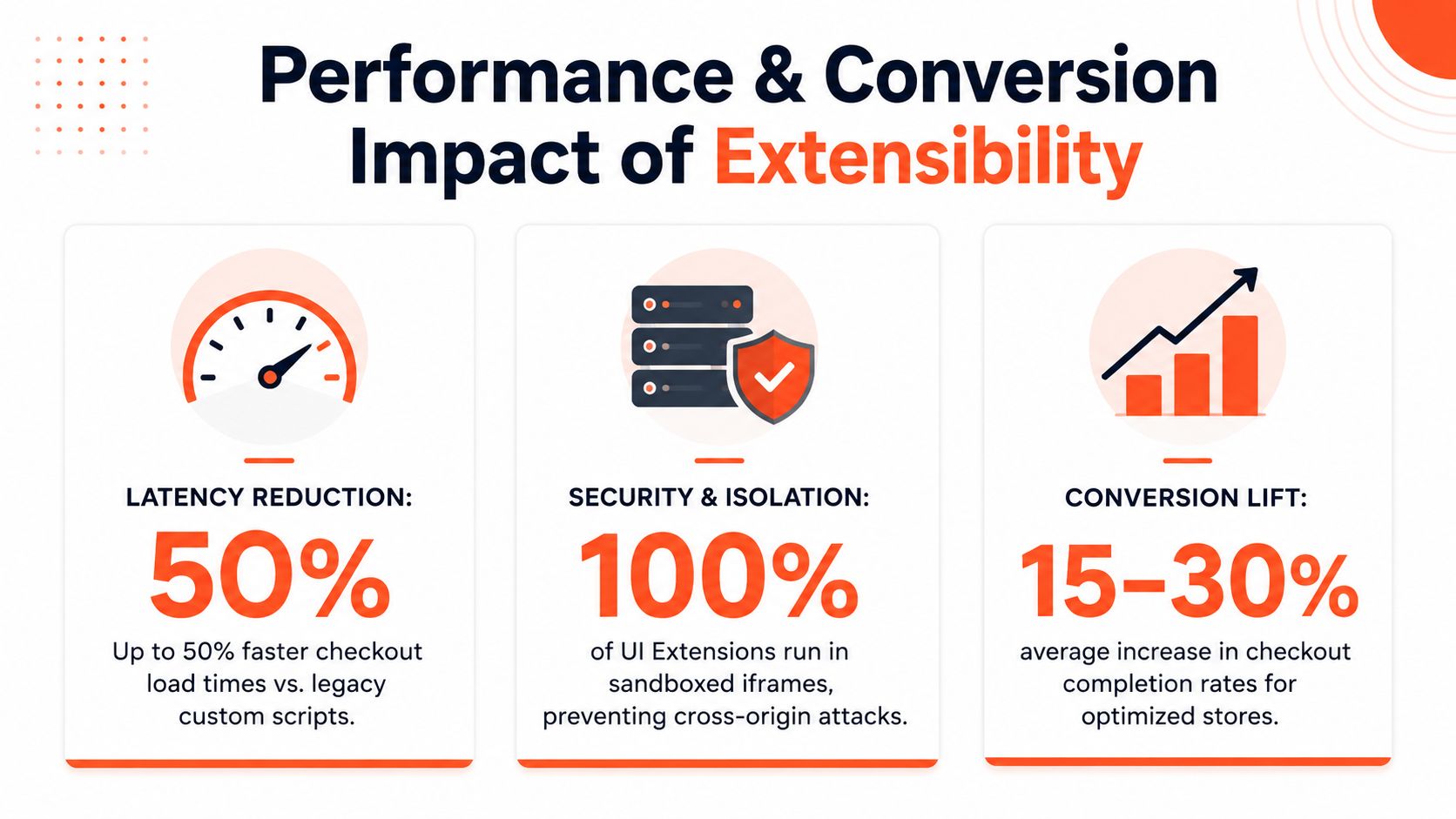
The word sandboxed sounds abstract until you're inside it, trying to ship a checkout feature that used to be a one-file patch. Shopify Checkout UI Extensions run in iframes and Web Workers, not directly in the checkout DOM, and Shopify's host environment mediates communication through a controlled bridge. That isolation protects the main checkout thread and helps keep untrusted code from breaking the core flow, which is exactly why Shopify can preserve performance while still allowing hosted customization.

What you lose by losing direct DOM access
The biggest loss is control. You can't reach into checkout and rewrite elements however you want, you can't depend on arbitrary third-party scripts, and you don't get unrestricted CSS freedom. Shopify expects developers to work through its targets and APIs, which means the build has to respect the host environment instead of overpowering it.
That creates friction in exactly the places many merchants ask for the most. Custom animations that depend on precise DOM timing often feel brittle or impossible. Conditional UI that spans multiple hidden states can be awkward if the target doesn't expose the logic you want. Third-party script injection, which used to be a common way to cram in analytics, upsells, or styling hacks, is no longer the right pattern.
The trade-off is real
The upside is stability. Direct DOM manipulation can break when Shopify changes markup, rerenders the checkout, or adjusts internal structure. The sandbox prevents that class of failure by design, so a feature that used to work until the next update is now constrained to safe surfaces.
A merchant asking for “just one more script” is often really asking for a shortcut around the platform model. That's usually where projects get into trouble.
Implementation judgment matters here. Some requests can be re-expressed as a supported extension, some need a different app architecture, and some should be dropped altogether because they don't justify the complexity. Senior teams spend most of the time not on code, but on translating legacy expectations into things Shopify will support.
One practical way to think about it is to ask whether the feature must own the experience or merely participate in it. If it must own the page, sandboxing will fight you. If it only needs a seat in the flow, the sandbox is usually enough.
Real Use Cases and Implementation Patterns
The strongest checkout implementations do not try to recreate everything checkout.liquid could do. They focus on the use cases that fit Shopify's model, then choose the least fragile path for each one. In practice, that usually means Functions for rule changes and UI Extensions for shopper-facing elements.
Where the model works well
Discount logic is the clearest fit for Functions. Tiered discounts, bundle pricing, and loyalty rewards belong in server-side rules because they change checkout math, not just what the buyer sees. Shipping rules fit the same pattern, especially when a brand needs carrier-specific logic or address checks that affect what can proceed in checkout.
Payment method control also works well when the rule is straightforward. Hiding an option based on cart contents is much easier to maintain as business logic than as a frontend workaround. UI Extensions then handle the buyer-facing pieces, such as order comments, delivery instructions, or a small upsell module in an approved location.
Implementation rule: if the requirement changes a calculation, use a Function. If it changes a supported visual or input surface, use a UI Extension.
That split sounds simple, but it saves teams from forcing presentation code to do logic work. It also keeps merchants from rebuilding old checkout.liquid patterns that looked flexible and were hard to maintain.
Where friction shows up
Some requests still cause trouble. Complex conditional UI gets awkward when the extension target does not expose the exact state you need. Interactivity that depends on arbitrary timing rarely maps cleanly to the sandbox. Any solution that used script injection for analytics or marketing logic now needs a different architecture.
Use Case | Implementation Method | Complexity | Common Constraints |
|---|---|---|---|
Tiered or bundle discounts | Shopify Function | Medium | Must fit Shopify's rule model, no frontend tricks |
Shipping restrictions by condition | Shopify Function | Medium | Logic needs to stay inside Shopify's backend |
Hide a payment method | Shopify Function | Medium | Depends on available checkout inputs |
Trust badge or note field | Checkout UI Extension | Low to Medium | Only in approved extension targets |
Delivery instructions | Checkout UI Extension | Medium | UX must match target placement |
Arbitrary layout redesign | Not a good fit | High | Sandbox and targets limit freedom |
For teams translating old scripts into supported replacements, the Shopify Scripts to Functions Guide is useful because it draws a clean line between business logic and checkout presentation. That is usually where legacy implementations got tangled.
The video can help stakeholders understand the shape of the change, but the core work is deciding what should stay out of checkout altogether. A lot of legacy checkout code existed because it could be added, not because it matched the business need or the runtime constraints.
Migrating from Checkout Liquid to Extensibility
A clean migration starts with an audit, not a rewrite. Inventory every checkout.liquid customization, every script snippet, every post-purchase tweak, and every rule that depends on checkout behavior. Then sort each item into one of three buckets, visual extension, business logic, or legacy behavior that no longer earns its place.
How to decide what gets rebuilt
Start with the features that affect revenue or operations. Discount rules, shipping rules, payment gating, and buyer-facing inputs usually deserve preservation if they still solve a real problem. Cosmetic tweaks and low-signal scripts usually do not.
Then ask whether the old behavior has a supported replacement that is simpler. Sometimes a native setting or app block replaces a pile of custom code. Sometimes there is no clean substitute, and the better call is to retire the feature instead of forcing a brittle rebuild.
A practical migration checklist usually looks like this:
Map every customization: Record what each script, field, or template edit does before changing anything.
Classify by function: Separate visual elements, logic, and tracking so the rebuild path is obvious.
Test edge cases: Discounts, shipping rules, and payment gates often fail in combinations that look rare until they hit production.
Choose the smallest supported path: Native settings first, app blocks or extensions second, custom development only when needed.
Validate after launch: Place test orders and confirm the business behavior matches the old setup.
Migration rule: do not assume feature parity. Extensibility gives you a supported future, not a perfect clone of every old checkout trick.
The hardest migration mistake is treating the port like a straight copy. Some features come back cleanly, some need simplification, and some should be removed because they were masking a process problem instead of solving one.
For teams still converting script-based logic, the Shopify Scripts to Functions Guide is useful because it keeps the focus on supported replacement patterns, not nostalgia for the old setup.
Performance and Conversion Impact
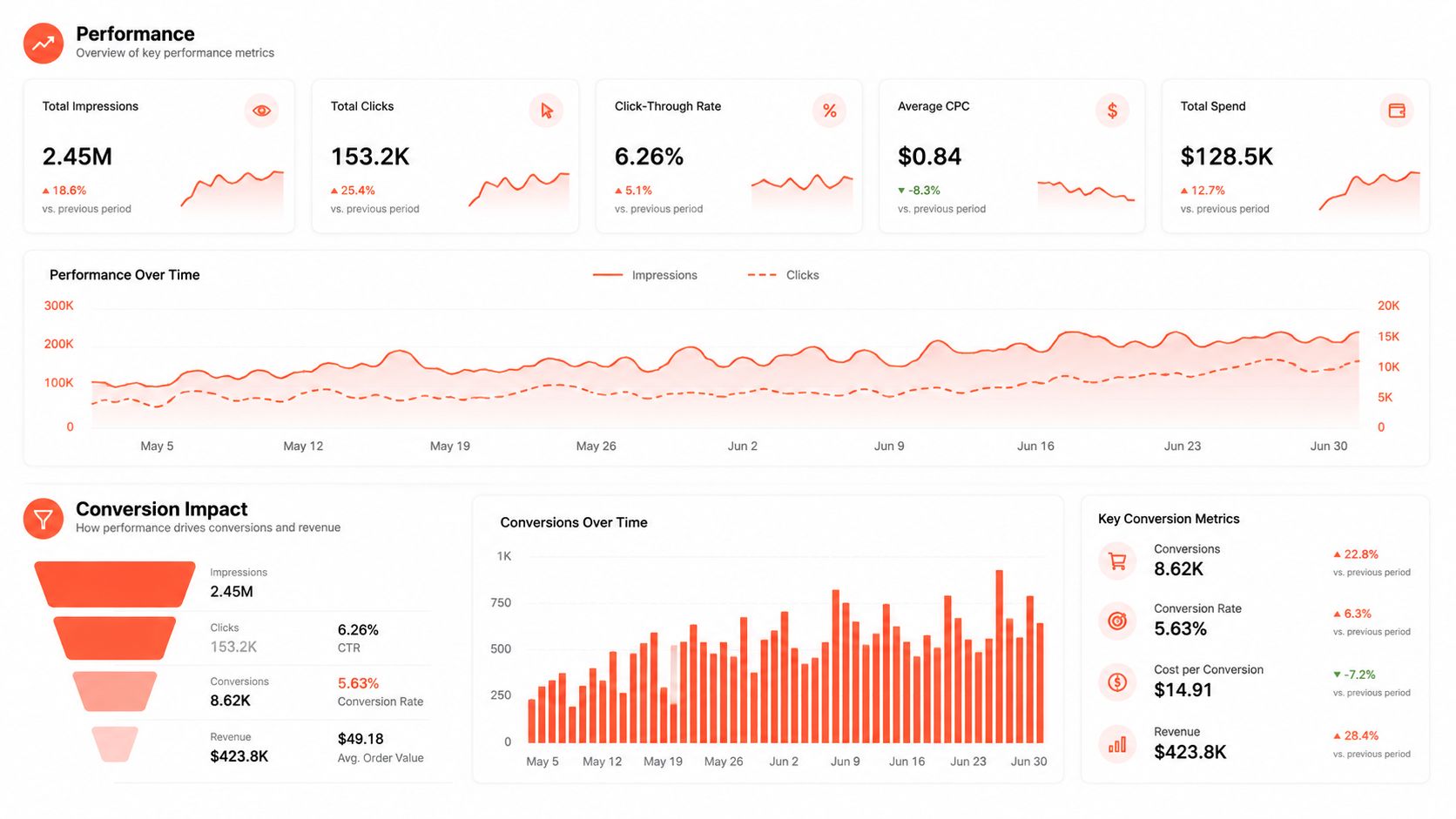
A checkout rebuild usually gets judged on speed first, and that makes sense. Shopify Checkout already has a strong conversion reputation, so extensibility has to preserve that baseline instead of adding weight. The practical win is that UI Extensions avoid direct DOM manipulation, and Functions run inside Shopify rather than waiting on another service. Shopify's own rollout notes describe the checkout impact of UI extensions as under 200 ms in the common case, which is the kind of ceiling that matters when a buyer is already close to purchase (Introducing Checkout Extensibility).
Why the architecture helps
Sandboxed UI code does not compete with the checkout thread, and Functions execute inside Shopify instead of sending the buyer off to an external API. That matters because legacy checkout customizations often fail in the same places, slow network calls, timeouts, and dependencies that behave fine in staging but wobble under real traffic. Fewer moving parts usually means fewer surprises at the point of payment.
The other advantage is operational. Extensibility lets teams keep the parts of checkout that already support conversion, then add only the logic that really belongs there. In practice, that means using native behavior for the happy path and reserving custom code for rules that are hard requirements, not preferences.
Where the return shows up
The return is strongest when the change removes friction. A cleaner shipping rule, a clearer payment option, or a relevant trust signal can help a buyer move faster. A cluttered extension does the opposite, even if it took a lot of effort to build and maintain.
That trade-off is easiest to see in optimization work. The same discipline covered in Shopify Conversion Rate Optimization applies here because checkout is still a friction problem before it is a technical one.
Practical rule: if a customization cannot justify itself by reducing confusion or enforcing a real business rule, it probably does not belong in checkout.
A quick scenario analysis guide can help teams make the call when the debate turns into feature nostalgia instead of operational need. It forces stakeholders to separate revenue impact from habit, which is useful when a request sounds familiar but does not improve checkout behavior.
The goal is restraint. Extensibility should preserve the checkout advantages Shopify already provides, then add only the logic that materially improves operations or buying confidence. That balance is what keeps the system fast enough to matter.
When to Customize and When to Accept Defaults
Not every checkout problem deserves custom code. Some brands need extensibility because the business model demands it, complex B2B pricing, subscription logic, international compliance, or conditional shipping and payment rules. Other brands mainly need a clean, predictable checkout, and Shopify's defaults are already good enough.
The best decision filter is simple. Ask whether the change affects conversion impact, operational necessity, or brand differentiation. If it doesn't clearly hit at least one of those, it's usually a maintenance cost in disguise.
What each stage should do
Early-stage brands should default to Shopify's native checkout unless there's a hard operational requirement. Growth-stage brands can justify selective customization where a clear rule or field improves revenue or reduces support burden. Enterprise brands should treat checkout as infrastructure, which means designing for maintainability, testing discipline, and long-term ownership.
A lightweight scenario analysis can help here, especially when stakeholders are debating whether a feature is strategic or just familiar. The scenario analysis guide is useful as a decision aid because it forces trade-offs onto the page instead of letting preferences drive the roadmap.
Practical rule: the more custom the checkout, the more disciplined the testing and release process has to be.
There's also a maintenance reality that teams underestimate. Every custom extension becomes part of your release surface, your QA scope, and your support burden. If the feature doesn't materially improve the transaction, it can become expensive very quickly.
Presidio builds and supports Shopify implementations, including custom development and Checkout Extensibility work, so it's one option for brands that need a structured migration path or a custom checkout build. If your team is sorting through legacy checkout.liquid behavior, this is the moment to turn that audit into a concrete plan and visit Presidio to discuss the migration, the rebuild, or the decision to leave some things native.

Jamie, Presidio’s Designer, leads the practice alongside Johnnie. With over 10 years of e-commerce experience, Jay is a Shopify expert, known for crafting innovative solutions that prevent tech debt.
Jaime
Senior Product Designer, 2020



