Presidio

Your Shopify store has the usual SEO checklist completed. Product titles contain target phrases, collection descriptions have been expanded, an SEO app handles metadata, and the blog publishes regularly. Yet organic traffic has stopped moving, while conversion performance weakens every time the team adds another app, promotional banner, review widget, or custom recommendation block.
That plateau is rarely caused by one missing keyword. On established stores, Shopify SEO best practices become an operating discipline. Information architecture, page templates, scripts, structured data, and content all compete for the same rendering and maintenance budget. The store can gain relevance in one sprint and lose commercial efficiency through the next theme change.
This guide focuses on that trade-off. It covers the foundational Shopify settings that deserve attention, then moves into template-level performance, product-page markup, app governance, and monitoring. If you're also evaluating the platform and its operational implications, this guide for founders and product managers provides useful context for comparing ecommerce implementations before committing to more customization.
Table of Contents
The SEO Plateau Most Shopify Stores Hit
A merchant launches a polished Shopify store, submits the sitemap, writes metadata, and optimizes the highest-value collections. Early improvements arrive. Search impressions broaden, a few products begin attracting non-brand queries, and the marketing team adds more content.
Then progress flattens.
The next recommendation is usually predictable: install another SEO app, publish more blog articles, add filters, create a personalization layer, or commission a larger content calendar. Each decision sounds reasonable in isolation. The problem appears when all of them share the same theme, JavaScript budget, templates, and operational team.
Why the standard recipe stalls
Shopify already supplies several SEO-friendly defaults. Its architecture includes readable URLs, a logical hierarchy, a non-iframe page structure, and automatic handling of elements such as the sitemap and robots file. Shopify's own SEO guidance still emphasizes the fundamentals, including concise metadata, heading hierarchy, and descriptive image alt text.
Those basics matter, but they don't create an advantage by themselves once every major competitor follows them. A title tag can be accurate while the product template remains slow. A collection can target the right phrase while faceted URLs create unnecessary crawl paths. A review app can add valuable trust content while injecting scripts across pages that never display reviews.
Operational rule: Treat every new storefront feature as both a merchandising decision and a search-performance decision.
The plateau usually reflects a coordination problem. Marketing owns content, development owns the theme, ecommerce owns apps, and no one has a complete view of how a recommendation engine, consent manager, review widget, analytics tag, and SEO plugin behave together.
The cost of “just one more app”
An app earns its place when it solves a meaningful customer or operational problem without creating disproportionate rendering, maintenance, or indexing risk. It becomes a liability when the team can't identify which templates use it, which scripts it loads, or what measurable page experience it improves.
That distinction shapes the rest of the work. The aim isn't to remove every customization or reduce the storefront to a bare theme. It's to preserve the features that help shoppers and search engines while replacing redundant tooling, controlling script scope, and fixing the templates that carry the most commercial intent.
Technical Foundations You Need Before Anything Else
Start with the pages that matter commercially, not with a full-site redesign. Shopify's defaults reduce the amount of foundational code an engineering team needs to create, but they don't guarantee that custom theme logic, collection filters, variant URLs, and app changes remain clean over time.
Build the foundation in execution order
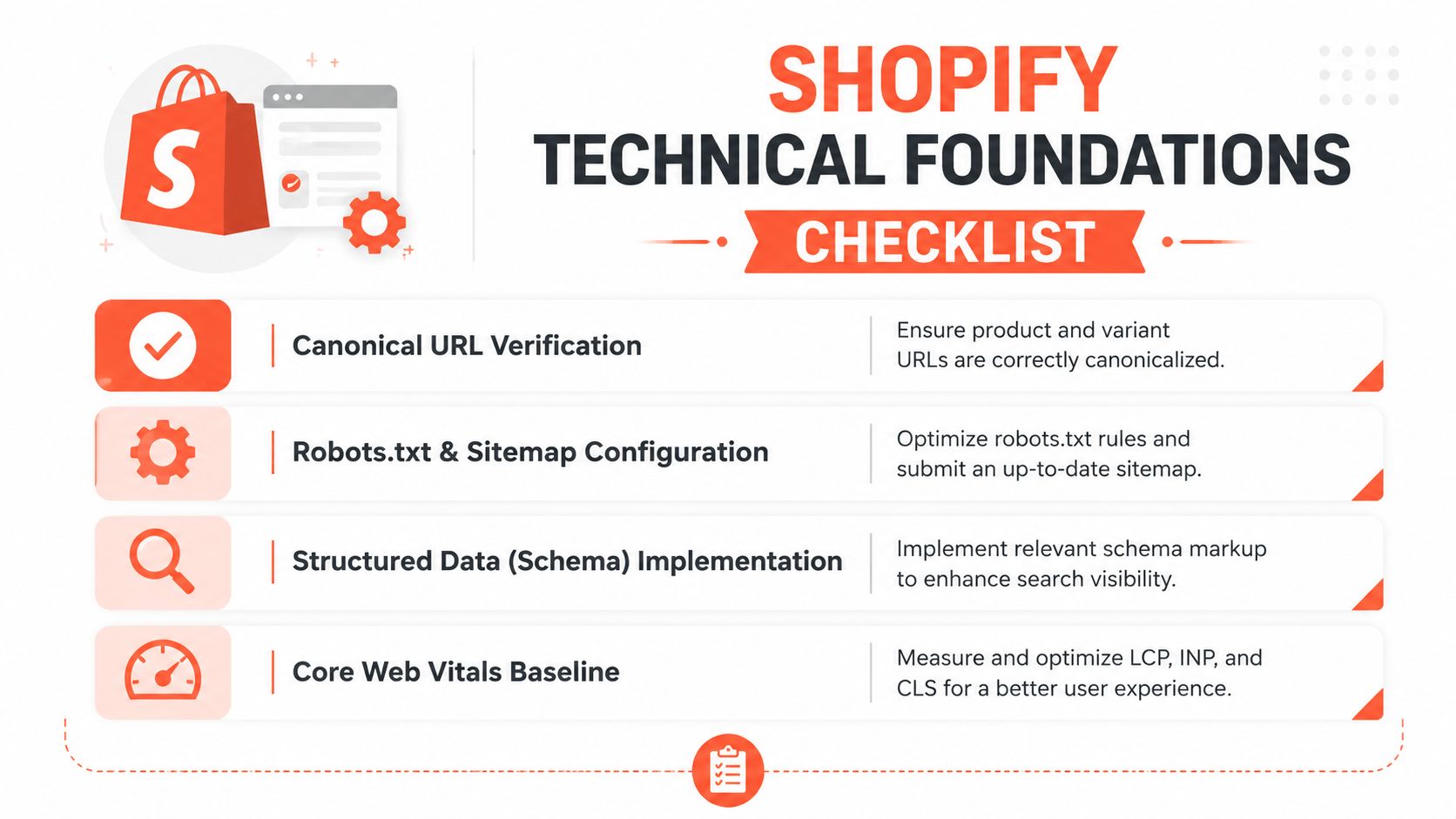
Confirm indexable page types. In Shopify admin, review Online Store, Preferences for the store's search-engine listing settings, then inspect representative home, collection, product, blog, and policy pages. A page intended to attract organic traffic needs crawlable HTML, a clear purpose, and a path from the site's navigation or contextual links.
Review canonical behavior. Shopify typically provides canonical signals, but custom templates and variant handling still need validation. Inspect the rendered
<link rel="canonical">for products, collections, filtered views, and pagination. The canonical target should reflect the primary page, not an accidental parameter or an obsolete URL.Control faceted navigation. Filters and sorting can generate many combinations of identical product sets. Decide which filtered pages deserve indexation, and keep the rest from becoming competing crawl destinations through canonical logic, internal-link controls, and appropriate robots handling. Don't assume an SEO app can infer merchandising intent correctly.
Preserve stable URLs. Shopify's URL structure is readable by default. Use redirects when a handle must change, and map old product or collection paths before launch. The Shopify 301 redirect implementation guide is useful when a migration or catalog cleanup requires redirect planning rather than ad hoc admin edits.
Make metadata and hierarchy consistent
Shopify's baseline recommends title tags under 60 characters, meta descriptions under 160 characters, a clear H1, H2, and H3 hierarchy, and concise alt text that describes the image. These aren't invitations to force a keyword into every field. They're constraints that help teams produce consistent metadata across a large catalog.
Use one meaningful H1 for the page's primary subject. Use H2 and H3 headings for buyer questions, product details, materials, compatibility, care, or collection subtopics. In Liquid, check the relevant templates and sections rather than editing generated HTML after the fact. Common locations include templates/product.json, templates/collection.json, and section files such as sections/main-product.liquid, although the exact structure depends on the theme.
A practical sprint checklist is simple: validate canonical output, inspect parameter behavior, confirm metadata limits, check heading order, review alt text on key media, and crawl for orphaned or redirected pages. Finish by testing structured data and a mobile performance baseline. Fixing these issues before producing more content prevents the team from scaling avoidable technical debt.
Core Web Vitals as a Per-Template Problem
A global Lighthouse score can look healthy while the collection template delivers a poor experience on mobile. Product pages may carry a large gallery and review script, collections may render filters and infinite loading, and the blog may remain lightweight. Core Web Vitals are therefore a template problem, not a single-site score.
Shopify's performance guidance centers on LCP of 2500 milliseconds or less and INP of 200 milliseconds or less, as described in its web-performance material. The practical audit should also include CLS, because layout movement can disrupt product selection, filter use, and checkout progression.
Diagnose the page type before changing code
Begin with the top organic landing pages in Google Search Console and group them by product, collection, blog, and other template. Test those URLs with PageSpeed Insights, Chrome User Experience Report data where available, and real-user monitoring. A lab result tells you what a controlled test experienced. Field data tells you what shoppers encountered across devices and connections.
For LCP, identify the element that becomes largest in the initial viewport. On a product page, it may be the hero image. On a collection page, it may be the heading or first product image. Deliver that asset efficiently, avoid lazy-loading the above-the-fold visual, and remove render-blocking work that delays its appearance.
INP requires a different diagnosis. Track interactions such as opening filters, changing variants, adding to cart, and opening navigation. Third-party scripts that attach listeners everywhere can delay those interactions even when the initial page looks acceptable.
CLS usually comes from dimensions that aren't reserved in advance. Set predictable image dimensions, stabilize promotional bars, and prevent app blocks from inserting content above the shopper's current position.

Prioritize by commercial exposure
A Shopify Plus performance case study reported a 17% mobile conversion-rate lift, a 24% reduction in bounce rate, and approximately $1.2 million in additional annual mobile revenue after the store moved all three Core Web Vitals to Good status. The same case study cites data indicating that moving from Poor to Good Core Web Vitals can reduce page abandonments by 24%. These figures come from the ecommerce performance case study, not from a universal forecast for every store.
Sequence the work by template:
Product pages: optimize the primary gallery, variant interaction, review code, and add-to-cart behavior.
Collection pages: address filter scripts, product-card images, layout reservation, and loading strategy.
Blog pages: preserve their lightweight experience while adding links and commerce modules carefully.
Cart and checkout-adjacent pages: measure interaction delay and app behavior without adding unnecessary discovery elements.
For a deeper implementation reference, use this Shopify performance optimization resource. The important decision is not whether the homepage scores well. It's whether the pages receiving organic demand remain fast and stable when real shoppers interact with them.
Product Pages That Earn Rankings and Clicks
Product pages fail when they describe the item without answering the reason a shopper searched for it. A useful page starts with the use case, makes the product's differentiators easy to verify, and removes uncertainty around fit, materials, delivery, care, or compatibility.

Rewrite the page around buyer questions
A practical product-copy structure looks like this:
Opening use case: State who the product serves and the job it performs.
Proof and specifications: Explain materials, dimensions, compatibility, ingredients, or construction in language shoppers can scan.
Decision support: Address the objections that prevent purchase, such as sizing, care, warranty, or delivery conditions.
Related discovery: Link to the relevant collection, complementary products, and helpful guidance.
For example, a weak handbag description might say that a taupe bag is “stylish, versatile, and perfect for every occasion.” A stronger version would explain how the bag works for workday carry, what fits inside, how the strap adjusts, which materials need care, and why the taupe color suits the intended wardrobe. The second approach supplies search context without repeating the same adjective or stuffing variants into every sentence.
Internal links should support the shopper's next decision. A product can point to its collection, a care guide, a comparison page, or a compatible accessory. If the purchase depends on taxes, duties, or regional fulfillment, teams managing international commerce may also find this practical overview of handling global payments and taxes in Django relevant to the wider operational picture.
Validate schema against the visible page
Product structured data can improve eligibility for richer search presentation, but only when it accurately represents the page. Validate the top 10 product pages with Google's Rich Results Test, then inspect Search Console's rich-result reports before extending the implementation across the catalog.
Check these fields in particular:
Schema area | What to verify |
|---|---|
Product | Name, image, description, brand, and variant relationships match visible content |
Offer | Price, currency, availability, URL, and selected variant are current |
AggregateRating | Rating value, review count, and review coverage are displayed and supported on the page |
A product schema case study reported organic CTR moving from 2.0% to 2.54%, monthly organic product clicks increasing by 34% within 90 days, and review-data coverage expanding from 11% of SKUs to 64% after product-review markup improvements. Those figures are specific to the benchmark described in the product review schema case study, so use them as evidence of potential, not a guaranteed outcome.
The routine is more important than the initial deployment. Re-test representative products after theme releases, price changes, review-provider changes, and feed updates. For conversion considerations that sit beside organic optimization, consult this Shopify conversion rate optimization guide.
The video below adds a visual product-page reference for teams reviewing layout and merchandising decisions.
The App and Script Cost No One Calculates
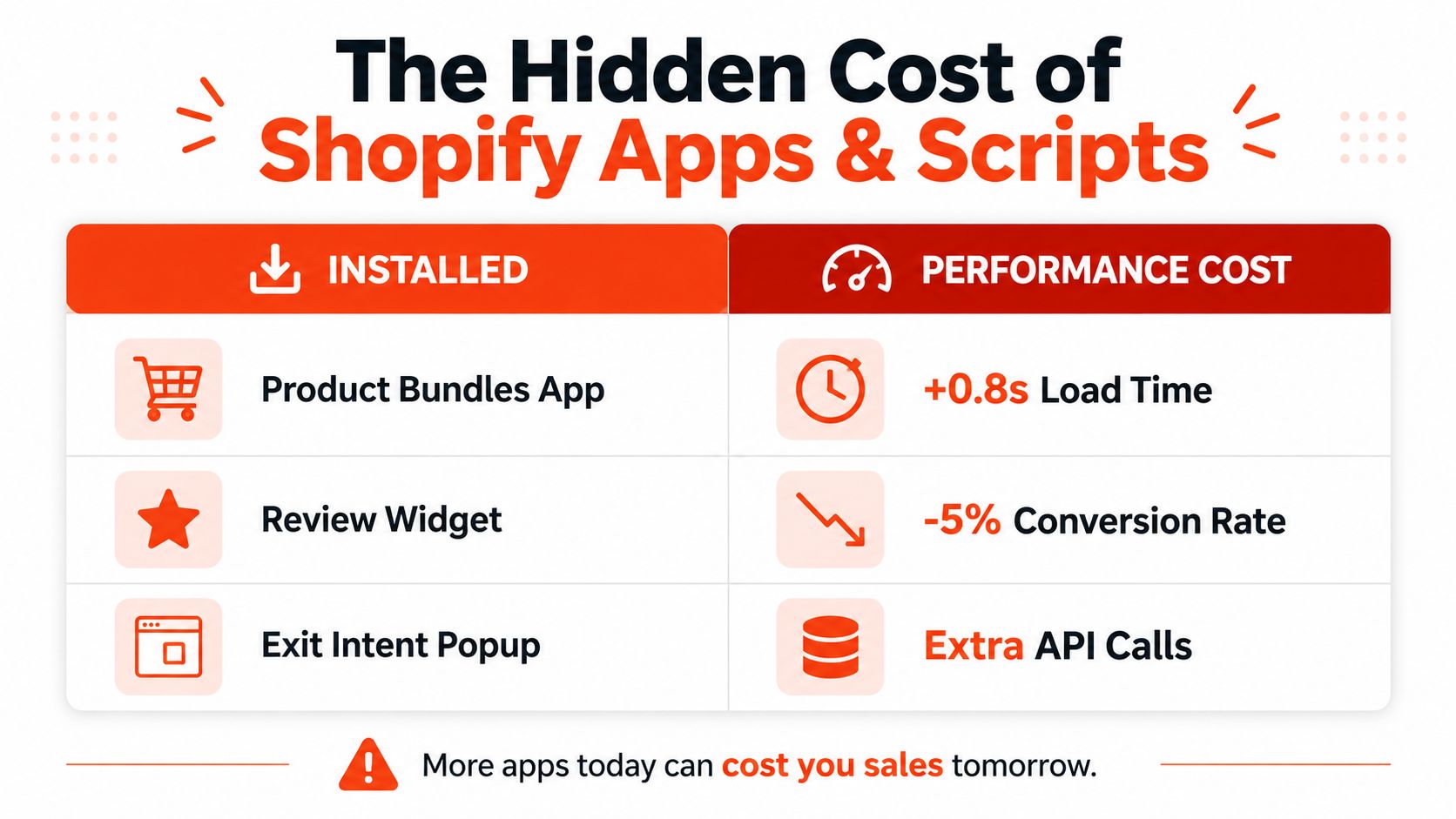
The default Shopify growth reflex is to install a tool for every missing feature. That reflex creates a storefront where a review app, bundle app, pop-up, analytics layer, personalization engine, and SEO plugin all compete for execution time. The team tracks feature adoption, but rarely tracks the cost of loading those features on templates that don't use them.
Shopify's 2026 Enterprise analysis associates every 100 milliseconds of additional load time with about a 3.5% lower conversion rate, and connects a 2.5-second LCP with roughly 30% lower conversion than a 1.5-second LCP. It also links every 32 milliseconds of slower interaction response with about a 1.5% conversion drop. These relationships are documented in Shopify's store speed and conversion analysis, and they make app governance a commercial concern rather than a purely technical preference.
Use a removal test, not a feature debate
For every app or script, ask three questions:
Does it improve a page-level experience? A quiz that helps shoppers choose the right product may earn its cost. A duplicate SEO plugin that rewrites metadata already controlled in Liquid probably doesn't.
Where does it execute? A review widget that loads only on product pages has a different risk profile from one that injects code across the entire storefront.
Can the theme or platform handle the job? Native Shopify functionality, theme settings, Shopify Functions, or a small Liquid implementation may replace a broad app dependency.
Inventory scripts through the theme, app embeds, tag manager, and network waterfall. Record the templates where each script fires, the customer action it supports, and whether the team can disable it for a controlled test. Real-user monitoring should compare the affected template with and without the feature where that testing is safe.
Practical rule: If nobody can name the page experience or business process an app improves, it isn't ready for automatic renewal.
Audit the stack quarterly
Rank installed tools by business value, template coverage, JavaScript footprint, interaction impact, and maintenance burden. Keep tools that support a clear customer or operational outcome. Replace overlapping tools, scope scripts to the templates that need them, and remove abandoned embeds instead of merely hiding their visible blocks.
A lean custom feature isn't always the right answer. Development time, support ownership, accessibility, update requirements, and international behavior all matter. Presidio, for example, combines Shopify theme and app development with technical audits, performance tuning, and ongoing storefront support, which can be relevant when a brand needs to consolidate app-driven functionality without losing essential merchandising capabilities.
The mistake isn't using apps. It's allowing the stack to grow without a performance owner.
Monitoring That Catches Regressions Early
Shopify SEO needs a monitoring cadence that turns symptoms into tickets. Search Console, PageSpeed Insights, CrUX, and a crawler each answer different questions, so avoid treating one dashboard as the source of truth.
Weekly checks
Review Search Console for indexing anomalies, manual actions, sitemap processing, and changes in clicks or impressions by page type. Segment product and collection performance instead of looking only at the domain total. Check rich-result coverage after catalog, theme, or review changes.
Monthly checks
Crawl representative templates with Screaming Frog or Sitebulb. Look for broken internal links, unexpected noindex directives, canonical changes, duplicate titles, missing H1s, and parameter URLs entering the crawl set. Compare PageSpeed Insights and CrUX patterns for the landing pages that receive organic traffic.
Quarterly checks
Run a complete app and script inventory, review unused theme assets, and compare template-level Core Web Vitals. Rank-tracking platforms should separate brand terms, collection targets, product queries, and informational content. A ranking increase on a low-value phrase shouldn't distract from a collection losing visibility.
Create alerts that name the page type, metric, and likely cause:
Example alert: “Collection template, LCP above the Shopify target, regression began after filter-app release. Audit collection scripts and product-card image delivery.”
That format gives development and growth teams a starting hypothesis instead of another vague performance notification.
A 90-Day Sequencing Plan for Shopify SEO
A workable first phase starts with a technical crawl, canonical and indexability review, and a Core Web Vitals baseline for the highest-value product and collection templates. The next phase rewrites priority product pages, validates Product, Offer, and AggregateRating markup on representative SKUs, and reconciles the page with the merchant feed.
The final phase audits every app embed and third-party script, removes duplication, scopes code by template, and establishes the weekly, monthly, and quarterly monitoring cadence. Defer broad blog production until the commercial templates and internal linking structure can support the demand. Defer international expansion until the primary market's URLs, metadata, performance, and operational ownership are stable.
Teams building an internal measurement workflow can also use this SERP API comparison analysis when evaluating how to collect and compare search-result data.
Shopify SEO compounds when the store behaves like a maintained product, not a quarterly marketing project. The strongest gains usually come from a sequence of focused fixes, clean templates, useful product information, accurate markup, and disciplined control over the code added to every page.
Presidio helps Shopify and Shopify Plus brands build maintainable themes, custom apps, and performance-focused storefronts without letting app sprawl undermine SEO or conversion work. Visit Presidio to discuss a technical audit, theme optimization, migration, or ongoing development plan for your store.



