Outrank AI

Your WooCommerce store is still taking orders, but the work around it is getting harder to manage. A plugin update threatens checkout, product details live in custom fields, the blog brings in search traffic, and nobody's sure what happens to recurring payments if the store moves. You're not just choosing a new cart. You're deciding how the business will run after the old stack is gone.
A WooCommerce migration to Shopify works best as an ongoing operations program, with clear ownership, staged data checks, payment continuity planning, and post-launch monitoring. The export is only one part of that work.
Table of Contents
Why a WooCommerce to Shopify Move Is More Than a Data Export
A mid-market brand can have a tidy product catalog and still face a complicated migration. Its WooCommerce store may sit inside WordPress, where the blog, landing pages, media library, customer accounts, and plugin logic all support the same customer journey. Moving products and orders without accounting for those dependencies can leave the new storefront online but the business around it incomplete.
WooCommerce and Shopify reflect different operating models. WooCommerce is closely tied to the WordPress ecosystem, while Shopify offers a more centralized hosted commerce environment. That difference is visible in platform usage: W3Techs' WooCommerce data reports that WooCommerce is used by 7.8% of all websites and represents 47.4% of ecommerce systems in its survey. A 2025 comparison summarized by WordPress.com places Shopify ahead of WooCommerce among the top one million ecommerce sites, with shares of 28.8% and 18.2%, respectively. These figures use different measurement approaches, so they're context for the platforms' reach, not a forecast of what any individual store will gain by moving.

A clean catalog import can't decide whether a WordPress blog should move, which app replaces a subscription plugin, or how customer accounts and analytics events should work. Those decisions need owners and acceptance criteria before the team starts exporting.
Dimension | WooCommerce | Shopify |
|---|---|---|
Platform model | WordPress-connected commerce, shaped by plugins and custom development | Hosted commerce platform with a more centralized admin |
Content footprint | Products may coexist with WordPress pages, posts, and custom content | Commerce and content need deliberate mapping into Shopify's structures |
Operational responsibility | Store owners manage hosting, updates, and plugin dependencies | Platform operations are more centralized, while apps and integrations still need management |
Migration risk | Customizations and historical data can be distributed across the WordPress stack | The new store needs mapped data, tested integrations, and rebuilt workflows |
Treat the move as a systems change, not a preference change. A WooCommerce migration case study can help frame the kinds of operational decisions a replatform involves, but your own audit must define the scope.
Practical rule: If a plugin affects revenue, fulfillment, customer access, or reporting, document its replacement before the migration begins.
Auditing Your Store Before You Touch Any Data
The audit is the most impactful work in the migration. It reveals which data is reliable, where business rules live, and who has authority to decide what Shopify should contain. Without that agreement, a technically successful import can still produce a store that's subtly wrong.

Build the inventory and assign owners
Inventory products, variants, customers, orders, discounts, media, pages, blog content, subscriptions, tax settings, and integrations. For each entity, name the person who owns its meaning, not just the person who can export it. The merchandising lead might own product titles and option names, while finance confirms how historical order totals and refunds should appear.
Then define a canonical owner for every important field. If WooCommerce has a product description, a plugin has a second version, and a spreadsheet has a third, decide which one becomes authoritative. Record how custom fields map to Shopify fields or metafields, and flag anything that needs a human decision.
Normalize before mapping
Clean SKUs and variant relationships so each item has a consistent identity. Check HTML for styling that won't survive the move, verify image references, and standardize timestamps and tax-inclusive pricing. Don't assume a field is safe because it appears in an export. Confirm what it means and how Shopify will use it.
Some records should be marked for manual remediation rather than pushed through an automated import. Examples include duplicate customer profiles, discontinued variants with active orders, and subscription records that don't match the current billing provider.
Set acceptance criteria before testing
Run a representative subset migration, then a complete staging migration, then the production cutover. For each pass, compare source and destination records and business totals, including products and variants, customers, orders, monthly revenue, refunds, inventory, and active subscriptions.
A pass isn't accepted just because the import tool reports success. Require zero unexplained record-count differences, no orphaned media, validated customer-order relationships, and written approval from the relevant business owners before cutover.
The Three-Pass Data Migration Pipeline
A migration should behave like a repeatable data pipeline, not a one-time file upload. Each pass should be safe to rerun, observable when something fails, and specific about which records need manual review.
Respect the import order
Shopify recommends importing products before customers and historical orders, so order relationships can be reconstructed correctly. The Shopify migration guidance is a useful reference for planning the import sequence and validating the destination setup.
Map fields explicitly. Decide how WooCommerce product attributes become Shopify options or metafields, how variant SKUs are preserved, and how customer identities match historical orders. A field name that looks familiar doesn't guarantee the data has the same meaning in both platforms.
Entity | Subset pass | Full staging | Production |
|---|---|---|---|
Products and variants | Test representative product types and options | Reconcile full product and variant counts | Confirm final catalog and inventory |
Customers | Verify identity matching and required fields | Check customer totals and groups | Confirm final records and account flow |
Orders and refunds | Test relationships and statuses | Compare order counts, monthly revenue, and refunds | Reconcile final historical and late-arriving orders |
Media and content | Check image and page references | Find missing assets and broken links | Confirm launch-critical content |
Subscriptions | Test record handling and provider assumptions | Review active contracts with the billing owner | Confirm approved continuity plan |
The subset pass should include edge cases, not just a few easy products. Select records with multiple variants, unusual tax treatment, refunds, and custom fields. Use the complete staging pass to test the whole mapping and expose volume-related failures. The production pass should include the final change set and a signed reconciliation.
Build idempotency into the process so a retry doesn't create duplicates. Add rate-limit handling, a retry queue, and an exception log that records the source record, failure reason, and resolution. If the store's catalog also feeds another channel, a practical guide on how to sync WooCommerce with eBay can help teams think through feed ownership and channel data dependencies, but it shouldn't replace Shopify-specific field mapping.
A successful import message is not an acceptance test. The business owner must approve the reconciled data before the team switches checkout or the storefront.
Preserving SEO Through the Cutover and Beyond
A redirect list is necessary, but it isn't an SEO governance plan. A URL can redirect correctly while the destination has missing content, the wrong canonical, broken internal links, or analytics that no longer attribute sales to organic landing pages.
Before launch, capture indexed URLs, organic landing pages, revenue by landing page, Search Console queries, redirects, crawl errors, canonical tags, structured data, robots directives, and analytics events. Identify which URLs and page templates carry business value, then map each old URL to its intended destination. Test the redirects and check the destination page itself, not just the response.

Keep visibility and revenue separate
Rankings aren't the same as search revenue. A product may remain visible while a changed collection structure, faceted navigation, page speed, merchandising layout, or conversion event breaks the path from search visit to purchase. Track organic performance alongside checkout and analytics integrity so the team can distinguish a search problem from a measurement or user-experience problem.
Use checkpoints at day 1, 7, 14, 30, 60, and 90. At each point, compare the same URLs, templates, and markets against the baseline. This cadence is a management framework, not a promise that normal re-indexing will follow a fixed schedule.
If a page loses traffic, first check whether it resolves, whether its redirect points to the intended equivalent, and whether the new page is indexable and measured correctly. Compare changes across related templates and markets. A broad shift across equivalent pages may call for investigation; a short-lived fluctuation without a technical defect may warrant monitoring instead of a hurried sitewide change.
A strong redirect map is still essential, but it can't compensate for missing content or broken tracking. Use a Shopify 301 redirect implementation guide as a practical reference for redirect work, then assign an owner to review crawl errors, canonicals, organic landing-page revenue, and conversion events after launch.
Subscriptions, Apps, and Payment Continuity
A migrated customer record isn't the same thing as permission to charge that customer again. Subscription projects need to treat customer profile data, billing authority, and payment tokens as separate datasets, each with its own migration and compliance questions.
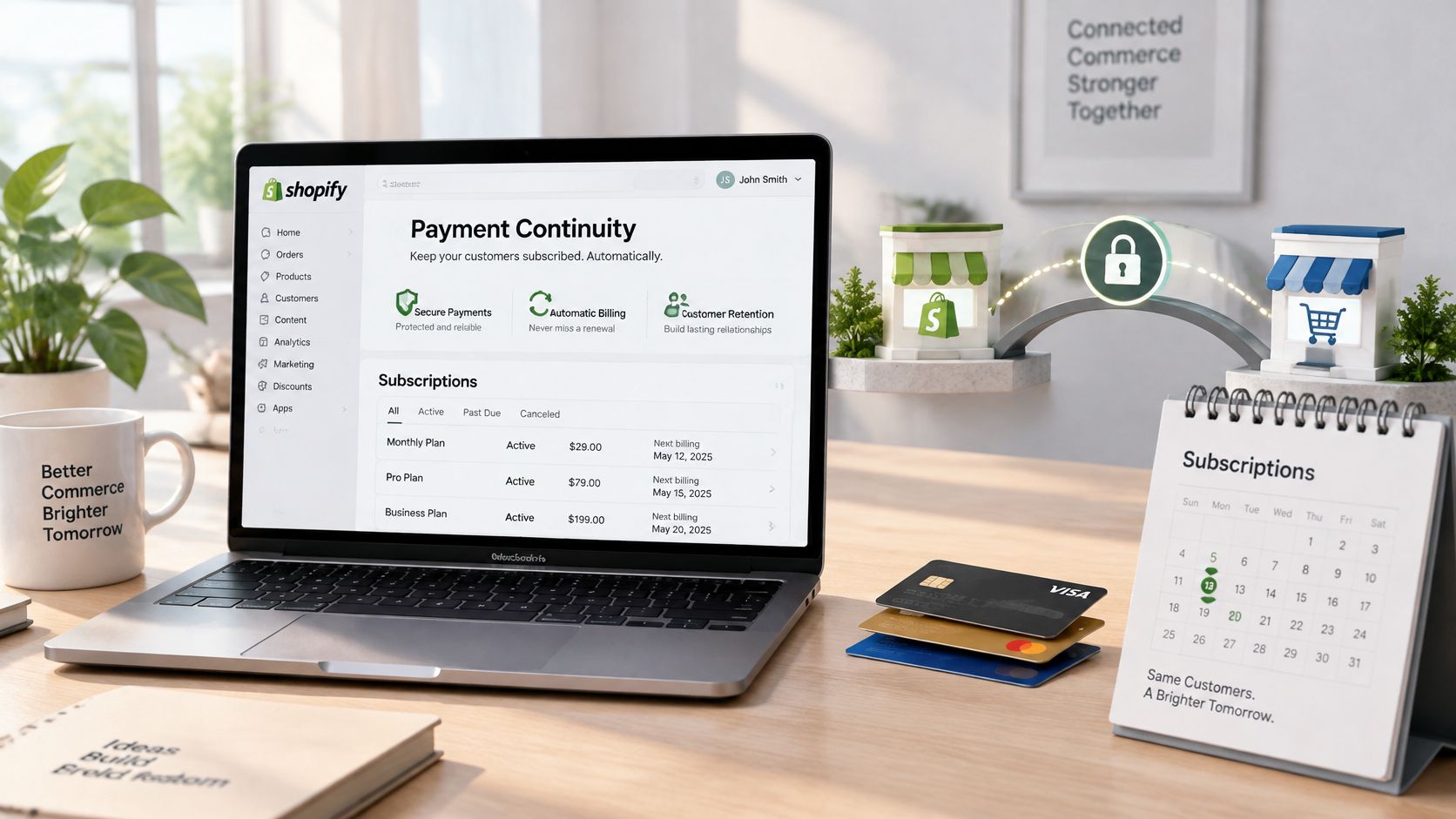
Customer profiles contain details used to identify and contact the customer. Order history records what the customer bought and what happened to that order. Billing authority describes the active subscription agreement, while payment tokens represent credentials held by a gateway. Importing the first two doesn't automatically transfer the right or technical ability to process the next renewal.
Reusable card credentials and subscription mandates generally can't be moved directly because the original gateway controls the tokens and applies security restrictions. Confirm portability with the existing gateway and the destination subscription provider before committing to a cutover plan. Where a mandate can't transfer, customers may need to reauthorize, or the brand may need a coordinated transition that keeps billing with the original provider for a period.
Keep legacy obligations visible
Refunds, disputes, and chargebacks for pre-launch orders remain tied to the original payment provider. Keep that gateway and the records needed to manage those obligations available until the business confirms that legacy liabilities are resolved. Don't turn off access just because the new Shopify checkout is taking orders.
Create a subscription register with the contract status, current gateway, next billing event, migration path, customer-consent requirement, and owner. Reconcile parallel billing during the transition, and define how support will answer customer questions about failed or duplicated charges. The right approach depends on gateway portability, local rules, and the provider's technical capabilities.
Apps need the same scrutiny. Map each WooCommerce extension to a Shopify-native feature, an app, or custom development, then test the whole workflow. A Shopify integration services overview can provide context on how integration work fits into a replatform, but the migration team still needs a written plan for each business-critical connection.
Treat payment continuity as a lifecycle and compliance problem, not as a checkbox in the customer import.
Testing, Launch Day, and the Rollback Trigger
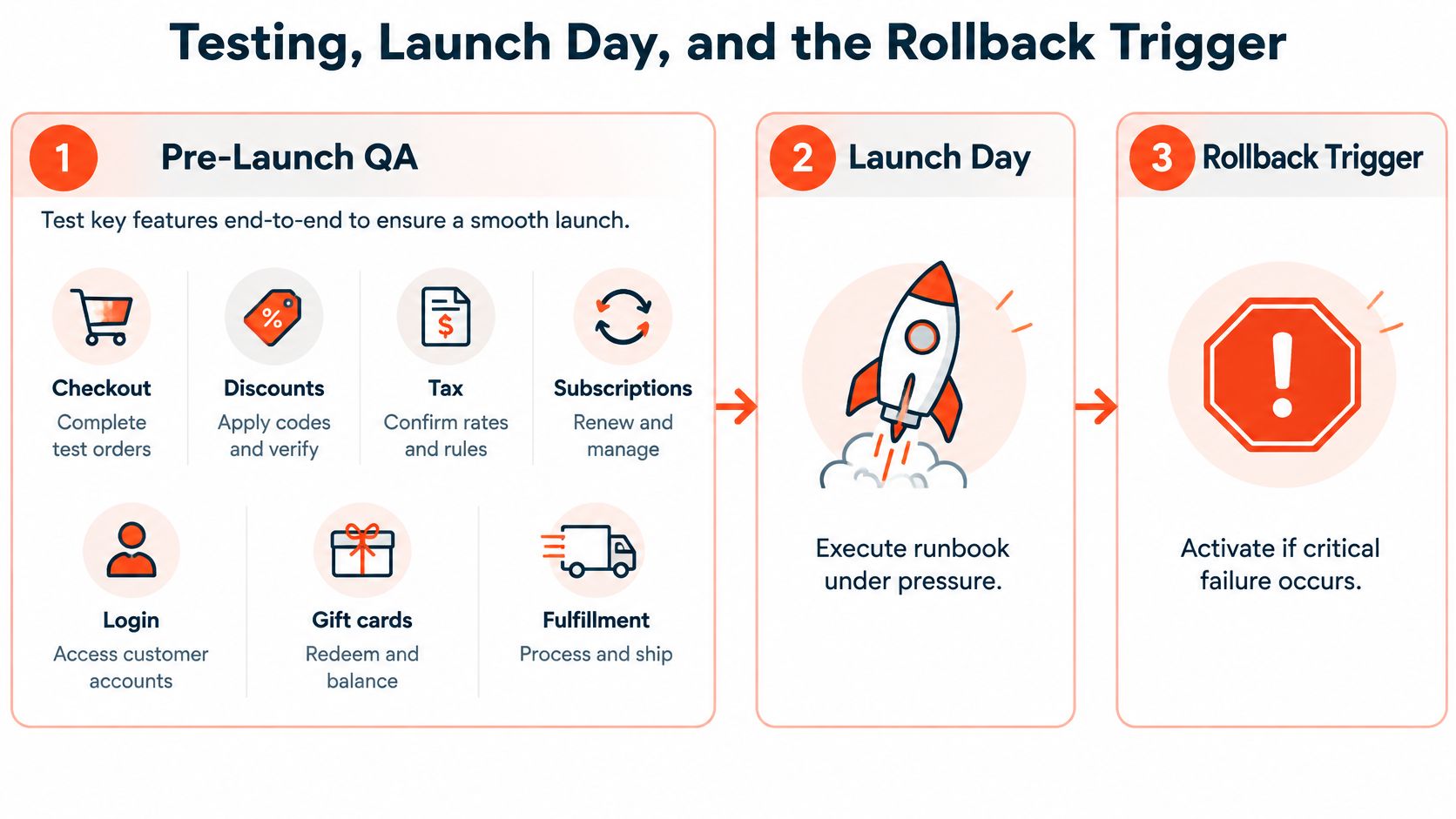
Launch day is too late to decide what failure means. Agree on the rollback conditions while the team has time to review them, then test the customer and operational paths that could make those conditions necessary.
Test the business, not just the theme
Before launch, run real test orders through the configured payment flow. Verify discounts, tax rules, subscription creation and management, customer account access, gift-card redemption, fulfillment handoff, and order notifications. Check storefront parity against a documented baseline: key product pages, collections, content, mobile layouts, and the analytics events that report customer behavior.
For each test, record the expected result, actual result, owner, and resolution. A green QA checklist is useful only if the team knows what was tested and what still has an exception.
Run a controlled cutover
Use a written sequence: pause nonessential changes, freeze source data, run the final reconciliation, publish the approved storefront, confirm payment routing, and monitor checkout and integrations. Keep the old store accessible to the team for investigation and legacy obligations.
Set rollback triggers in advance. Examples include checkout failing for valid test purchases, incorrect tax behavior, lost order capture, or a broken critical integration that blocks fulfillment. The action doesn't always need to be a full platform reversal. If the catalog is correct but checkout has a critical defect, a partial rollback may be safer than undoing every completed migration task.
Assign a decision-maker who can call the rollback without waiting for a debate. If no critical trigger fires, continue monitoring and log defects for triage. If a trigger does fire, stop new changes, preserve the error details, and follow the agreed recovery path rather than improvising under pressure.
Post-Launch Monitoring and Common Failure Modes
A launch can pass its first checks and still expose problems once customers use the store. Watch revenue by landing page, checkout completion, refunds, index coverage, analytics event integrity, and subscription churn. Compare each signal with the agreed baseline and investigate changes alongside the team responsible for that system.
Signal | Measure | Action threshold |
|---|---|---|
Organic landing pages | Traffic and revenue by URL or template | Investigate a sustained decline tied to broken redirects, content, indexing, or tracking |
Checkout | Successful completion and order capture | Escalate when valid purchases fail or orders aren't recorded |
Refunds and pricing | Refund patterns and tax-inclusive price checks | Fix incorrect totals or a clear mismatch immediately |
Analytics | Key events and attribution integrity | Repair missing or duplicated events before using the reports for decisions |
Subscriptions | Renewals, failures, and customer reauthorization | Contact the billing owner when a planned charge can't proceed |
Fix broken redirects, missing purchase tracking, incorrect prices, and payment-authorization gaps promptly. Orphaned media and less critical content defects still need owners, but can be prioritized according to customer impact and business value. Don't label every fluctuation a migration failure; first check whether the underlying customer journey or measurement has actually broken.
Review operational defects after the first week, revisit SEO and billing health after the first month, and use a quarterly review to decide which temporary workarounds should become permanent fixes. That rhythm keeps the migration accountable after the launch team moves on.
If your WooCommerce store has tangled data, critical subscriptions, or organic traffic to protect, Presidio builds and supports Shopify storefronts, integrations, and migration programs. Visit Presidio to discuss a staged migration plan that includes data mapping, testing, cutover controls, and ongoing optimization.

Jamie, Presidio’s Designer, leads the practice alongside Johnnie. With over 10 years of e-commerce experience, Jay is a Shopify expert, known for crafting innovative solutions that prevent tech debt.
Jaime
Senior Product Designer, 2020



